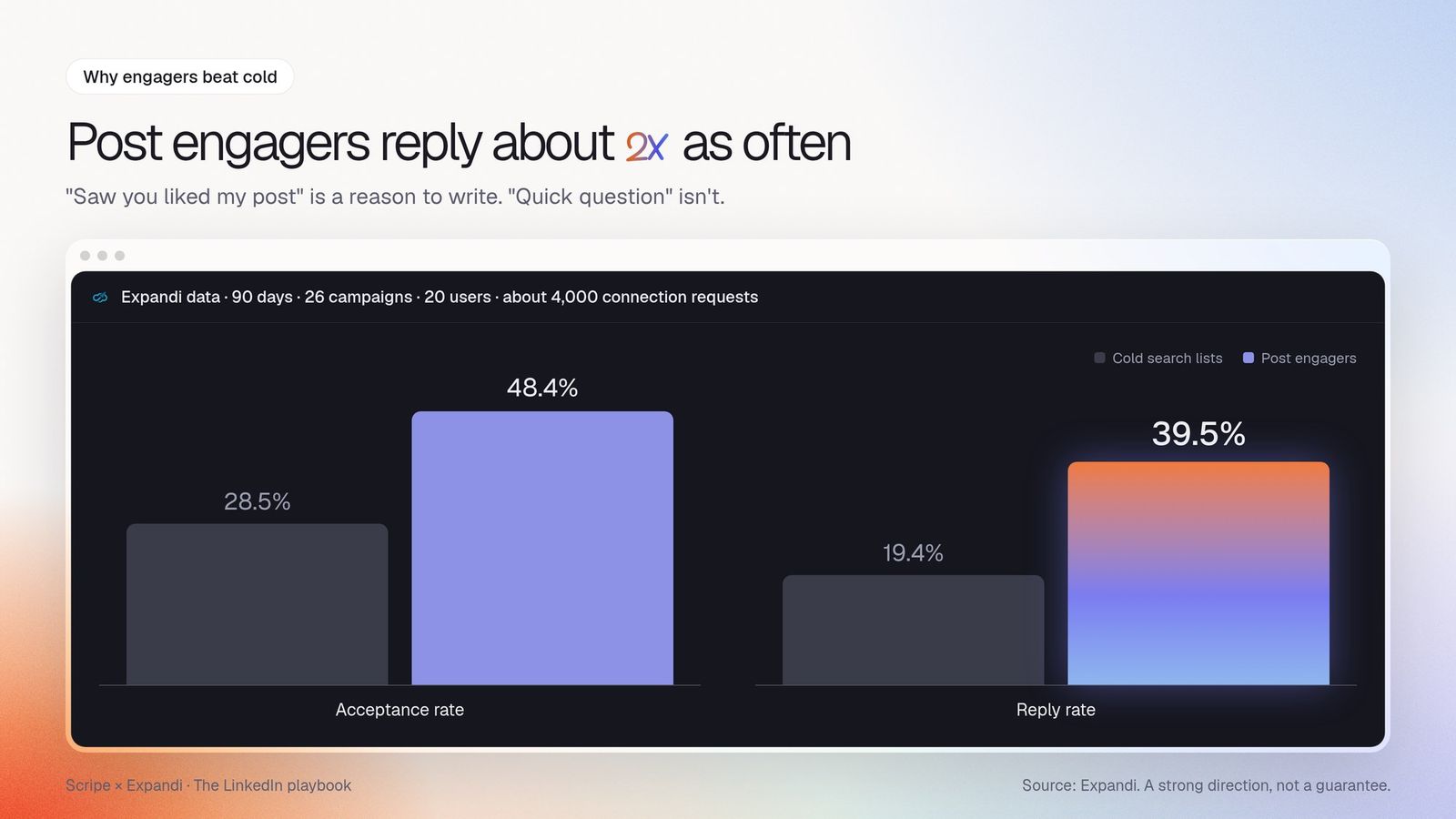
A LinkedIn outreach strategy works best when your content does the introductions: post what your market already responds to, then message the people who engaged. In Expandi's data, post engagers replied 39.5% of the time, against 19.4% for cold search lists.
This guide is for founders, marketers and sales leads who run LinkedIn content and outbound themselves. It runs both as one system out of Claude. Scripe, a social media management platform for B2B teams and agencies, finds the posts that over-performed and drafts from your knowledge base. Expandi turns everyone who liked or commented into a warm list. You approve every post and every campaign.
We made over €1M revenue from LinkedIn. If we started again, this is the playbook we would run, step by step, with every prompt included.
What is a LinkedIn outreach strategy
A LinkedIn outreach strategy is your plan for who you contact on LinkedIn, why they would care, and what you say in each message.
Warm vs cold outreach
Cold outreach messages someone who has never heard of you. Warm outreach messages someone who already reacted to something you did, such as liking or commenting on your post.
Most LinkedIn prospecting starts from a search: you pick job titles, build a list and write to strangers. This strategy starts from a post instead, so everybody on the list has already shown interest in the topic. For the wider sales motion around it, read our guide to social selling.
Why warm outreach beats cold outreach on LinkedIn
Warm outreach works better because content gives outbound a reason to write. Most teams run the two separately: content chases views, outbound chases replies.
When you message someone who already reacted to your post, you are not a stranger. "Saw you liked my post" is a reason. "Quick question" is not.
Expandi's data across 90 days, 26 campaigns, 20 users and about 4,000 connection requests shows the gap:
| List | Acceptance rate | Reply rate |
|---|---|---|
| Post engagers | 48.4% | 39.5% |
| Cold search lists | 28.5% | 19.4% |
That's about 2x. Treat it as a strong direction, not a promise, and measure your own.
The playbook at a glance
The playbook has ten steps: four to decide what to post, two to publish, three to turn engagement into conversations, and one weekly review.
| Step | What happens | Where |
|---|---|---|
| 1 | Connect and brief Claude | Scripe |
| 2 | Find niche outliers | Scripe |
| 3 | Find your own outliers | Scripe analytics |
| 4 | Pick 3 ideas | Claude |
| 5 | Rewrite as you | Scripe drafts |
| 6 | Add visuals and schedule with review on | Scripe |
| 7 | Pull likes and comments from the post URL | Expandi |
| 8 | Filter the list by ideal customer profile | Claude |
| 9 | Draft a campaign, left off | Expandi |
| 10 | Monday report, then repeat | Scripe and Expandi |
What you need before you start
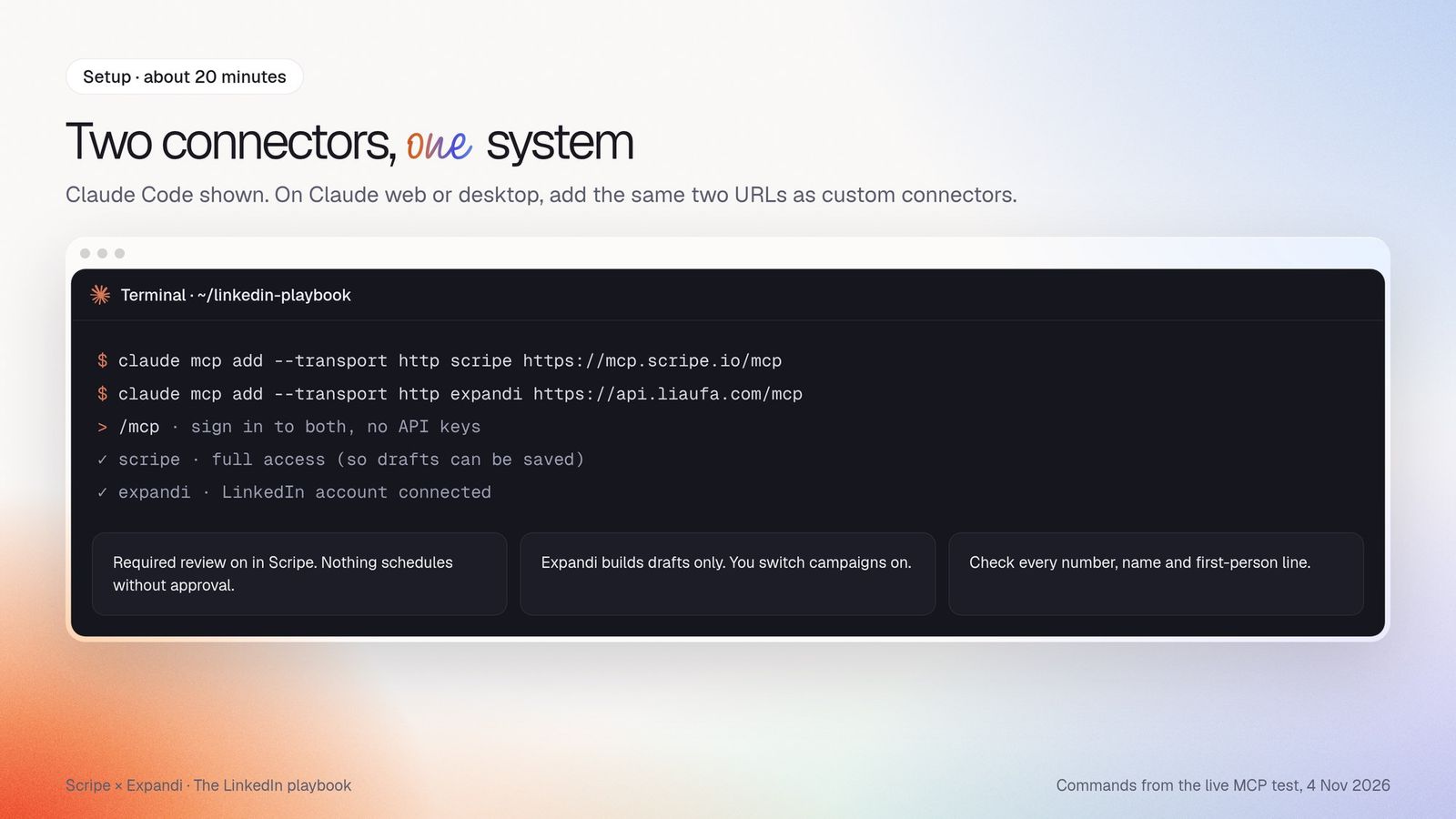
You need a Scripe account with LinkedIn connected, an Expandi account with your LinkedIn account connected inside Expandi, and Claude. Setup takes about 20 minutes.
In Claude Code, add both connectors with claude mcp add --transport http scripe https://mcp.scripe.io/mcp and claude mcp add --transport http expandi https://api.liaufa.com/mcp. Then run /mcp and sign in to both. On Claude web or desktop, go to Settings, then Connectors, then add a custom connector with the same two URLs. The Scripe MCP page covers the other hosts.
Scripe asks once whether Claude gets read-only or full access. Choose full access, or Claude can't save drafts. Then set two rules you keep for every run:
- Turn on required review in Scripe, so nothing gets scheduled without approval. The setting is on the Business plan.
- In Expandi, Claude builds drafts only. You switch campaigns on and send replies yourself.
Decide what to post
The first four steps find what your market already wants, before you spend time writing.
Step 1: Connect Scripe and brief Claude
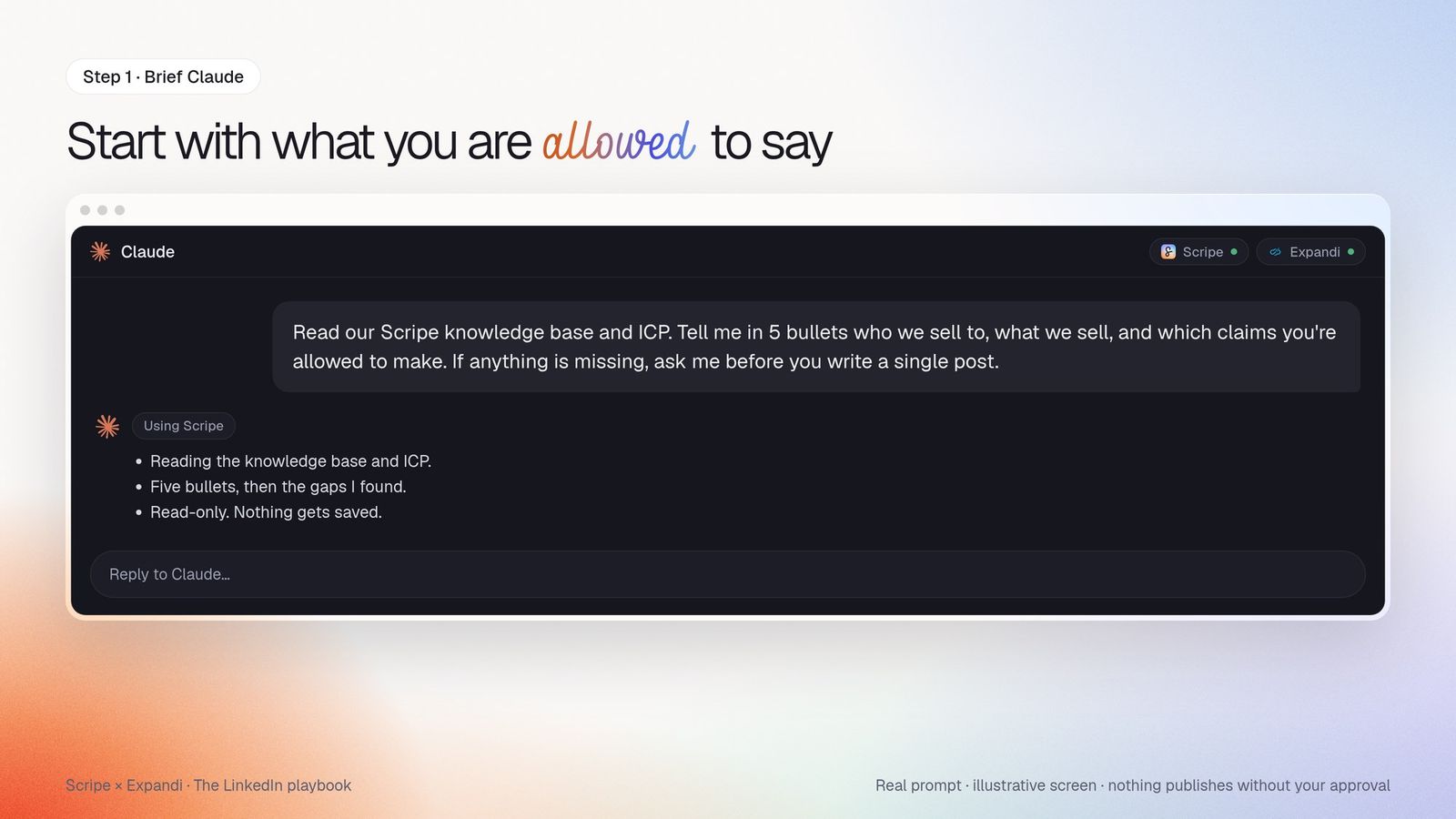
The first step is a short brief, so Claude knows who you sell to and which claims it may use. You do this once.
Prompt: brief
Read our Scripe knowledge base and ideal customer profile. Tell me in 5 bullets who we sell to, what we sell, and which claims you're allowed to make. If anything is missing, ask me before you write a single post.
Answer the gaps Claude finds. Every later step depends on this brief.
Step 2: Find niche outliers
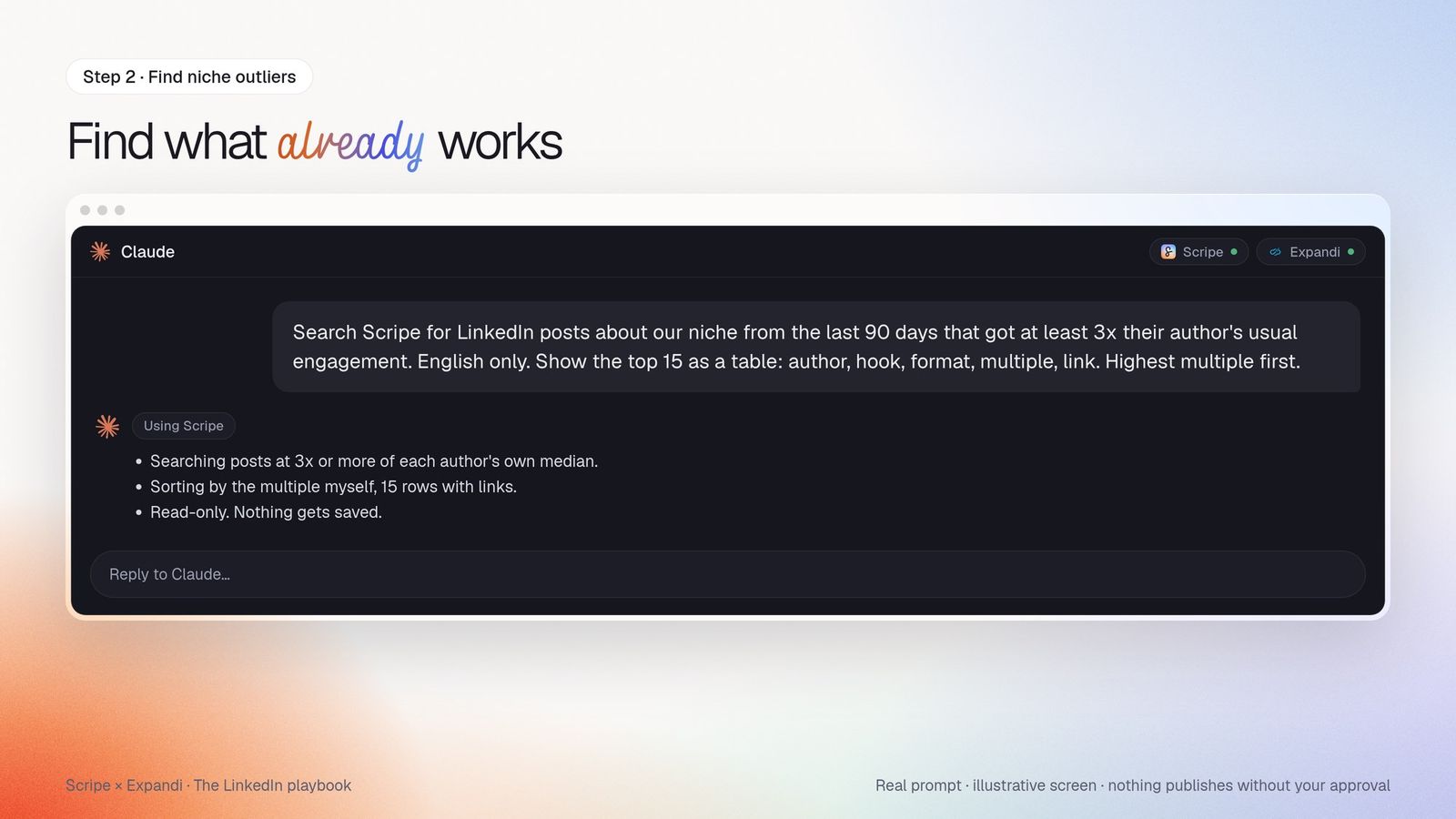
Niche outliers are posts that got at least 3x their author's usual engagement. They show what your market already responds to.
An outlier is not a big account getting big numbers. 200 likes from someone who averages 30 tells you something. 2,000 likes from someone who always gets 2,000 tells you nothing.
Prompt: niche outliers
Search Scripe for LinkedIn posts about our niche from the last 90 days that got at least 3x their author's usual engagement. English only. Show the top 15 as a table: author, hook, format, multiple, link. Highest multiple first.
Two details from our live test: write the language as the full word "english", and let Claude sort by the multiple itself.
Step 3: Find your own outliers
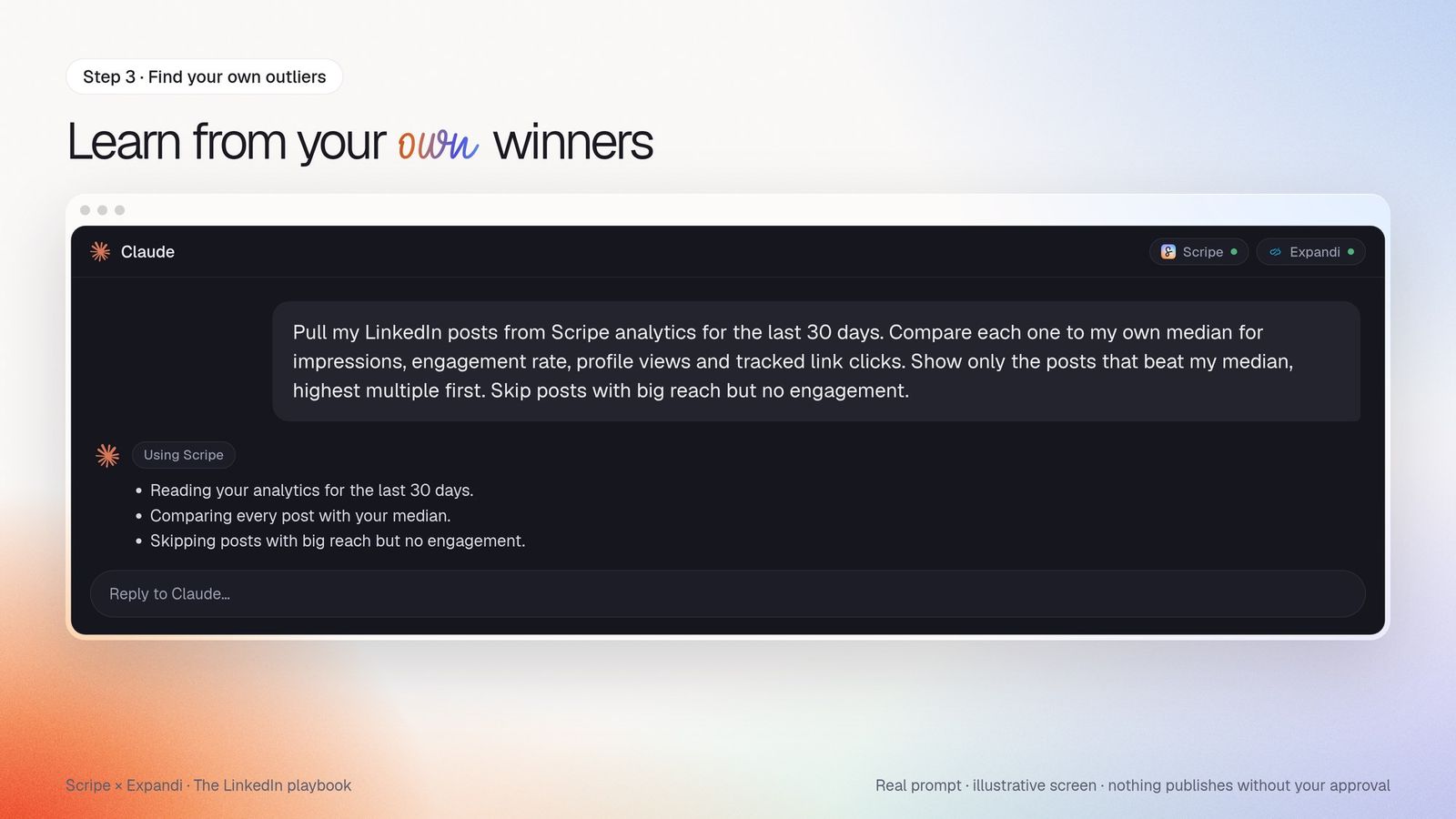
Your own outliers are the posts that beat your median. They tell you which topics and formats already work for your audience.
Prompt: own outliers
Pull my LinkedIn posts from Scripe analytics for the last 30 days. Compare each one to my own median for impressions, engagement rate, profile views and tracked link clicks. Show only the posts that beat my median, highest multiple first. Skip posts with big reach but no engagement.
When a niche outlier and one of your own outliers share a topic or format, that's usually your next post. Tracked link clicks need Scripe Business; until then, use engagement rate and comments from buyers. Our guide to measuring LinkedIn content goes deeper on the numbers.
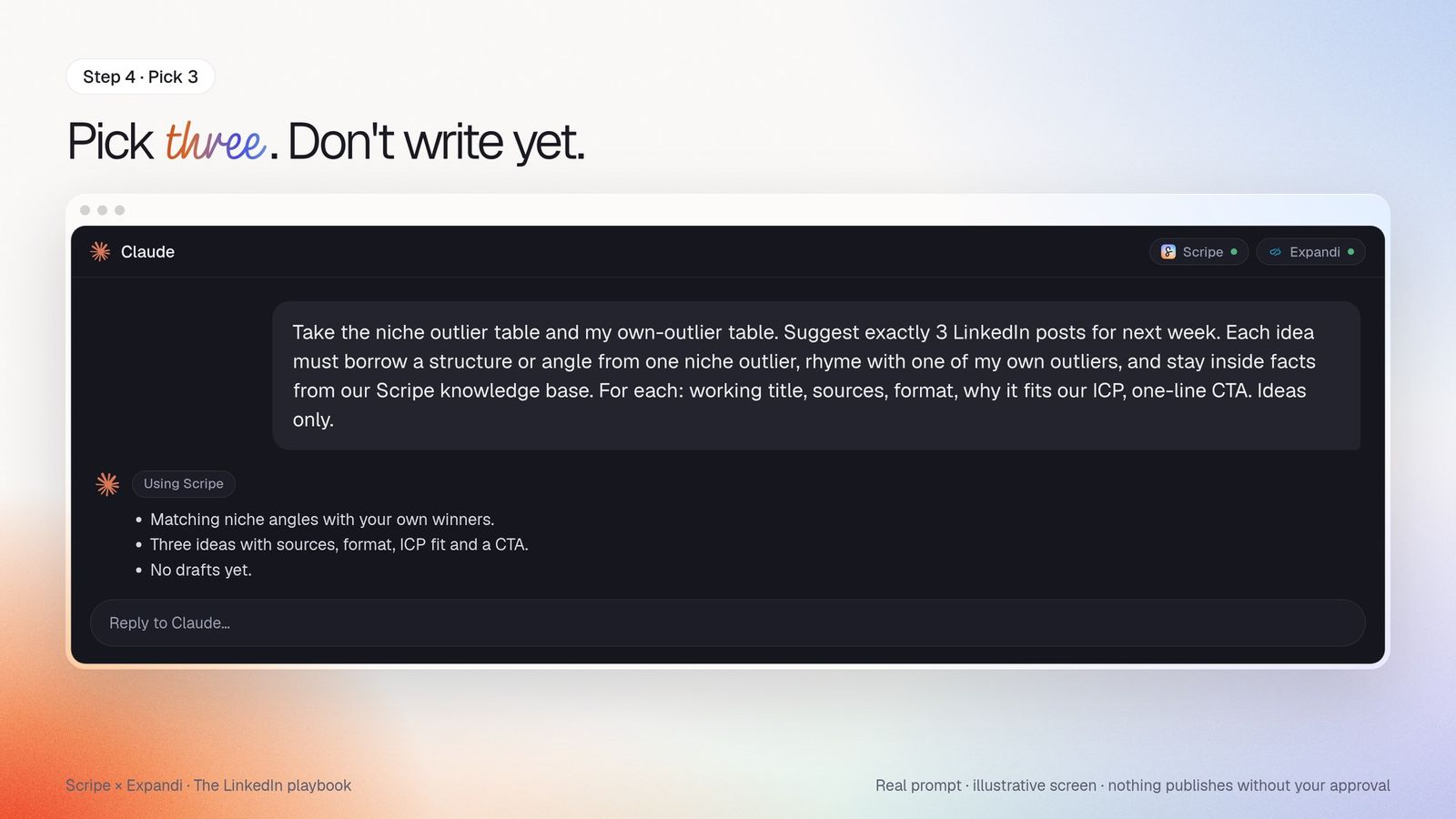
Step 4: Pick 3 ideas before you write
Pick three ideas first, so you only spend time and AI budget on posts that fit. Drafting comes in the next step.
Prompt: pick 3
Take the niche outlier table and my own-outlier table. Suggest exactly 3 LinkedIn posts for next week. Each idea must borrow a structure or angle from one niche outlier, rhyme with one of my own outliers, and stay inside facts from our Scripe knowledge base. For each: working title, sources, format, why it fits our ideal customer profile, one-line CTA. Ideas only.
Write and schedule the posts
The next two steps turn three ideas into drafts and put them on the calendar, with a person approving before anything goes live.
Step 5: Rewrite each idea as you
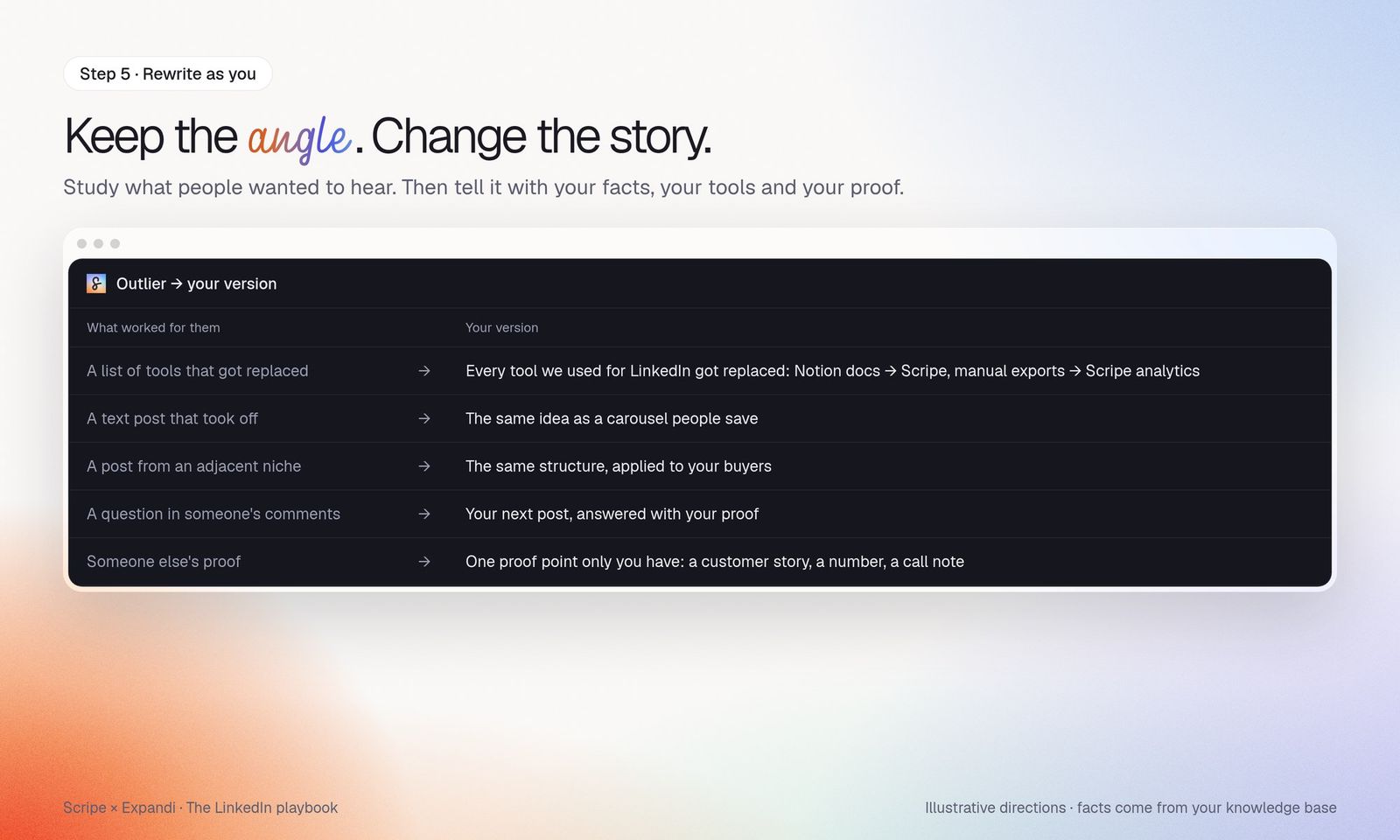
Rewriting means you keep the outlier's structure and angle, but the story, facts and proof come from you. This is the step that decides whether the post works.
Start by asking what people wanted to hear. Say a winning post was "Every tool GTM teams used has been replaced." It worked because it named a shift readers feel and set the old way against the new way.
Your version applies that angle to your own world. "Every tool we used for LinkedIn got replaced" could list content docs in Notion becoming a content system in Scripe, manual LinkedIn analytics exports becoming Scripe analytics, and blank-page writing becoming three suggested drafts from Claude. Same shape, your proof.
Prompt: rewrite as you
Rewrite those 3 ideas into full LinkedIn posts. Keep each winner's structure and angle, but apply it to us. Use only facts, numbers and stories from our Scripe knowledge base. Flag every number, name and first-person line so I can check it. Save them as drafts in Scripe. Don't schedule.
Then check every flag yourself. In our test, the model invented a first-person story once, and the readiness check passed a leftover placeholder. "Ready" means technically ready, not true.
Ways to adapt an outlier without becoming a copycat:
- Move it from an adjacent niche into yours.
- Turn a text post into a carousel.
- Answer a question someone asked in the comments.
- Add one proof point only you have: a customer story, a number, a call note.
Step 6: Add visuals and schedule with review on
Every post gets a visual and a slot on next week's calendar, but only after review. Required review is what stops an agent from publishing on its own.
Prompt: assets and schedule
For each of the 3 drafts, either generate a matching graphic in Scripe or pick the best asset from my media library. Attach it to the draft. Then plan the 3 posts across next week and show me the calendar. Send them for review. Don't publish.
Claude asks for your yes before it adds a visual or sends a review. With required review off, scheduling goes straight to the calendar. With review on, the approver gets notified in the app before anything goes live. Library images don't use your AI budget; new visuals do.
Turn engagers into conversations
Once a post is live, the next three steps turn its likes and comments into a short, filtered list and a warm campaign that stays off until you switch it on. For more on what the post itself should do, read how to turn LinkedIn posts into leads.
Step 7: Pull everyone who liked or commented
After a post goes live, Expandi can turn everyone who liked or commented on it into a lead list. That list is your warmest audience, because they already know your name.
Prompt: pull engagers
In Expandi, build a list of everyone who liked or commented on this post URL. Don't add them to any campaign yet. Tell me the raw count.
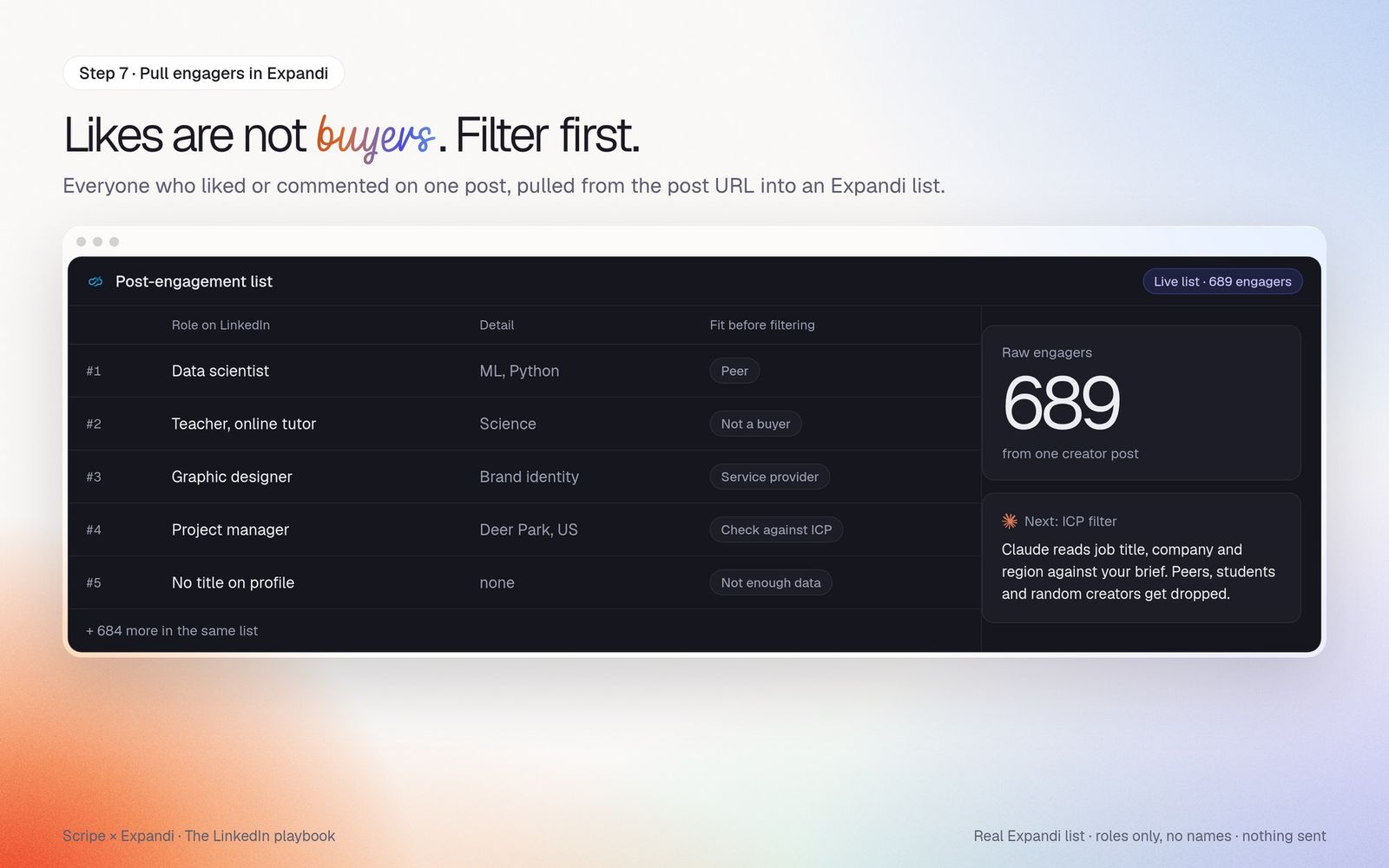
That list is real: 689 engagers from one creator post. It includes a data scientist, a graphic designer, a project manager and a teacher. Engagement is not the same as buying intent, which is why step 8 exists.
Honest limits for this step:
- Your LinkedIn account must be connected in Expandi, or the list stays empty.
- The list comes from Expandi. Scripe's agent tools don't name the people who engaged with a post.
- Profile viewers are not available through the Expandi MCP. Don't build prompts around them.
- In the EU, check GDPR and your legal basis before you message engagers of other people's posts.
Step 8: Filter the list by ideal customer profile
A filter on your ideal customer profile keeps only engagers who could actually buy from you. There is no button for it: Claude reads the lead fields and compares them to your brief.
Prompt: filter the list
From that engager list, keep only people who match our ideal customer profile by job title, company and region. Tell me how many came in and how many you dropped. Save the clean list. Still no campaign.
Peers, students and random creators get dropped. A simple tiering helps: a fit plus a comment first, a fit plus a like second, partial fits parked.
Step 9: Draft the campaign and leave it off
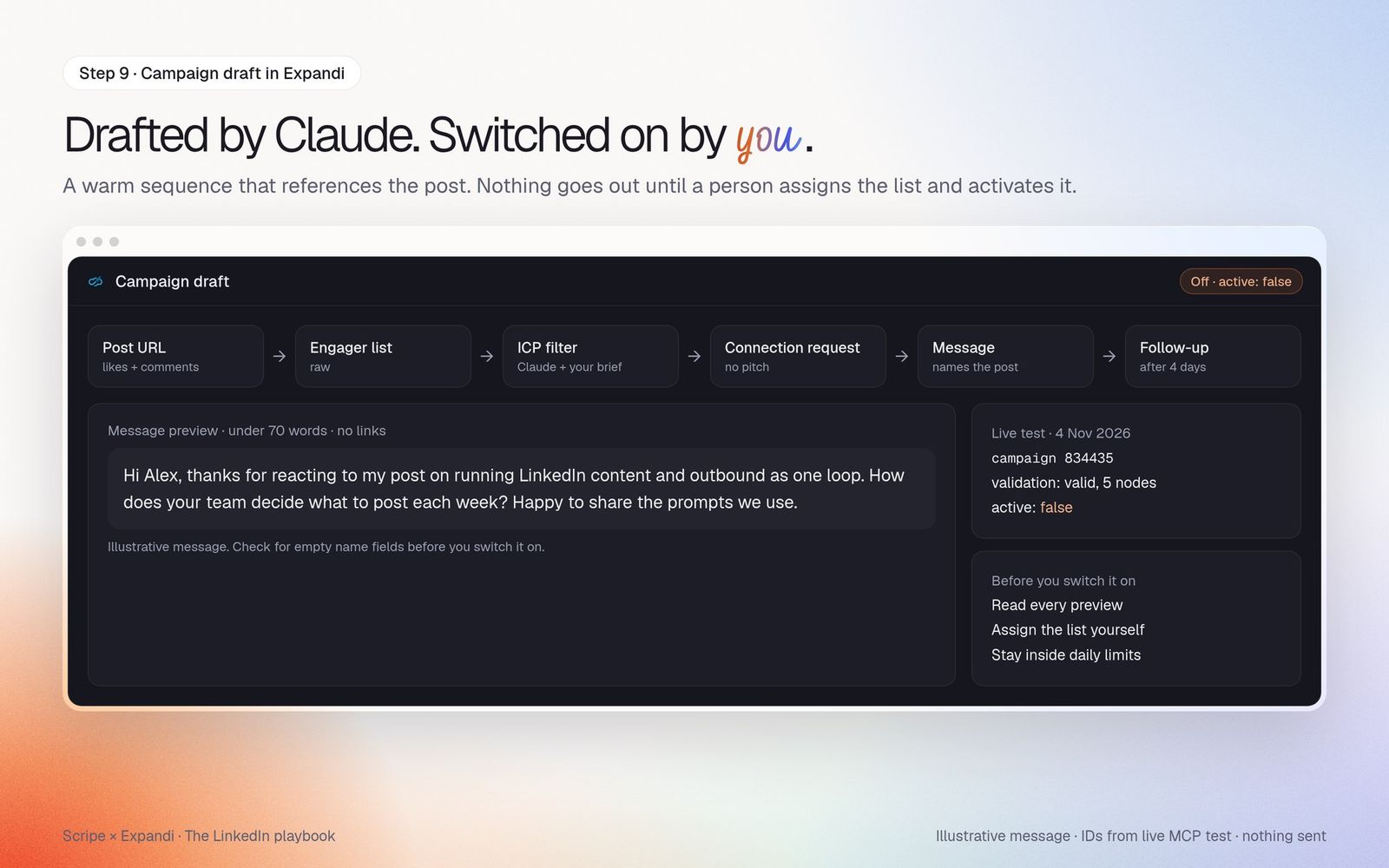
The campaign is a short warm sequence that references the post, saved as a draft that stays off until you switch it on.
Prompt: campaign draft
Read Expandi's builder prerequisites first. Draft a campaign for the filtered list: a connection request with no pitch, one message under 70 words that names the post they engaged with, one follow-up after 4 days with one question. No links. Show me every message as a preview. Leave the campaign off. Don't assign the list.
Open every preview before you activate. In our test, a first-name field came back empty, so "Hi {first_name}," would have read "Hi ,". A person assigns the list and switches the campaign on, inside your daily LinkedIn limits.
Example LinkedIn outreach messages
A warm LinkedIn outreach message names the post and asks one easy question. These examples follow the sequence above; change them until they read like you.
| Message | Example |
|---|---|
| Connection request | Hi Alex, saw your comment on my post about running content and outbound as one loop. Would be good to connect. |
| First message | Hi Alex, thanks for reacting to my post on running LinkedIn content and outbound as one loop. How does your team decide what to post each week? Happy to share the prompts we use. |
| Follow-up | Hi Alex, one question: who owns LinkedIn content on your team today? |
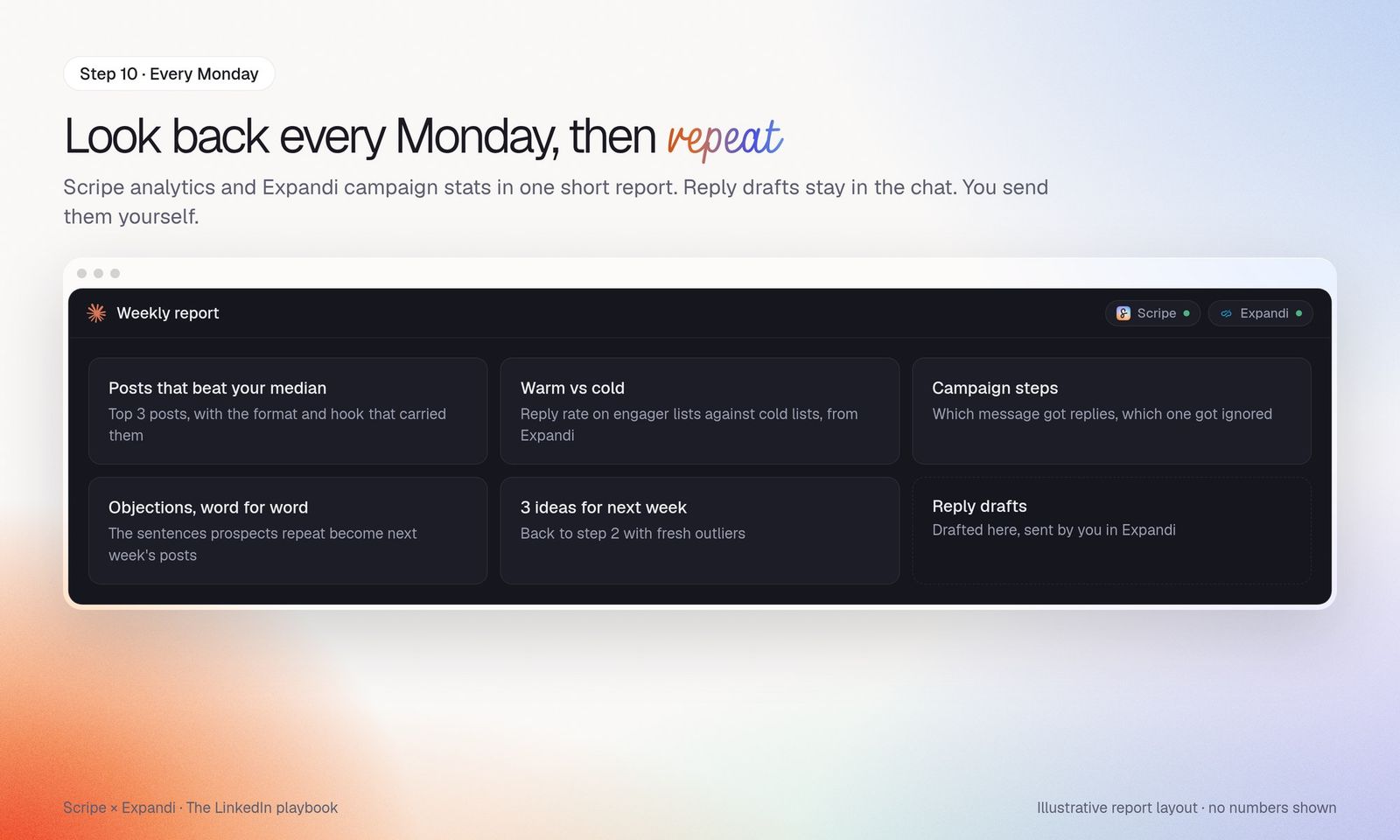
Step 10: Run a Monday report, then repeat
A weekly report ties it together: what worked in content, what worked in outbound, and what to write next.
Prompt: Monday report
From Scripe analytics and Expandi last week: which posts beat my median, which engager lists converted, which campaign steps got replies, and which objections came back word for word? Give me a short report: top 3 posts, warm vs cold reply rate, 3 ideas for next week. Draft reply suggestions here in the chat only. I send them myself in Expandi.
Objections that repeat become next week's posts. Then you start again at step 2.
Honest limits of this LinkedIn outreach strategy
This playbook works when your buyers are active on LinkedIn and you approve every step that goes out. A few limits are worth knowing up front.
- The engager numbers come from 26 campaigns. Strong direction, not a law.
- Small posts make small lists. 15 reactions means 15 leads at most.
- Comment-gated giveaways attract freebie collectors. The filter in step 8 is what protects you.
- Revenue per post needs tracked links. Until then, count positive replies per post.
- LinkedIn's User Agreement restricts automated messaging and connecting. Read it before you switch on any sequence.
- The system finds what works and speeds up drafting. Original takes and your voice still come from you.
Built with Scripe, Expandi and Claude. Engager data: Expandi, 90 days, 26 campaigns, 20 users, about 4,000 connection requests. Live MCP test: 4 November 2026.
Run your first outlier search in Scripe, the social media management platform for B2B teams.
Start free trialFAQs

Co-Founder & CEO
Eva Johanna Egg is the co-founder and CEO of Scripe, where she helps individuals turn their genuine expertise into authentic, high-impact content. With nine years of hands-on social media building and academic grounding in engineering she brings a rare combination of practical platform experience and technical rigor to the personal branding space.
LinkedIn