What Is a LinkedIn AI Agent (and What Isn't One)?
“AI agent” has become one of those terms that means whatever the person selling it needs it to mean. Every product with an LLM under the hood now calls itself agentic AI. So let’s draw the line clearly.
An AI agent perceives its context, plans across multiple steps, uses tools, and acts toward a goal with some degree of autonomy. It does a chain of things, not a single thing on command.
A prompt box is not an agent. A one-shot post generator is not an agent. A “rewrite this” button is also not an agent. Having a large language model inside your product does not make it agentic. The test is whether the system takes multi-step action toward a goal, whether the agent handles research, drafting, voice adaption, scheduling, learning from performance, or just returns one output per click.
Here’s a spectrum you can hold in your head for the rest of this piece:
- Assistant: Single task, on command.
Example: LinkedIn’s Premium AI Writing Assistant, which drafts one message when you click a button.
- Workflow: Fixed multi-step automation.
Example: an n8n workflow that generates a post from a topic and schedules it on a timer.
- Agent: Plans, uses tools, adapts.
Example: Scripe, which researches, drafts, adapts to your voice, schedules, and learns from performance, but keeps a human approving before anything publishes.
- Fully autonomous agent: Acts and publishes without a human.
Example: Valley in Autopilot mode, which finds leads, researches them, sends messages, and books meetings on its own.
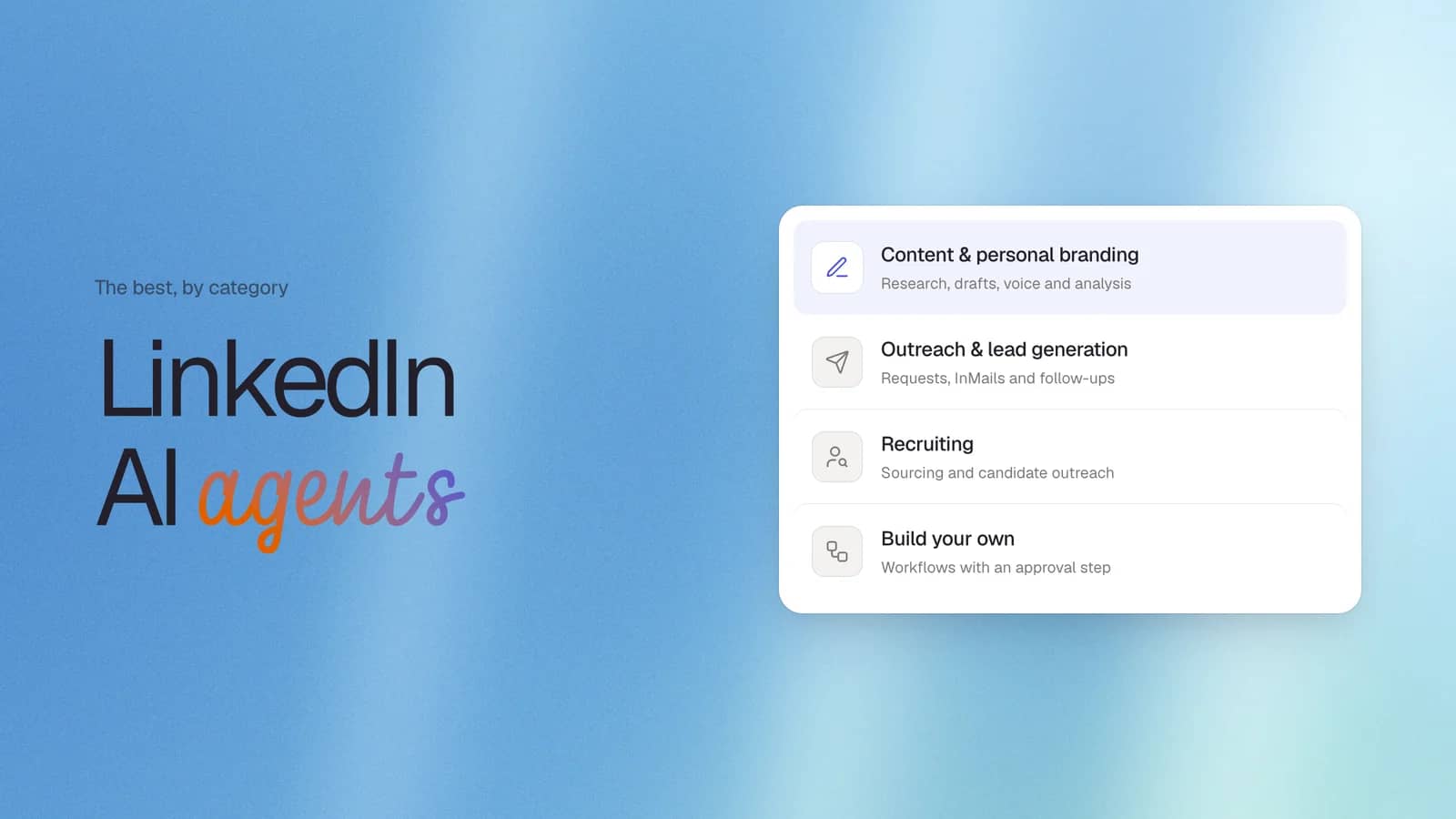
The market has split into three category umbrellas and LinkedIn agentic AI is evolving fast across all of them: content and personal-branding agents, outreach and lead-generation agents, and recruiting agents. Build-your-own cuts across all three. LinkedIn itself now ships agentic features directly into the product, most notably the Hiring Assistant for recruiters, and those get their own treatment later so they’re not confused with third-party tools.
Do You Actually Need an AI Agent for LinkedIn?
Before you evaluate the tools below, honestly consider whether you truly need an AI agent.
Agentic behavior earns its keep in a few specific places:
- Repetitive research and monitoring
- Turning raw input like voice memos and long-form content into drafts at volume
- Surfacing relevant insights from your analytics
- Keeping a consistent cadence when you have 99 other tasks
- Repurposing one idea across formats
But there are also areas where an AI agent doesn’t help, and can even hurt you. That includes nuanced positioning, point-of-view and opinion, relationship-building in comments and DMs, and anything where a generic-sounding post costs you credibility.
The “everything on LinkedIn now sounds like ChatGPT” fatigue is real. A fully hands-off agent optimizes for volume, and volume without a real voice erodes trust.
My philosophy is that an agent is worth it when it removes the friction between your expertise and the page, not when it replaces the expertise itself. If you have nothing valuable to say, an agent just helps you say nothing faster.
You probably need one if you have real expertise but the bottleneck is saving time, consistency, or the mechanics of turning ideas into posts.
You probably don’t if you're looking for a tool to replace your voice entirely, or you don't yet know what you want to say.
AI Agent vs. AI Content System: Why Fully Autonomous Posting Backfires
There’s obviously some sort of appeal to a “set it and forget it” agentic workflow. An autonomous agent that finds topics, writes, and publishes end-to-end with no human touch sounds like a dream for busy founders and teams. I understand the temptation.
But it backfires in two ways. First is the potential damage to your brand and voice. Content published without review drifts off-message, repeats itself, and reads as AI-generated. On LinkedIn, that's a credibility tax rather than a growth hack.
Second is account safety. The more a system acts autonomously on your account, especially engagement and outreach automation, the more exposure you carry to LinkedIn’s enforcement.
A fully autonomous posting bot optimizes for output while a human-in-the-loop content system optimizes for output you would have been proud to write yourself. Scripe is an example of the second model.
Can You Build Your Own LinkedIn AI Agent?
Yes, and plenty of people have done it. Search for “how I built an AI agent for LinkedIn” and you'll find no shortage of blog posts, Reddit threads, and open-source templates walking you through it. But most of those guides skip the part that actually matters. That’s what happens to your LinkedIn account when the automation goes wrong.
The realistic build, at a high level, includes an orchestration layer, commonly n8n or a similar workflow tool, wired to an LLM like OpenAI or Claude that finds topics, drafts posts, optionally generates visuals, and pushes to LinkedIn. This is the LinkedIn AI agent n8n approach — powerful but maintenance-heavy.
A typical n8n workflow includes a topic input from Google Sheets, an LLM node for caption generation, an image generation step, an approval gate via Slack or email, and a LinkedIn publishing node. You can also write custom code to connect downstream systems like your CRM or analytics platform. IT Path Solutions published a complete n8n workflow as a free download with all these nodes pre-connected.
The account-safety reality is where most DIY guides go silent. Building your own AI infrastructure for LinkedIn means you own every constraint and every risk.
Connection method is everything
Building on LinkedIn's official API is safe but limited in what it exposes. Building on browser automation, stored cookies, or a Chrome extension that mimics human actions is where suspensions come from.
Rate limits and human-like pacing
LinkedIn doesn’t publish exact invitation limits, but the company confirms that “All LinkedIn members, including those with Basic and Premium accounts, are subject to these limits.”
LinkedIn watches for volume, velocity, and robotic regularity: identical intervals between actions, 24/7 activity with no idle time, and sudden spikes all trigger detection.
How restrictions escalate
LinkedIn's Help Center confirms that if you exceed invitation limits or use prohibited tools, “your account may be restricted” and “most restrictions will automatically be removed within one week.” If the behavior continues, LinkedIn escalates to a verification challenge like CAPTCHA or identity verification. Repeated or severe violations, especially using browser automation, can lead to a permanent ban.
The hidden ongoing cost
DIY agents break when LinkedIn changes anything, and you become the person maintaining the workflow. There’s no strategy layer, no voice fidelity that improves over time, and no analytics loop unless you build those too. The n8n workflow handles the mechanics, but content quality depends entirely on your prompt engineering.
If you have a specific technical reason and the engineering time to babysit it, build your own agent. Otherwise, the risk-adjusted cost usually favors a maintained tool.
Why Most Teams Are Better Off Using a Third-Party Tool
If the build section made the DIY route sound appealing in theory but painful in practice, that’s because it usually is. What you’re really buying from a third-party tool is reliability. You get built-in safety guardrails and official API connections instead of a homemade risk profile. You get a strategy and analytics loop you don’t have to engineer. And you get voice fidelity that keeps improving instead of resetting every session.
The time math is straightforward for the three types of users this article is written for. A solo founder or consultant doesn't have engineering hours to spare. An agency needs a tool to work reliably across 5 to 25 client accounts. An in-house marketer needs approval flows and team analytics that a homemade script won't have. The right services and technology make the process repeatable, and the benefits compound quickly.
The buying filter is the human-in-the-loop criterion from earlier. If you want to understand the philosophy behind that criterion, the Scripe Method lays it out in detail.
The Best LinkedIn AI Agents, by Category
I organized this section by use case instead of presenting a flat listicle. That’s because the categories are genuinely different. And choosing the right AI LinkedIn agent depends on your specific workflow.
Content & Personal-Branding Agents
If you’re a founder, consultant, or agency using LinkedIn to build presence and generate inbound, this is where to pay attention.
Scripe: Best Human-in-the-Loop Content Agent
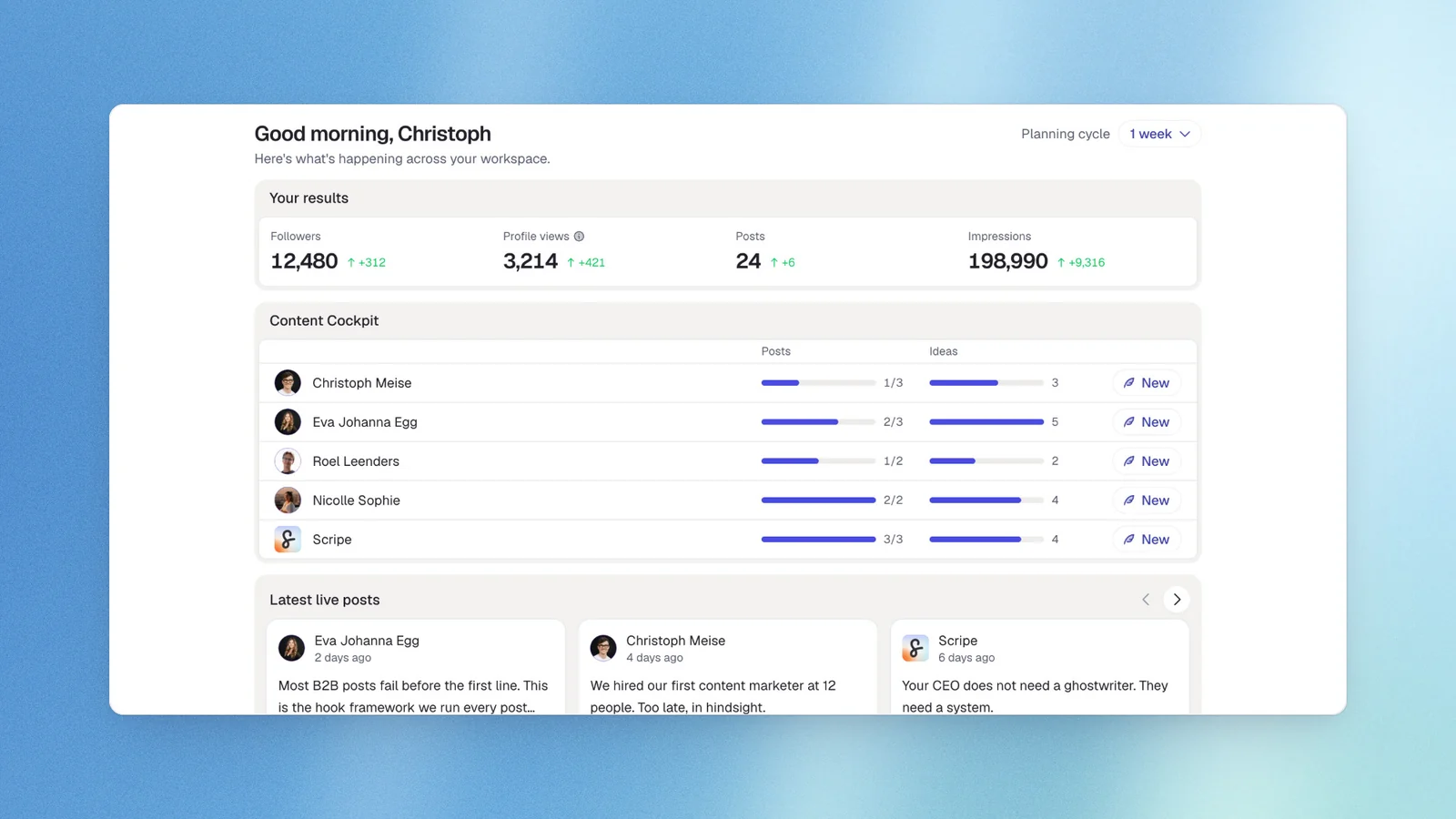
I’m Scripe’s co-founder and CEO, so I can’t pretend to be neutral here. But I can tell you the honest reason we built Scripe and why our approach is different. Scripe is an AI agent for LinkedIn posts that does research, ideation, drafting, voice-matching, and analysis across multiple steps, but keeps a human approving before anything publishes.
You configure your tone of voice and knowledge base once, and the content agent draws on that context every time you sit down to write, saving time and keeping your leadership voice intact. Feed it a voice memo, a meeting transcript, a rough idea, or a video, and it handles the structure, the hook, and the formatting. Our method follows four stages:
- Set goals
- Enable team
- Create content
- Analyze and optimize
Key features
- Voice-trained content agent: Builds a persistent model of how you write by analyzing your past posts, then generates drafts that reflect your tone, your knowledge base, and the goals you’ve set
- Structured knowledge base: Connect your own sources once and the agent draws on them every time it drafts, so the content reflects what you actually know rather than a generic prompt
- Tone-of-voice engine: Identifies patterns in your highest-performing posts and refines its output as it sees more of what works for you
- Multi-input post creation: Drop in a voice memo, a rough note, a video, or a document and the agent structures it into a finished LinkedIn post with hooks and formatting intact
- Carousel export and AI portrait generation: Create visual LinkedIn content, from multi-slide carousels to AI-generated portraits, without switching tools
- Team collaboration suite: Shared calendars, multi-step approval flows, role-based access, team engagement, and isolated workspaces for each client account
- Full LinkedIn analytics: Impression and engagement data at the post level, historical trends, and link tracking that ties content back to pipeline
Official LinkedIn API: ✅
Scripe operates through LinkedIn’s Community Management API — an integration LinkedIn only extends to vetted developer partners.
Good fit for
- A founder, consultant, or coach who has the expertise but not the hours
- A LinkedIn agency running content for 5–25 clients where each account needs its own voice profile, its own approval chain, and everything consolidated under one subscription
- An in-house marketing team coordinating executive presence across multiple leaders, where you need approval workflows, cross-account analytics, and a system that keeps everyone posting consistently
Not a good fit for
- Anyone who wants a fully hands-off bot that publishes with zero review, or who only needs outreach and lead generation rather than content. That's by design.
Pricing
- Solo: €69/mo ($79.53/mo)
- Pro: €99/mo ($114.1/mo)
- Advanced: €149/mo ($171.73/mo)
Supergrow
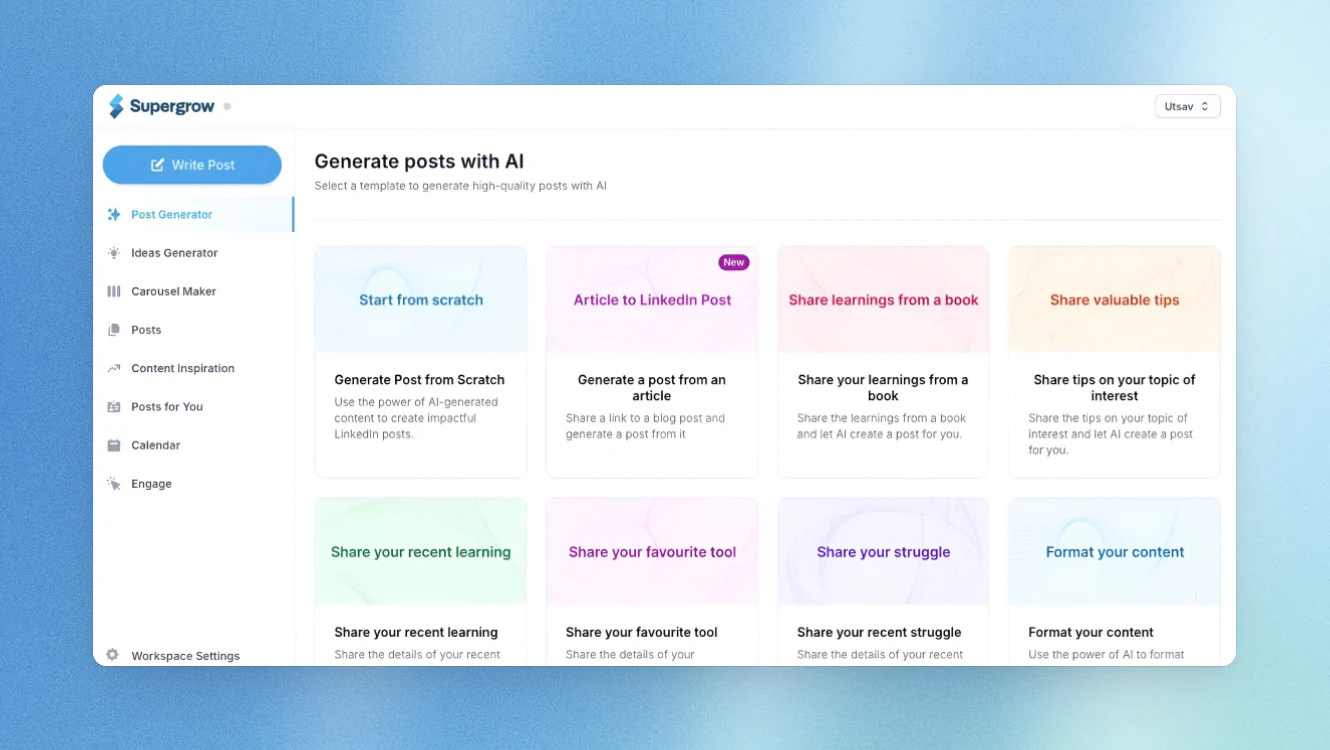
Supergrow approaches the content problem from a different angle than most tools on this list. Instead of asking you to write, it interviews you. The core feature, PostCast, runs a 10–15-minute AI-guided conversation where an interviewer named Alex prompts you to talk about your expertise, then converts those spoken answers into several ready-to-edit LinkedIn posts. If you think better out loud than at a keyboard, this format is very useful.
What pushes Supergrow into more agentic workflow territory is its newer MCP integration. You can connect Claude or ChatGPT and run drafting, analytics, and team management from a single prompt without switching tabs.
Key features
- PostCast AI interviews: 10–15 minute spoken session generates multiple post drafts in your voice
- Content DNA: Persistent voice profile that learns your tone and style
- MCP integration: Connect Claude or ChatGPT to run your LinkedIn workflow from one prompt
Official LinkedIn API: ✅
Supergrow publishes directly to LinkedIn through an official connection. There’s no Chrome extension automation or cookie-based login.
Pricing
- Starter: $19/mo
- Pro: $39/mo
- Teams: $139/mo
- Enterprise: Custom
MagicPost
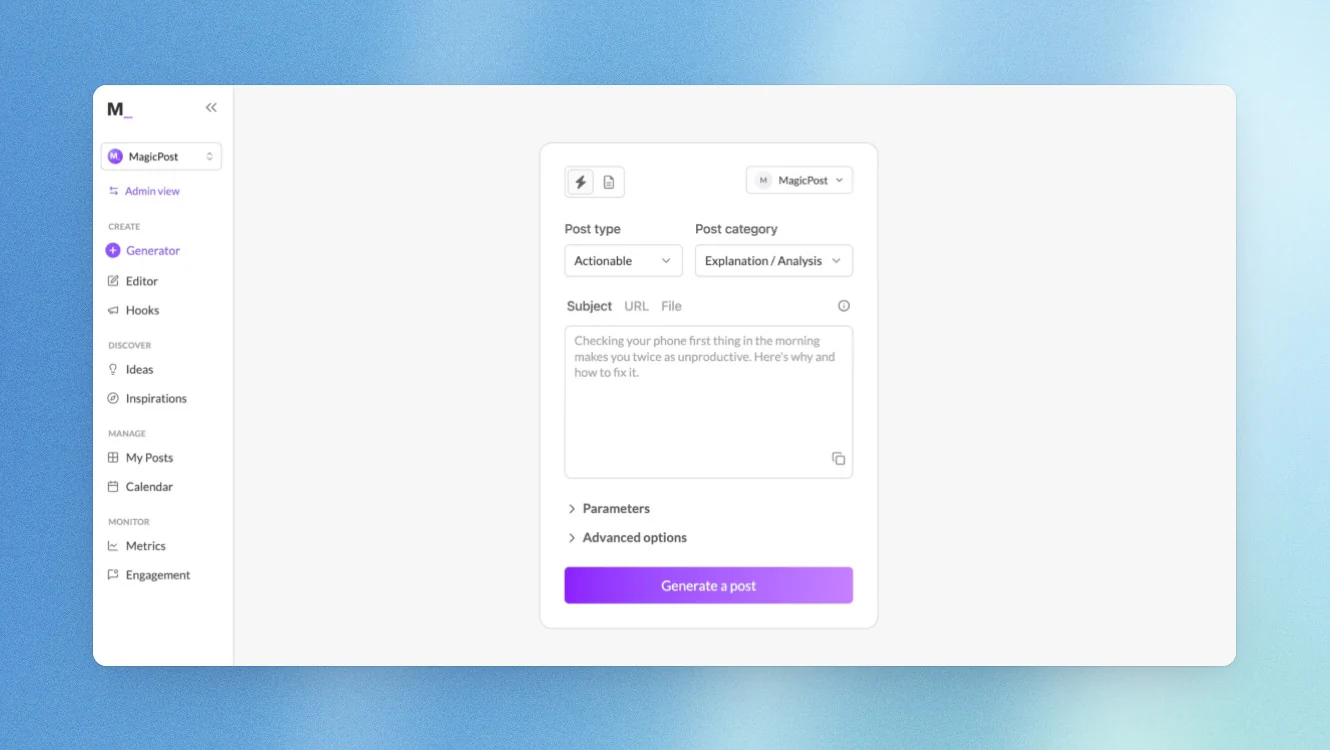
MagicPost is a LinkedIn-verified partner that takes a deliberately narrow focus. It only does LinkedIn, and it does the entire content loop from ideation through publishing and analytics. It generates posts in seven languages, which makes it the strongest option here for creators working across multiple language markets.
On the agentic front, MagicPost ships an MCP server with 17 exposed tools — you can draft, schedule, publish, and pull analytics from inside Claude or Cursor without opening a separate dashboard. This lets you integrate LinkedIn content into your broader AI agents LinkedIn stack. The technical infrastructure is agentic, but the product philosophy is explicitly human-in-the-loop.
Key features
- Multilingual AI generation: Write and schedule posts in 7 languages, each adapted to your writing style
- MCP server: 17 tools accessible from Claude or Cursor covering the full content loop from drafting to analytics
- Any-creator metrics: Study engagement and reach data from any public LinkedIn profile to inform your own content strategy
Official LinkedIn API: ✅
MagicPost operates through LinkedIn’s official developer program using authenticated API connections that LinkedIn approves.
Pricing
- Analytics: $35/mo
- Creator Plus: $69/mo
- Team or Agency: Custom
Outreach & Lead-Generation Agents
Outreach agents are a completely different type from the content tools above. AI agents for LinkedIn outreach don’t write posts, but rather they send connection requests, InMails, and follow-up sequences on your behalf, often autonomously.
That makes them powerful for pipeline, but it also makes them the most dangerous category in this article for your LinkedIn account. The more a system automates outreach, the more exposure you carry to LinkedIn’s enforcement, especially at high volume where responses start to look robotic.
Valley
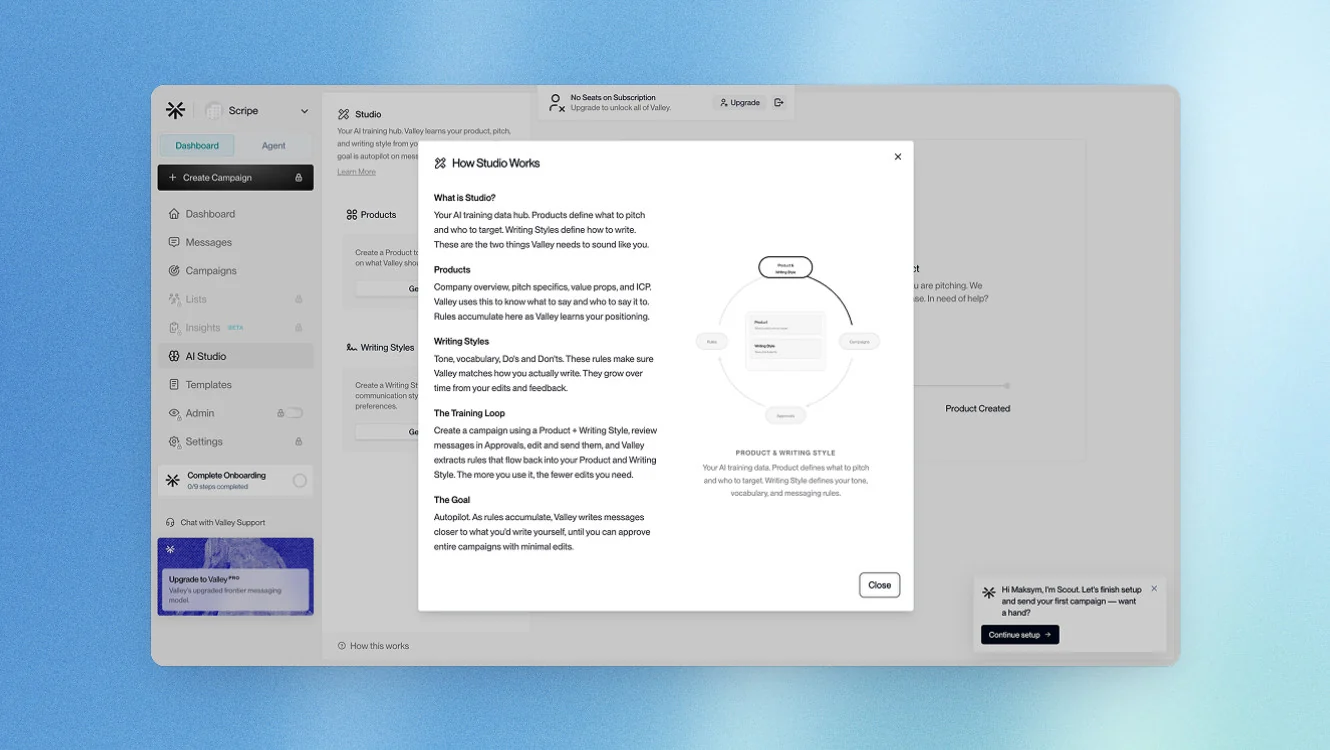
Valley is an AI-powered outbound sales platform that identifies high-intent leads by tracking LinkedIn signals like profile views, post engagement, and website visitors. Valley operates in Manual or Autopilot mode, and in Autopilot it’s a fully autonomous agent that finds leads, researches them, sends connection requests and InMails, manages replies, and books meetings without human intervention.
Key features
- Analyzes 100+ data points per lead before messaging
- Replicates your writing style from past message examples
- Fully autonomous autopilot mode that finds leads, sends messages, manages replies, books meetings
Pricing
- Everything: $199/mo
- Everything + Deep: $499/mo
- Scale: Custom
- Valley Studios: $1499/mo
Salesforge
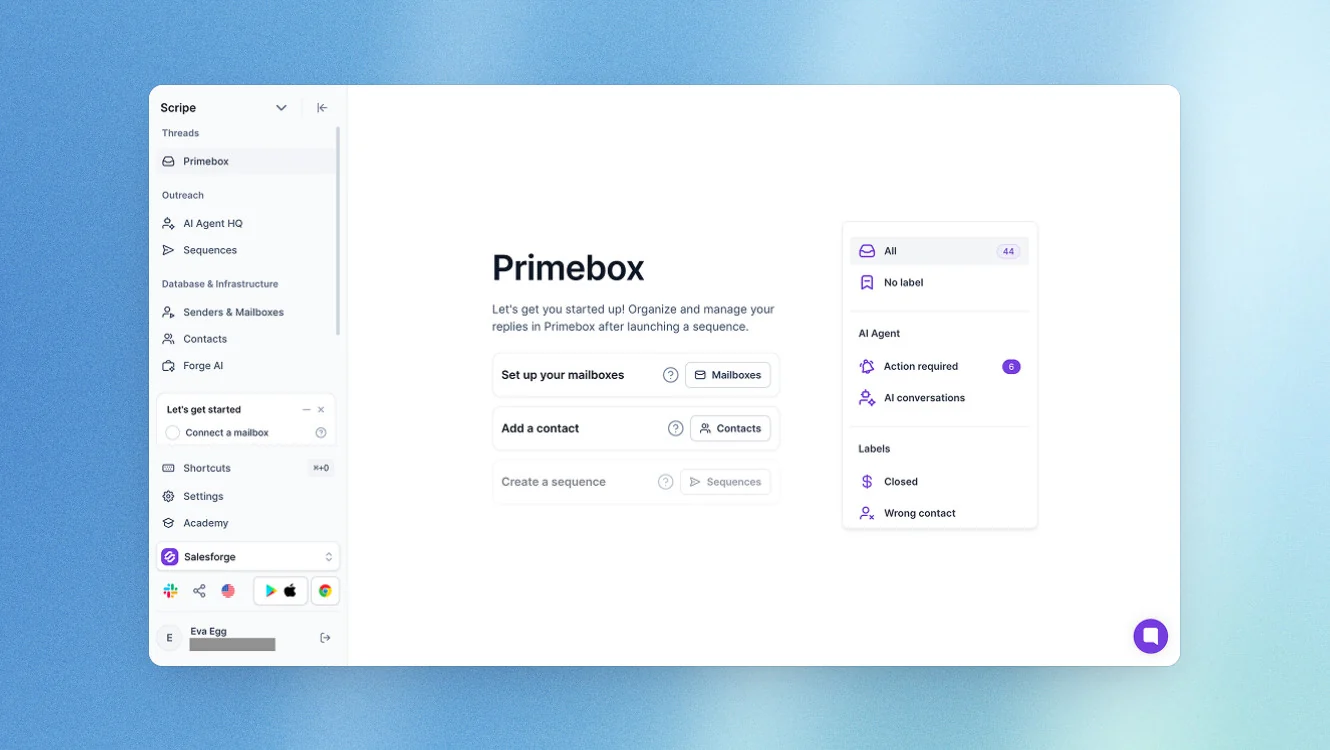
Salesforge is an all-in-one outreach platform combining email, LinkedIn, AI personalization, and deliverability tooling. Its AI SDR, Agent Frank, is a fully autonomous agent that handles contact sourcing, personalized outreach, reply management, and meeting booking in Auto-pilot or Co-pilot modes.
Key features
- Agent Frank (AI SDR), a fully autonomous 24/7 agent for prospecting, outreach, reply management, and meeting booking
- Unlimited LinkedIn senders lets you add every LinkedIn account under one subscription, no per-seat fees
- Three reply modes — reply as human, Co-pilot (drafts for approval), or Auto-pilot (autonomous)
Pricing
- Pro: $48/mo
- Growth: $96/mo
- Agent Frank: $599/mo (billed quarterly)
Recruiting Agents
LinkedIn’s native Hiring Assistant is the primary agent for the recruiting job, and it’s genuinely agentic. Announced in October 2024 and globally available in English by September 2025, it takes recruiter intake, translates it into structured queries, launches dozens of concurrent searches, returns ranked shortlists, learns from thumbs-up and thumbs-down feedback, and auto-generates personalized InMails.
Third-party recruiting agents like Beam AI’s Candidate Outreach AI Agent extend beyond LinkedIn’s own candidate pool by reading candidate profiles, identifying hooks like shared connections and recent projects, and drafting personalized outreach messages.
But for most recruiting use cases, LinkedIn's native Hiring Assistant is the right starting point.
Build-Your-Own
If you have a specific technical reason and the engineering time, the n8n route is an option. Open-source templates and community workflows are available for LinkedIn content automation, typically combining a topic trigger, an LLM node for generation, an image generation step, an approval gate, and a LinkedIn publishing node.
The setup is powerful and cheap up front, but you own the maintenance and the account-safety risk. When LinkedIn changes anything, your workflow breaks, and you're the one fixing it. If you don’t have engineering time to spare, the maintained tools above are the better risk-adjusted choice.
How To Choose the Right LinkedIn AI Agent for You
Before you look at the table, define your actual goal.
If you’re a founder or consultant building a personal brand, you need a content agent.
If you’re running outbound sales, you need an outreach agent, and you need to be honest about the account-safety trade-off.
If you’re recruiting, start with LinkedIn's native Hiring Assistant.
If you’re an agency, you need a tool that works across multiple client voices with approval workflows.
| Tool | Category | Best for | Autonomy | Human-in-the-loop | Price (from) |
|---|---|---|---|---|---|
| Scripe | Content | Full LinkedIn content system | Agent | Yes | €69/mo ($79.53/mo) |
| Supergrow | Content | Voice-to-content via AI interviews | Workflow to Agent | Yes | $19/mo |
| MagicPost | Content | Multilingual creators + MCP | Assistant to Workflow | Yes | $35/mo |
| Valley | Outreach | Signal-based LinkedIn outbound | Agent to Autonomous | Optional | $199/mo |
| Salesforge | Outreach | Multi-channel email + LinkedIn | Agent to Autonomous | Optional | $48/mo |
| LinkedIn Hiring Assistant | Recruiting | Recruiter sourcing and outreach | Agent | Yes | Included in Recruiter |
| n8n (DIY) | All | Custom workflows | Workflow to Agent | Configurable | Free (self-hosted) |
Why Customers Choose Scripe
I don’t think customers choose Scripe because of a single feature. It’s because our whole system is designed to treat LinkedIn content as something that compounds over time. Your voice profile improves. Your knowledge base grows. Your analytics show you what's working and what isn’t. The agent gets better the more you use it, because it’s learning from your performance, not just generating from a blank slate each time.
hy Consulting Group partnered with Scripe in December 2025 to build a structured LinkedIn content system across their executive team. In 90 days, a team of 10-plus consultants who had never posted on LinkedIn became a coordinated personal brand engine. Visibility increased by more than 300%, and they crossed 500,000 impressions within two months.
“More than 300% visibility increase is a number that makes my marketing heart beat faster,” says Amon Menzel, VP Marketing & Communications. “But what makes me personally most happy is that Scripe allowed us to become a many-voices brand at scale, without my team or I becoming the bottleneck.”
Smovement, a B2B marketing agency in Germany, discovered Scripe through a podcast mention, tested it on their own profiles for 4–6 weeks, then onboarded their first client. Today, 25 to 30 of their social sellers are using Scripe. They saved 60% of their time on content operations, worked 2x faster than before, and had zero reduction in content quality.
The pattern across both of these stories is that the system compounds. The more you use it, the better it gets — because it's learning from your performance. If you’re ready to build that kind of system for your own LinkedIn presence, start a free trial of Scripe.
FAQs

Co-Founder & CTO
Christoph Meise is Co-Founder and CTO at Scripe, where he leads engineering and product development with a focus on building intuitive, high-performing user experiences. With over a decade of engineering experience at multiple companies he combines deep technical expertise with a strong instinct for how technology should actually feel to use. His academic foundation, a Master of Science in Business Informatics from Freie Universität Berlin and a Bachelor of Applied Science in Computer Science from Baden-Wuerttemberg Cooperative State University (DHBW), grounds his engineering approach. He previously co-founded and architected an online platform connecting entrepreneurs with investors, sharpening his focus on building systems that serve real user needs end to end. At Scripe, Christoph has led the product through multiple rebuilds, including a shift to become an official LinkedIn API partner and the launch of a self-learning content agent, work centered on making powerful technology feel effortless for the people using it. Christoph shares his perspective on LinkedIn growth, product development, and building with AI to a following of over 11,000 on LinkedIn.
LinkedIn