Most people who ask me to recommend Sprinklr alternatives aren’t unhappy because they bought a weak product. They bought an enterprise platform and eventually realized they were using a fraction of it and paying for the rest anyway.
More often than not, the fraction they're actually using is LinkedIn. That gap between what Sprinklr can do and what a LinkedIn-focused team needs it to do is where the cost-to-value problem lives.
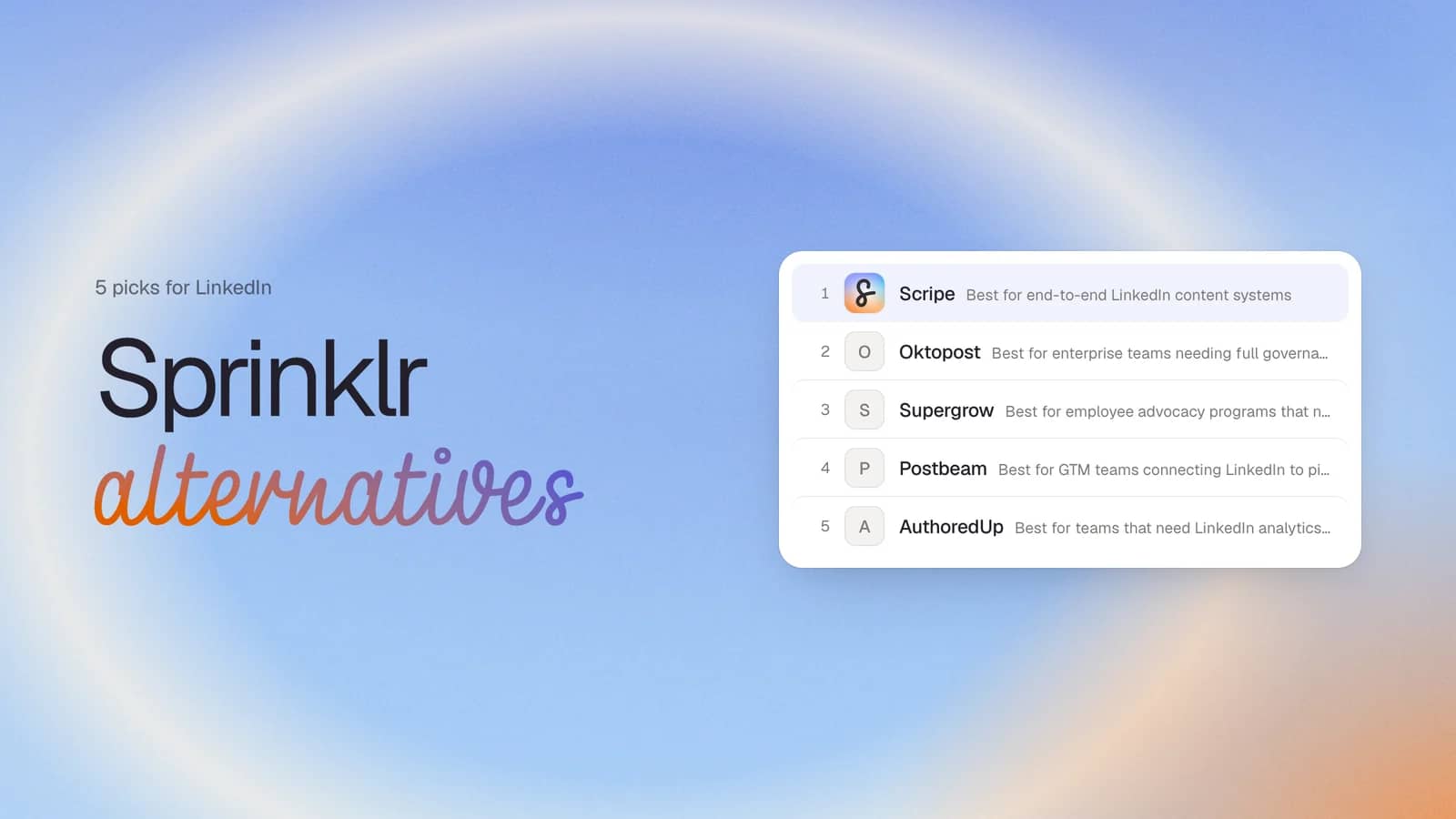
In this guide, I compare five Sprinklr alternatives for LinkedIn-first teams for your shortlist
Why Sprinklr users are looking for alternatives
Sprinklr is a legitimate enterprise platform with coverage across 30+ channels and a compliance framework built for regulated industries. But a few specific problems prevent teams form getting the most value out of it.
1. Complexity
Onboarding takes months rather than days. The Rule Engine, approval workflows, and reporting modules each have their own steep learning curves, and many teams report never fully mastering the platform even after years of use. For a team whose entire LinkedIn strategy could run on a far simpler system, that implementation burden never pays itself back.
“Implementation took way longer than expected and required significant professional services support that wasn't factored into the original budget,”
2. Analytics gaps
Sprinklr splits paid and organic performance across two separate modules, and the data in each doesn't always match what shows natively on LinkedIn. This means teams must manually reconcile numbers before any reporting conversation can happen. For social media managers who need to show results quickly, that reconciliation step is a recurring drag on every weekly and monthly review.
3. Support dependency
Every Sprinklr instance is customized differently. That flexibility is powerful for the right buyer, but it means customer support agents often can't resolve platform-specific configurations. When they can help, response times of three to four days are common.
4. Underutilization
Each of these problems is survivable on its own. Together, they create the real issue: a cost-to-value gap. Sprinklr's ROI only materializes at high utilization, and the complexity, analytics gaps, and support delays are exactly what keep utilization low. Smaller teams at mid-market companies end up paying enterprise-tier fees for a platform they use a fraction of.
Does moving to a LinkedIn-first tool mean losing compliance?
No, and this is the first objection I hear from teams in regulated industries.
Multi-level approval workflows, pre-publish checks, role-based access controls, and audit trails all exist in LinkedIn-specialist systems. The one thing most of them don't offer is Smarsh archiving or a full multi-channel compliance layer.
If those are hard requirements, Oktopost is the one tool on this list that covers them. For every other governance need a LinkedIn team is likely to have, the tools below deliver without the enterprise overhead.
How I built this list
Feature counts don't make a Sprinklr alternative useful, so I shaped the criteria around what Sprinklr does and doesn't deliver well for LinkedIn teams. That's also why several well-known generalists aren't on this list.
- Genuine LinkedIn specialization. Every tool here is built for LinkedIn. I left out major-platform generalists like Hootsuite and Sprout Social — they bring back the problem of paying for coverage you don't use.
- LinkedIn compliance. I prioritized safe access through LinkedIn's official API, with no password sharing and no automation bots. AuthoredUp is the one exception on this list, and I've addressed it directly in that section.
- Approval workflow depth. I looked for multi-step approval chains, with conditions you can set by team member, content type, or account.
- AI usability over AI marketing. I judged each tool's AI on what it delivers day-to-day, not how it demos. Reviews suggest Sprinklr's Copilot AI assistant falls short on several of its marketed promises.
- Self-serviceability. I wanted tools a team can configure, add accounts to, and create custom reports from — without a professional services engagement.
- Transparent pricing. I scored tools with public pricing higher. Sprinklr's demo-only pricing model is a recurring complaint among buyers, and you should know your costs before committing to any platform. (Oktopost is the one exception here)
Even if your research takes you beyond this list, these criteria will help you evaluate any tool you're considering.
Quick comparison of Sprinklr alternatives
Here's how the five tools stack up at a glance. Use this to narrow your shortlist before reading the full reviews below.
| Tool | Best for | Starting price | Approval workflow | LinkedIn Compliance | Enterprise readiness |
|---|---|---|---|---|---|
| Scripe | End-to-end LinkedIn content system | From $79/mo | ✅ Self-configured | Yes | Mid-market (no Smarsh, no SSO) |
| Oktopost | Enterprise governance parity | Custom (demo only) | ✅ Conditional + Agent Builder | Yes | Enterprise (Smarsh, SSO, crisis mgmt) |
| Supergrow | Employee advocacy adoption | From $19/mo | ✅ Available | Yes | Mid-market (advocacy-focused) |
| Postbeam | Connecting LinkedIn to pipeline | From $99/mo | ✅ Team-level avialable | Yes | Mid-market (GTM/sales-focused) |
| AuthoredUp | LinkedIn analytics you can trust | From $19.95/mo | ❌ No | Yes | Enterprise (analytics and operations teams) |
#1. Scripe: Best for end-to-end LinkedIn content systems
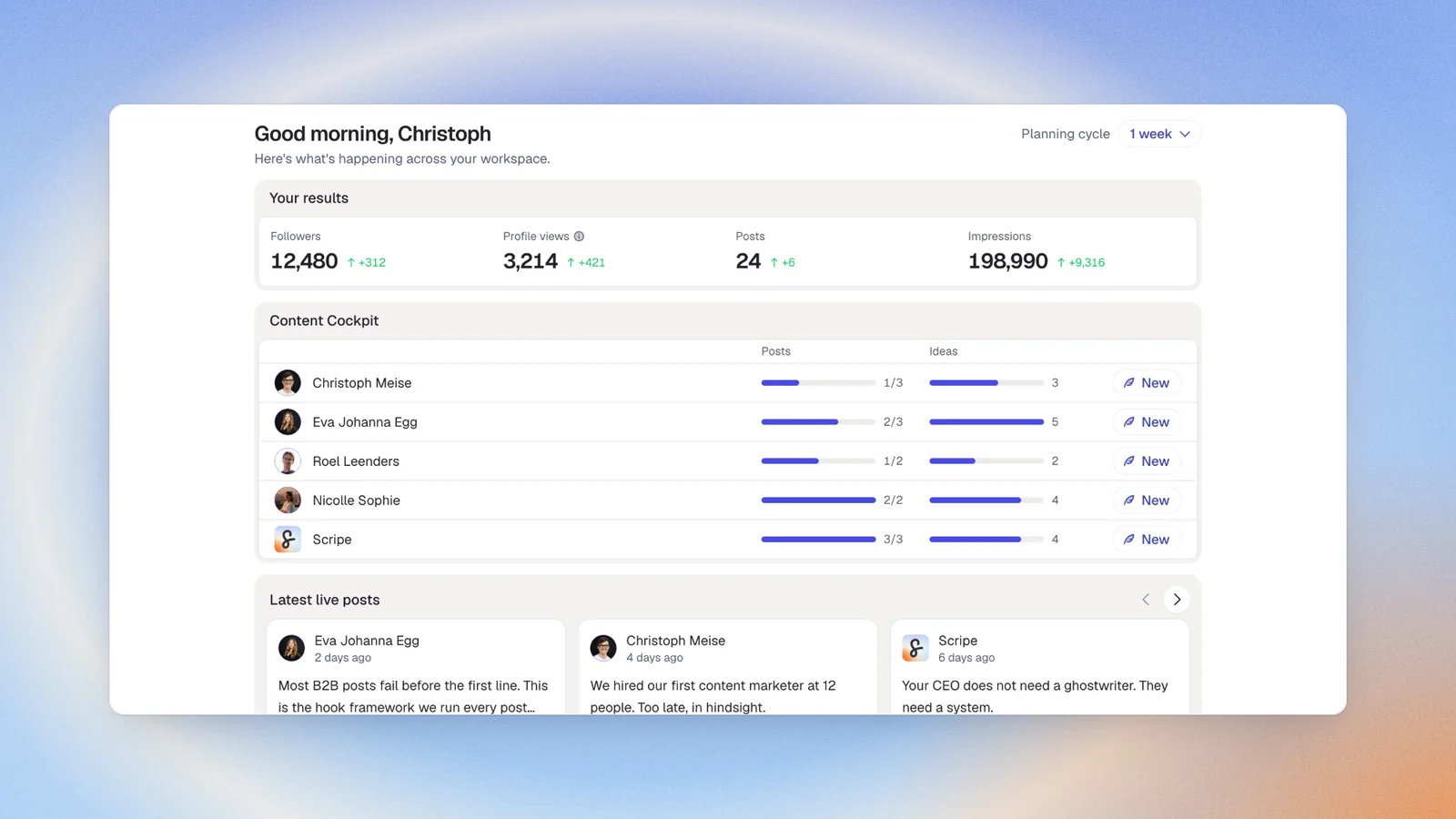
Scripe is the tool I participated in building, so I'll name that upfront: I'm not a neutral reviewer here. What I can offer is the reasoning behind it and why the approach differs from everything else on this list.
When I was running a personal branding agency, I watched the same problem repeat across clients. They had ideas. They had expertise. But the gap between what they knew and what actually went out on LinkedIn was enormous. Schedulers moved the problem downstream. Generic AI produced content that sounded like everyone else. Capturing voice, drafting posts, getting approvals, and tracking what worked was eating hours every week with no system underneath any of it.
Scripe is built to close that gap — for individuals, for teams, and for agencies.It is self-serviceable from day one and builds an AI that improves the longer you use it.
“Scripe makes content easier. It gets you more reach. And it's built for teams to collaborate easily.”
Key features
- Tone of Voice Engine: Four AI Chat Modes that draft in your voice, drawing on your content strategy and post history — not a generic language model.
- Multi-input post creation: Feed it a voice memo, meeting transcript, video, rough idea, or document. It handles structure, hook, and formatting.
- Knowledge Base: Grounds every draft in your own material — documents up to 2GB, websites rescanned every seven days, Notion pages, and YouTube transcripts.
- WhatsApp integration: Turns a voice message into a post draft, so leaders who prefer to speak rather than type keep posting consistently.
- Approval workflows: Five user roles, custom post statuses, and multi-step approval chains — all configured inside the product, no professional services required.
- Analytics Dashboard: Impressions, engagement, earned media value, follower growth, and a team leaderboard in one view.
- Isolated workspaces: Separate environments for different clients or brands, accessible on web, iOS, and desktop.
LinkedIn Compliance
Scripe is one of a small number of tools to build on LinkedIn's official Community Management API as an approved developer partner. There's no Chrome extension, cookie-based login, or credential sharing. Because access is data-minimal, connecting a senior executive's profile doesn't expose private messages which is a real blocker removed for agencies and marketing managers handling leadership accounts.
Good fit for
- B2B marketing teams where LinkedIn is a primary growth channel, especially where founder-led or executive-led content is already part of the strategy
- LinkedIn content agencies managing 5–20 client accounts that need separate voice profiles, approval flows, and a single billing line
- Founders or executives posting multiple times a week who want to capture ideas via voice or quick note and have drafts ready to review — not write from scratch
- Marketing managers building a CEO's or executive team's LinkedIn presence without a dedicated content team
Not a good fit for
- Teams that need a unified platform to run accounts across multiple social networks simultaneously
- Organizations where enterprise compliance tooling — Smarsh archiving, SSO — is a hard requirement
Pricing
If paid monthly
- Solo: $79/mo
- Advanced: $114/mo (unlocks unlimited users)
- Business: $170/mo
If paid yearly
- Solo: $63/mo
- Advanced: $90/mo (unlocks unlimited users)
- Business: $136/mo
Start a 7-day free trial at scripe.io
Become a Scriper#2. Oktopost: Best for enterprise teams needing full governance parity

Oktopost is the only tool on this list that genuinely competes with Sprinklr on enterprise governance depth. It's a strong fit for financial services, legal, manufacturing, and other regulated industries where Smarsh archiving, SSO, and crisis management are non-negotiable.
Oktopost is built specifically for B2B organizations. Its reporting, advocacy, and CRM integrations connect social activity directly to pipeline and revenue. For teams evaluating Sprinklr primarily for compliance but frustrated by its complexity and cost, Oktopost is the closest step down in overhead without losing what matters most.
Key features
- Advocacy Agent: Per-advocate voice profiles with a choice of review or auto-publish, so advocacy programs stay consistent without flattening individual voices.
- Social BI: Full buyer-journey tracking with two-way sync to Salesforce, Marketo, HubSpot, Eloqua, Pardot, and Microsoft Dynamics 365.
- Agent Builder: A visual no-code canvas for automating approvals, analytics summaries, and inbound triage.
- Social listening: Monitors brand mentions, competitors, and industry conversations across multiple platforms, surfacing key trends and emerging conversations.
LinkedIn Compliance
Oktopost uses LinkedIn's official API, combined with one of the strongest compliance frameworks on this list — including Smarsh archiving, SSO, crisis management, and granular role-based access.
Good fit for
- B2B marketing teams at companies with 200–5,000+ employees that need to connect LinkedIn activity to CRM-tracked pipeline
- Teams in regulated industries where Smarsh archiving, SSO, and full audit trails are hard requirements
- Sales teams that need social selling tools integrated with existing CRM workflows
Not a good fit for
- Founders, freelancers, coaches, or agencies whose main problem is content production, not enterprise governance
- Teams whose primary bottleneck is getting employees to post consistently — the platform's complexity tends to work against adoption at that level
Pricing
Oktopost is custom and demo-based only. A note on this: transparent pricing was a stated criterion in this review, and Oktopost doesn't meet it. I've included it because the governance depth for regulated teams is genuinely unmatched elsewhere on this list. If budget predictability matters for your evaluation, plan for mid-to-enterprise tier pricing and build time into the process for a formal sales cycle.
#3. Supergrow: Best for employee advocacy programs that need sustained adoption
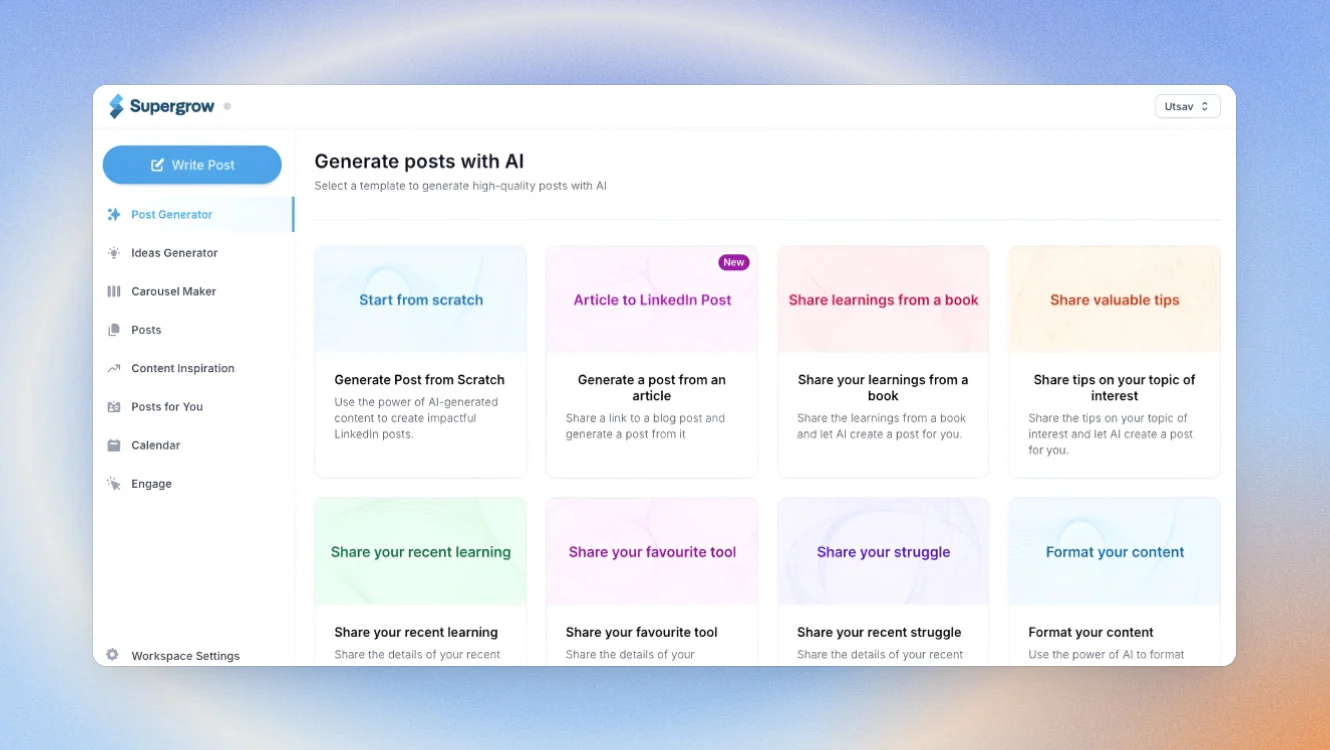
Supergrow earns its place by solving a specific problem that Sprinklr's Employee Advocacy module creates: it's technically complete, but it's embedded in a platform where configuration overhead kills participation before the program gains any momentum.
Supergrow removes the writing barrier itself. Its AI-guided interview feature is a particularly effective solution for employees who are articulate in conversation but freeze in front of a blank text field. Rather than asking advocates to produce a post, it runs a structured 10–15 minute interview and turns their spoken answers into multiple ready-to-edit drafts. The writing gets done; the advocate stays in their lane.
Key features
- PostCast: A structured AI interview session run by an interviewer called Alex. Each 10–15 minute session produces 5–7 ready-to-edit post drafts per advocate.
- Content DNA: A separate voice model per advocate, so posts sound like that specific person rather than the company's corporate voice.
- Approval workflows: Brand context enforcement and multi-step approval for governed advocacy programs.
- Carousel and infographic maker: Available on the Pro plan and above for teams that post more than text.
LinkedIn Compliance
Supergrow publishes directly to LinkedIn through an official connection. No Chrome extension, no credential sharing.
Good fit for
- Teams that already believe in employee advocacy but struggle to get consistent participation from advocates who aren't natural writers
- Organizations running structured advocacy programs where each person's individual voice needs to be preserved at scale
Not a good fit for
- Teams that need full enterprise compliance and white-label client reporting
- Solo users or small teams whose problem is content strategy and ideation, not writing friction
Pricing
| If paid monthly Starter: $19/mo Pro: $39/mo Teams: $139/mo (up to four executives) Enterprise: Custom | If paid yearly Starter: $16/mo Pro: $31/mo Teams: $133/mo (up to four executives) Enterprise: Custom |
|---|
If paid monthly
- Starter: $19/mo
- Pro: $39/mo
- Teams: $139/mo (up to four executives)
- Enterprise: Custom
If paid yearly
- Starter: $16/mo
- Pro: $31/mo
- Teams: $133/mo (up to four executives)
- Enterprise: Custom
A 7-day free trial is available.
#4. Postbeam: Best for GTM teams connecting LinkedIn to pipeline
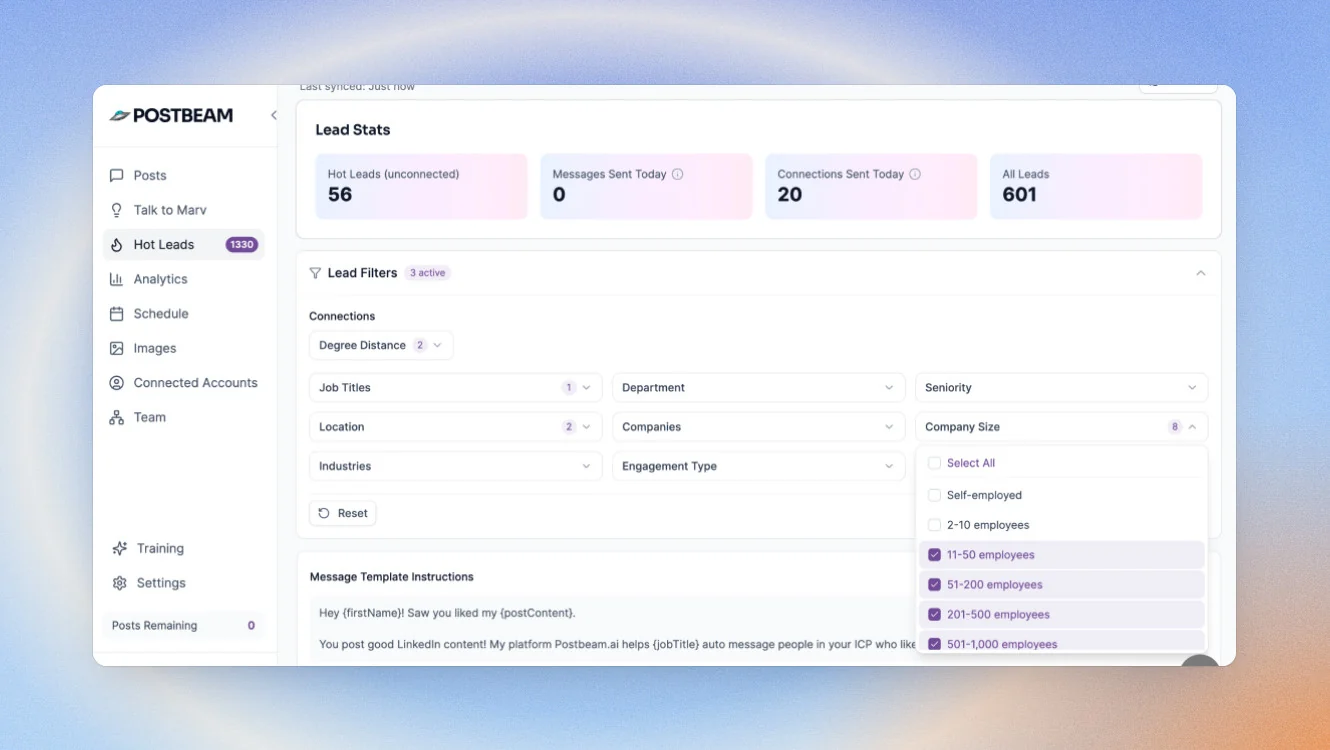
Postbeam closes a gap none of the other tools on this list address: connecting individual post engagement to a named, warm lead.
Sprinklr's analytics show impressions and follower growth. They can't tell a sales team which specific prospects engaged with a post, whether those prospects fit the ICP, or what outreach to send next. Postbeam makes that connection explicit and measurable which matters for GTM teams with quotas to hit and stakeholders who want proof LinkedIn is working.
Key features
- ICP-filtered engagement capture: Tracks every like, comment, and profile view across the team's posts, filtered against your ideal customer profile by job title, seniority, company size, and industry.
- Warm account shortlists: Ranked lists of engaged accounts, each with a pre-drafted opening message referencing the exact post that prospect interacted with.
- CRM export: One-click export to HubSpot, Salesforce, or CSV.
LinkedIn Compliance
Postbeam uses LinkedIn's official API for engagement capture, with compliant access rather than scraping.
Good fit for
- Founders, sales leaders, and GTM teams that need LinkedIn content to contribute directly to pipeline — and a way to demonstrate that to stakeholders
- Revenue teams that want to turn LinkedIn engagement into named outreach opportunities with context already attached
Not a good fit for
- Teams looking for a complete content creation and publishing platform — Postbeam is a revenue intelligence layer, not a full publishing system
- Heavily regulated teams that need more than team-level governance controls
Pricing
If paid monthly
- Solo: $99/mo
- Team: $99/mo per user (two-user minimum)
- Done for you: $499/mo per user
If paid monthly
- Solo: $470/year
- Team: $374/year per user (two-user minimum)
- Done for you: $499/mo per user
A 7-day free trial is available on both plans.
#5. AuthoredUp: Best for teams that need LinkedIn analytics they can trust
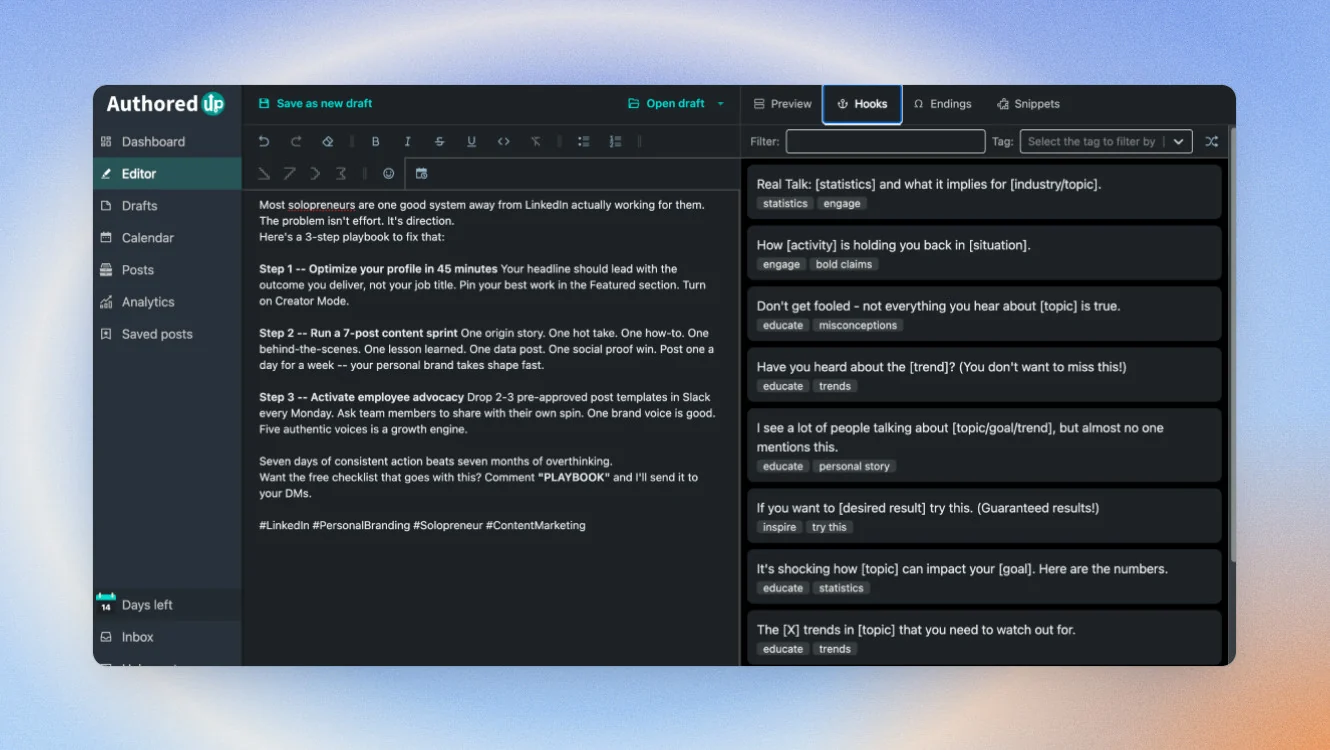
AuthoredUp is built for the Sprinklr user who has been burned by LinkedIn data discrepancies. This is the only tool from the list that has a strong focus on analytics and operations rather than content creation.
AuthoredUp's numbers match the native ones because they come from the same source: the rendered display of your own LinkedIn session, read through a Chrome extension. For teams that report on LinkedIn performance to leadership or clients, that accuracy removes a recurring credibility problem.
The platform is EU-hosted and GDPR compliant.
Key features
- Native-accurate analytics: Read directly from LinkedIn's rendered display, with content-type breakdowns, period comparisons, follower growth timelines, and best-time heatmaps.
- Full historical backfill: Covers post performance from before installation, useful for teams with years of LinkedIn history they want to analyze.
- Rich-text editor: 200+ hooks and 150+ post endings, built from analysis of over three million LinkedIn posts.
LinkedIn Compliance
AuthoredUp works through a Chrome extension that reads what's already visible in your own LinkedIn session, though no password sharing, stored credentials, or automation bots. This is precisely why its analytics match native LinkedIn numbers.
Good fit for
- Teams that need LinkedIn analytics they can defend in stakeholder reporting, especially after experiencing data discrepancies with other tools
- LinkedIn creators and content managers who want deeper post-performance visibility and a data-backed editing process
Not a good fit for
- Teams that need AI-assisted content generation, multi-step approval workflows, or enterprise governance controls — those aren't areas this product focuses on
- Organizations whose IT policy restricts use to official LinkedIn API access only
Pricing
If paid monthly
- Individual: $19.95/mo
- Business: $14.95/mo per profile (3 profile minimum)
- Growth Plan: Custom
If paid yearly
- Individual: $16.63/mo
- Business: $12.56/mo per profile (3 profile minimum)
- Enterprise: Custom
Free trial is available.
Which Sprinklr alternative is right for you?
Map your real bottleneck to the right tool and the decision becomes straightforward.
| If you're… | Start with… |
|---|---|
| You're running founder-led or executive-led LinkedIn content and need a system, not just a scheduler | Scripe |
| You're in a regulated industry where Smarsh archiving, SSO, and full audit trails are non-negotiable | Oktopost |
| You're struggling to get employees to post consistently as part of an advocacy program | Supergrow |
| You're using LinkedIn as a pipeline-generation channel and need to demonstrate ROI to stakeholders | Postbeam |
| You're frustrated by LinkedIn reporting discrepancies and need analytics you can stand behind | AuthoredUp |
| You're managing 5–20 client accounts and need separate voice profiles, approval flows, and isolated workspaces | Scripe |
How to migrate from Sprinklr
Migration sounds more disruptive than it is. The actual work is a few hours of configuration, not days. Here's a checklist to get it done without gaps.
- Export your post archives and analytics before you cancel. Most tools on this list can't import Sprinklr data, so pull it yourself first. Capture post history, campaign records, and any performance benchmarks you'll want to reference after the switch.
- Document your current approval workflow and permission structure. Sprinklr's workflow logic doesn't transfer automatically. Before you leave, write down the approval steps, conditions, and role assignments you'll need to recreate in your new tool.
- Set up the new tool fully before canceling Sprinklr. Don't cancel before your new platform is configured and you've published at least one test post. A posting gap — even a week — can affect the LinkedIn algorithm momentum you've been building.
- Time your cancellation to the billing cycle. If you've just renewed, you have the full period to migrate before losing access. Cancel at the end of the billing cycle, not the middle of one.
- Run both tools in parallel for the first two weeks. This gives you confidence the new tool is working correctly before you switch over completely and prevents any surprises mid-campaign.
Keep in mind: switching tools feels bigger than it is. The actual migration is a few hours of setup work, not a multi-week project.
Why people choose Scripe as their Sprinklr alternative
For marketing and social media managers, Scripe gives structure to executive and sales-led content without spreading work across documents, spreadsheets, and native LinkedIn tabs. Selina Stücker, digital marketing manager at Hunkeler — Müller Martini, knew getting her team to post could boost visibility, but most of her colleagues didn't know where to start.
“We learned how to turn our expertise into posts in a very simple way — posts that actually reach our customers. As we started posting, we quickly saw more engagement and more impressions.”
For agencies, Scripe creates one central hub for client profiles, approvals, and reporting. ColdIQ used it to scale to 20–30 team members posting consistently. LinkedIn now drives 80% of their deals.
“Having analytics across the entire team was a game changer. We can see how often people post, what performs, and what gets engagement — all in one place”
For solo experts, Scripe turns ideas, conversations, and source material into a system that keeps producing. Career consultant Václav Šulista found fresh value in LinkedIn as a lead-generation channel after years of inconsistent results:
“I've been active on LinkedIn for six years without impact — after using Scripe for one month, I got +10 inbound leads!"”
More than helping people produce posts, Scripe helps them build a repeatable LinkedIn content system around their goals, voice, and audience — one that handles more of the work itself the longer it runs.
See how Scripe turns your expertise into content system
Try Scripe for FreeFAQs

Co-Founder & CEO
Eva Johanna Egg is the co-founder and CEO of Scripe, where she helps individuals turn their genuine expertise into authentic, high-impact content. With nine years of hands-on social media building and academic grounding in engineering she brings a rare combination of practical platform experience and technical rigor to the personal branding space.
LinkedIn