What Kleo actually is
Kleo 1.0 (2022–2024) was a free Chrome extension built by Jake Ward that grew to 70,000 users. It worked inside LinkedIn's interface — surfacing trending content and helping users write from directly within LinkedIn's compose window. Ward used it to grow from 0 to 100,000 LinkedIn followers in under 10 months, which seeded both the product's credibility and its user base.
The LinkedIn C&D (early 2026): LinkedIn issued a cease-and-desist. The extension violated LinkedIn's Terms of Service by overlaying LinkedIn's interface and reading its rendered UI. Kleo complied, shut the extension down, and rebuilt.
Kleo 2.0 (2026): Rebuilt as a paid web app by three co-founders — Lara Acosta (310K LinkedIn followers), Rob Hoffman (80K followers), and Cam Trew (CTO). It reached $62K MRR in 53 days with no paid ads, driven entirely by the founders' combined following of approximately 600,000. The current product is a fully compliant web platform. The four gaps below are product architecture gaps, which I think are important for LinkedIn tool to address.
Why people leave Kleo
No free trial
Kleo's 30-day money-back guarantee applies to the annual plan only. Monthly subscribers have no specified refund mechanism. At $99/month, that asks users to risk a significant upfront payment before validating whether the tool fits their workflow. Most competing tools offer a 7-day free trial with no credit card required.
Single profile only
One Kleo account supports one LinkedIn profile. Ghostwriters managing multiple clients, agencies running employee advocacy programs, and founders who want to manage both a personal profile and a company page hit a hard wall. Multi-profile support is publicly listed as "coming soon" but was not available at the time of writing.
Analytics track from signup only
Kleo's post analytics begin when you connect your LinkedIn account. A creator with two years of LinkedIn history gets none of it in Kleo's dashboard — everything before the connection date is invisible. Tools like AuthoredUp can retrieve historical post data; Kleo cannot.
LinkedIn-only scheduling
Kleo publishes to LinkedIn personal profiles only. X/Twitter drafting is supported but native scheduling is listed as "coming soon." Creators who cross-post to X, Instagram, or newsletters need a second tool to cover everything else.
A quick note on LinkedIn compliance
Kleo's history makes compliance a live concern for anyone evaluating LinkedIn tools right now. Here's what actually matters.
What ended Kleo 1.0 was the extension's method of accessing LinkedIn: overlaying LinkedIn's interface and reading its rendered data in the user's browser session. LinkedIn's enforcement targets unauthorized access to its platform, not content tools per se.
The meaningful distinction today is between tools that connect via LinkedIn's official OAuth/API (LinkedIn explicitly grants access, defines what data the tool can use, and approves the connection) versus tools that read or interact with LinkedIn's interface through browser session access in the background. Every tool on this list is evaluated on that specific dimension. Where a Chrome extension is involved, the permission model is explained.
Kleo's current product is a web app. It is not using the session-cookie architecture that ended Kleo 1.0.
How I chose this list
Not every Kleo alternative solves the same problem. I evaluated each one against the areas that matter most when choosing a long-term LinkedIn content creation tool.
- LinkedIn connection: evaluated each tool on connection type: official OAuth/API, on-screen browser extension (reads displayed data only, no background session access), or session-based scraping. The last category is excluded.
- Voice AI depth and persistence. The benchmark question is whether the tool actually learns you over time, or whether every session starts cold. Kleo's persistent memory — voice profile, automatic memories from edits, knowledge base grounding on every draft — sets the baseline.
- Knowledge base and expertise grounding. Can the AI draw on your stored case studies, frameworks, and client wins? Or does it default to generic output when you don't paste context into the prompt?
- Free trial availability. Given Kleo's no-trial barrier, this is a primary filter here, not a secondary nice-to-have.
- Multi-profile and agency support. Does the tool support more than one LinkedIn profile per account? Are there isolated client workspaces, approval workflows, and credential-free client onboarding?
- Analytics depth and historical range. Can users see post data from before they connected the tool? What metrics are available at the post level?
- Scheduling breadth. LinkedIn only, or multi-platform?
I also considered overall content quality, AI features, and whether each platform supports a complete LinkedIn workflow instead of just basic AI writing.
Quick comparison of Kleo alternatives
| Tool | Best for | Price* | Free trial | LinkedIn connection | Multi-profile | Standout vs. Kleo |
|---|---|---|---|---|---|---|
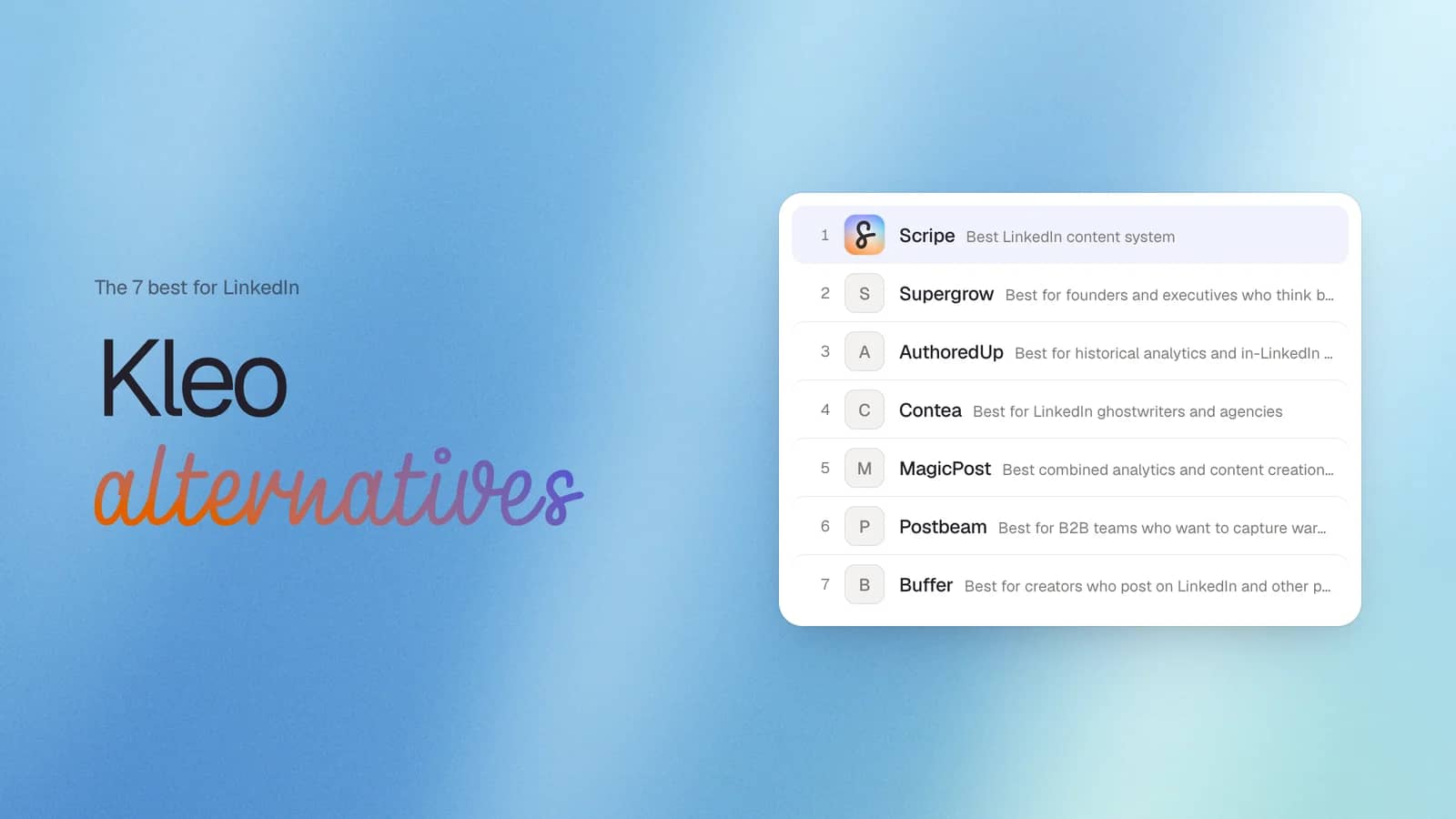
| Scripe | LinkedIn content system | From $79/mo | 7 days | LinkedIn Community API | Yes | Team workspaces, approvals, voice notes, knowledge base, mobile app |
| Supergrow | Founders and executives who think better by talking | From $19/month | 7 days | Official LinkedIn connection | Yes | AI interviews (Postcast) that turn conversation |
| AuthoredUp | Historical LinkedIn analytics and in-LinkedIn writing | From $19.95/month | 14 days | Chrome extension | Yes | Retrieves historical LinkedIn post data and edits inside LinkedIn |
| Contea | LinkedIn ghostwriters and agencies | Custom pricing | 7 days | Official LinkedIn connection | Yes | Built specifically for client collaboration and agency workflows |
| MagicPost | AI content creation with advanced LinkedIn analytics | From $35/month | 5 free post credits | Official LinkedIn API | Yes | Analytics, inspiration library, and AI writing in one platform |
| Postbeam | B2B teams turning LinkedIn engagement into pipeline | From $99/month | 7 days | Official LinkedIn connection | Yes | Identifies warm leads from post engagement |
*Entry-level monthly pricing at the time of writing. Features and pricing may change.
#1 Scripe: Best LinkedIn Content System
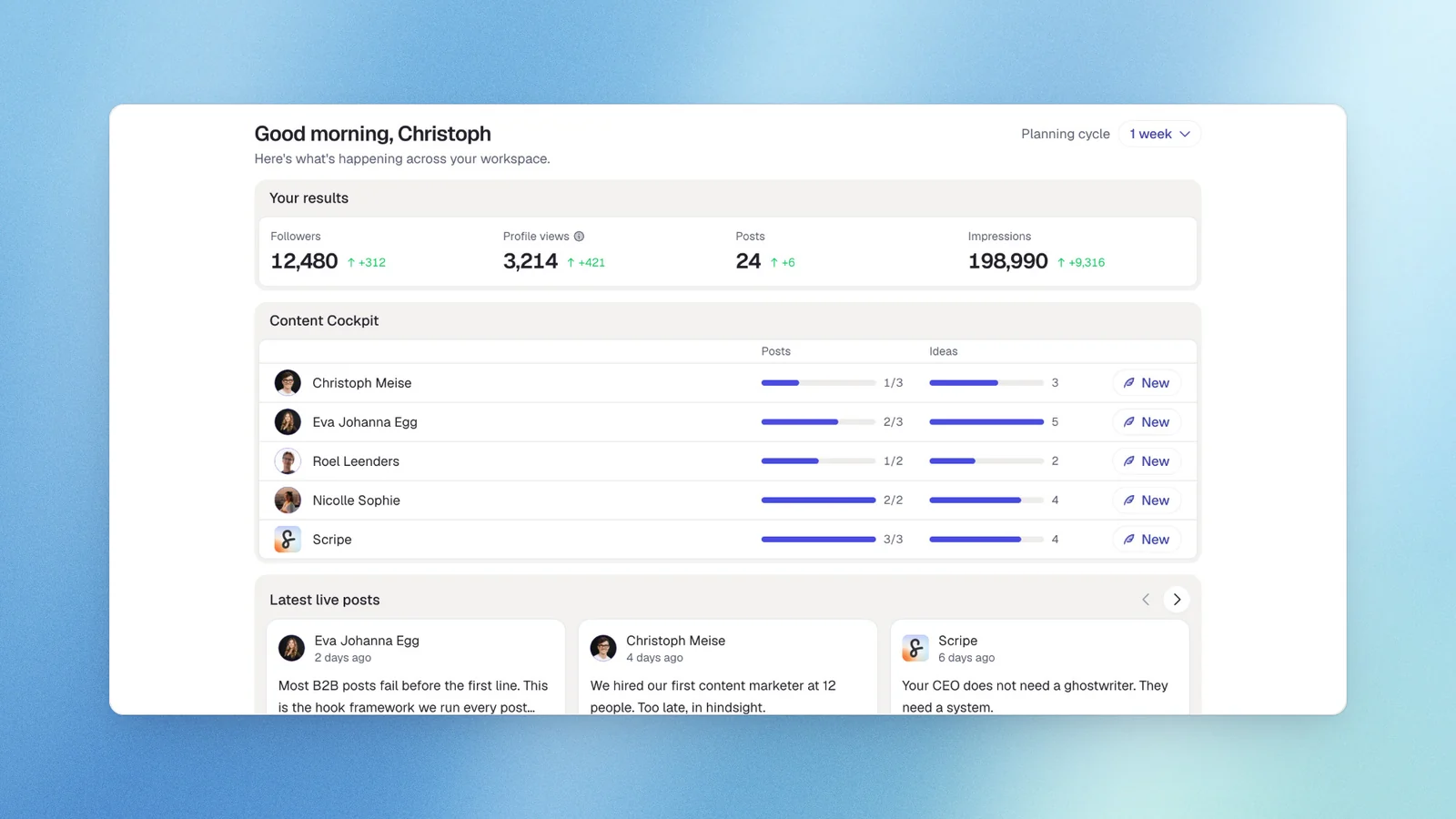
Full disclosure: We built Scripe and I’d like to offer is the reasoning behind it and an honest mapping of how it compares to Kleo's specific gaps.
Kleo's core promise — AI that learns your voice, your knowledge, and your brand identity — is something Scripe does too. The structural differences close all four of the gaps described above: a 7-day free trial, multi-profile and agency architecture, a 1-year analytics range with team-level dashboards, and a mobile app that gives full access to every feature on the go.
Where Scripe extends what Kleo offers: the Knowledge Base accepts PDFs up to 2GB, websites auto-rescanned every 7 days, Notion pages with direct sync, and YouTube links with transcripts extracted — not just text notes. Content Interview Mode lets you speak ideas aloud in 6 languages and structures them into post drafts. WhatsApp integration turns a voice memo into a Scripe draft in seconds. None of these are in Kleo's current feature set.
One limitation Scripe shares with Kleo: analytics don't backfill pre-signup post data. That historical use case is specifically what AuthoredUp handles, covered below.
Key features
The five features that set Scripe apart are:
- AI content creation grounded in your expertise through voice learning and a connected knowledge base.
- Content Interview Mode and WhatsApp voice note dictation to create content naturally.
- Team workspaces with approvals and five permission levels for agencies and in-house teams.
- A viral post library with more than one million examples and AI-assisted post ideas.
- Advanced analytics, performance tracking, and a mobile app for managing your LinkedIn content anywhere.
You’ll also get smart scheduling, post scheduling, LinkedIn carousels, asset generation, company page management, custom publishing workflows, and link tracking for revenue attribution on business plans.
Pricing
If paid monthly
- Solo: $79/mo
- Advanced: $114/mo (unlocks unlimited users)
- Business: $170/mo
If paid yearly
- Solo: $63/mo
- Advanced: $90/mo (unlocks unlimited users)
- Business: $136/mo
All plans include a 7-day free trial.
Good fit for
- Founders, consultants, and coaches who want AI writing grounded in their expertise instead of a blank prompt.
- LinkedIn agencies managing multiple clients with separate workspaces, approval workflows, and client access.
- Marketing teams running employee advocacy while keeping each person’s voice unique.
Not a good fit for
- Creators who need multi-platform support.
- Large enterprise organizations looking for CRM-level revenue attribution and advanced governance.
- Users who only want a lightweight post generator.
LinkedIn compliance
Scripe connects through LinkedIn’s Community API. There are no Chrome extensions, credential sharing, or automation bots, giving you a strong foundation for account safety.
AI personalisation quality
Scripe automatically learns from your past posts, writing style, knowledge base, and everything you publish.
You can also guide the AI with custom instructions, signature elements, and workspace-wide tone settings. The result is AI content generation that becomes more personal over time while staying under your control.
If you’re looking for a LinkedIn content system that grows with you instead of another AI writing tool, start with a 7-day free trial and see how it fits your workflow.
If you’re looking for a LinkedIn content system that grows with you instead of another AI writing tool, start with a 7-day free trial and see how it fits your workflow.
#2 Supergrow: Best for founders and executives who think better by talking
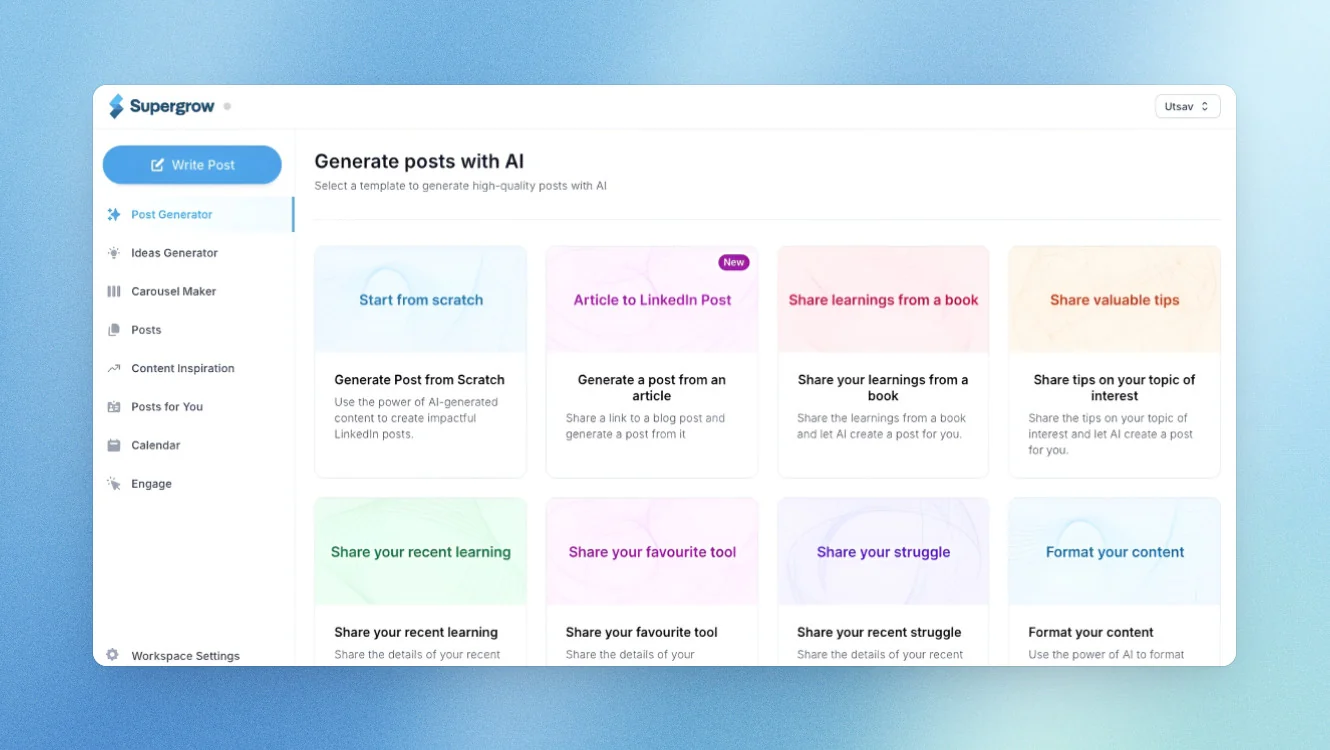
Supergrow is a great fit if you’d rather talk through your ideas than type them. If Kleo’s onboarding felt too structured, Supergrow gets you creating LinkedIn content much faster.
Supergrow's PostCast feature is the structural alternative: a 10–15 minute AI-guided conversation that generates 5–7 LinkedIn post drafts in the user's voice. No form-filling, no sample posts, no style guide to write. One session equals a week of content ready to edit. Executives who have historically delegated LinkedIn content because they "don't have time to write" find PostCast the first tool that doesn't feel like work. It is capped at 2 sessions/month on the Starter plan, which runs tight at 4–5 posts per week. Analytics are locked entirely behind the Pro plan.
Key features
- PostCast: 10–15 minute AI interview with a virtual interviewer; generates 5–7 ready-to-edit post drafts per session
- Content DNA: Voice model built automatically from your LinkedIn profile, improving with each published post
- Team analytics (Teams plan): Combined impressions and engagement across all members, per-member drill-down, Monday morning digest to Slack or email
- Challenges and leaderboards: Admin-defined posting competitions — Posting Frequency, Reaction Race, Streak Club — with live updates; customers report posting frequency doubling within 30 days of launch
- Weekly Briefing: Delivered every Sunday with impressions week-over-week, best-performing post breakdown, and 2–3 content ideas
Pricing
If paid monthly
- Starter: $19/mo
- Pro: $39/mo
- Teams: $139/mo (up to four executives)
- Enterprise: Custom
If paid yearly
- Starter: $16/mo
- Pro: $31/mo
- Teams: $133/mo (up to four executives)
- Enterprise: Custom
7-day free trial available on all plans.
Good fit for
- Founders and executives who think better by talking.
- Teams building a consistent LinkedIn presence.
- Creators who want quick AI content creation.
Not a good fit for
- Consultants who want a persistent knowledge base.
- Agencies managing many client workspaces.
- Teams looking for a complete LinkedIn workflow.
LinkedIn compliance
Supergrow connects through LinkedIn’s official API.
AI personalization quality
Supegrow also has a Content DNA which learn from your past LinkedIn posts. The practical difference is the input method. Kleo expects users to paste sample posts during a structured onboarding. Supergrow builds Content DNA automatically from your LinkedIn connection and improves with every post published.
#3 AuthoredUp: Best for historical analytics and in-LinkedIn formatting
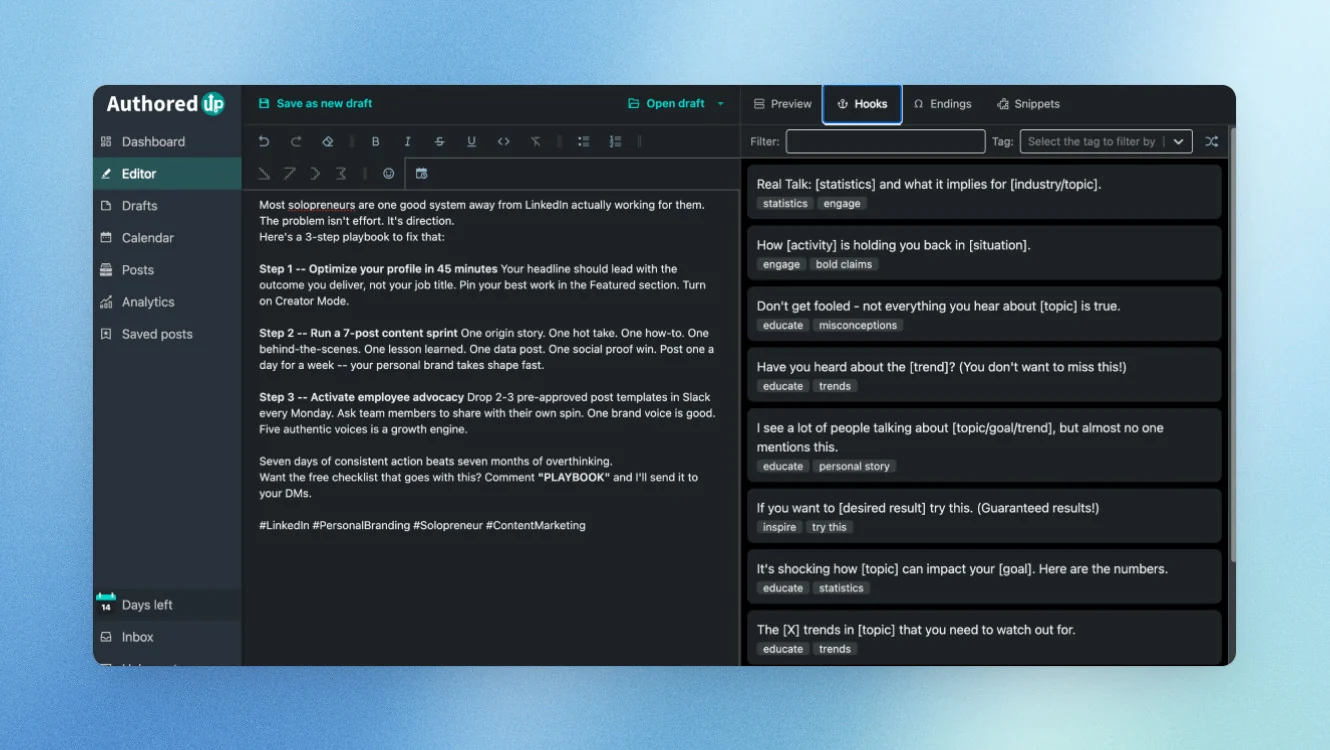
AuthoredUp is the right choice if you’re leaving Kleo because you want to see the performance of LinkedIn posts you published before signing up. It’s built for analytics and LinkedIn writing, not AI content generation.
Its biggest advantage is that it can recover much of your LinkedIn history through its Chrome extension, making it a strong option for creators who care about long-term performance tracking.
Key features
- Historical backfill: Retrieves post-level metrics from before installation — the only tool in this comparison with this capability
- Full analytics suite: Total, median, and average impressions across custom date ranges; content type breakdown by format; period-over-period comparison across any two date ranges; follower growth timeline tied to specific posts; best-times heatmap from your own engagement history; saves, sends, and profile views beyond standard metrics; AI-assisted reuse suggestions for high performers
- In-LinkedIn editor: Rich text formatting, hook templates, ending templates, readability grade, preview — all inside LinkedIn's compose window
- Team analytics: Aggregate metrics across connected team members
Pricing
If paid monthly
- Individual: $19.95/mo
- Business: $14.95/mo per profile (3 profile minimum)
- Growth Plan: Custom
If paid yearly
- Individual: $16.63/mo
- Business: $12.56/mo per profile (3 profile minimum)
- Enterprise: Custom
AuthoredUp offer a 14-days free trial.
Good fit for
- Creators with years of LinkedIn history.
- Writers who prefer creating content inside LinkedIn.
- Anyone focused on analytics over AI writing.
Not a good fit for
- Creators looking for AI content creation.
- Teams needing approval workflows or multi platform support.
- Users who prefer a web app instead of browser extensions.
LinkedIn compliance
AuthoredUp works through a Chrome extension that reads information already visible in your browser. It doesn’t automate actions, access session cookies, or post on your behalf.
AI personalization quality
Unlike most Kleo alternatives, AuthoredUp doesn’t learn your writing style or generate posts. Its focus is helping you write better and understand what has worked across your LinkedIn history.
#4 Contea: Best for LinkedIn ghostwriters and agencies
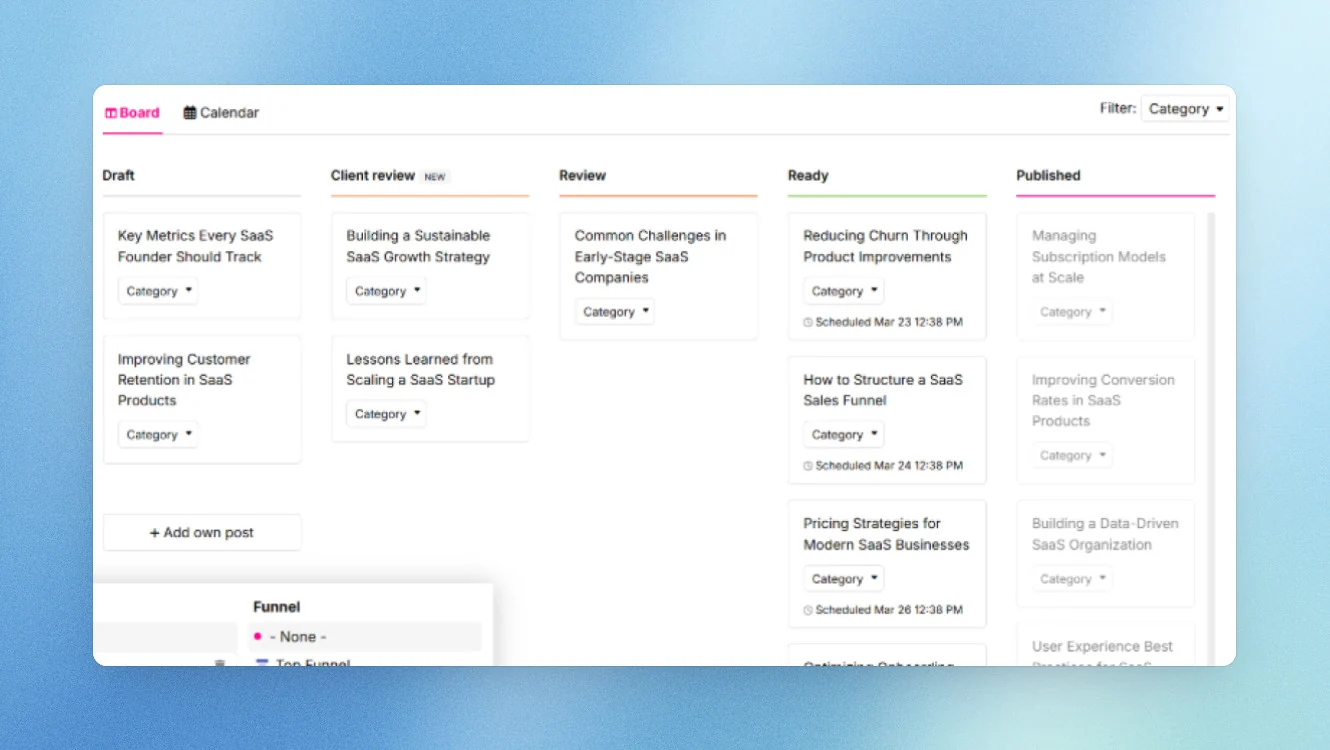
Contea is for agencies and ghostwriters managing multiple LinkedIn accounts. If Kleo’s single-profile approach rules it out for your business, Contea Pro is built for exactly that workflow.
Its biggest strength is making client collaboration, approvals, and content creation much easier to manage. Clients submit structured answers or leave voice memos from their phone without scheduling a content call. The ghostwriter gets structured input without chasing anyone. The client approval loop replaces ad-hoc WhatsApp and email chains. Contea claims a 51% reduction in fulfillment time and an average of 7 minutes to client-approved posts.
Key features
- Async client input: Clients submit ideas or voice memos between meetings
- Per-client Avatar: Each client has a separate voice profile, positioning, and ICP profile that improves with each published post (the equivalent of Kleo's brand identity system) running per client from one agency account
- Structured approval workflow: Client feedback loop replaces ad-hoc messaging chains; claimed 51% reduction in fulfillment time
- Automated client reports: One-click performance reports covering reach, impressions, and engagementVoice-first creation: Voice memos as default input; unlimited post creation; German and English language support; ISO/IEC 27001-certified EU servers
Pricing
Pricing is available on request.
Good fit for
- LinkedIn ghostwriters and boutique agencies.
- Teams managing multiple client accounts.
- Agencies looking to scale content creation without adding headcount.
Not a good fit for
- Solo LinkedIn creators looking for a free tier.
- Users who want a viral post library or create LinkedIn carousels.
- Individual creators who need analytics without an agency plan.
LinkedIn compliance
Contea Pro connects through LinkedIn’s official API.
AI personalization quality
Each client has a separate avatar with its writing style, positioning, and voice learning. The AI improves over time, but the focus is on managing client relationships rather than building a complete LinkedIn workflow.
#5 MagicPost: Best combined analytics and content creation tool
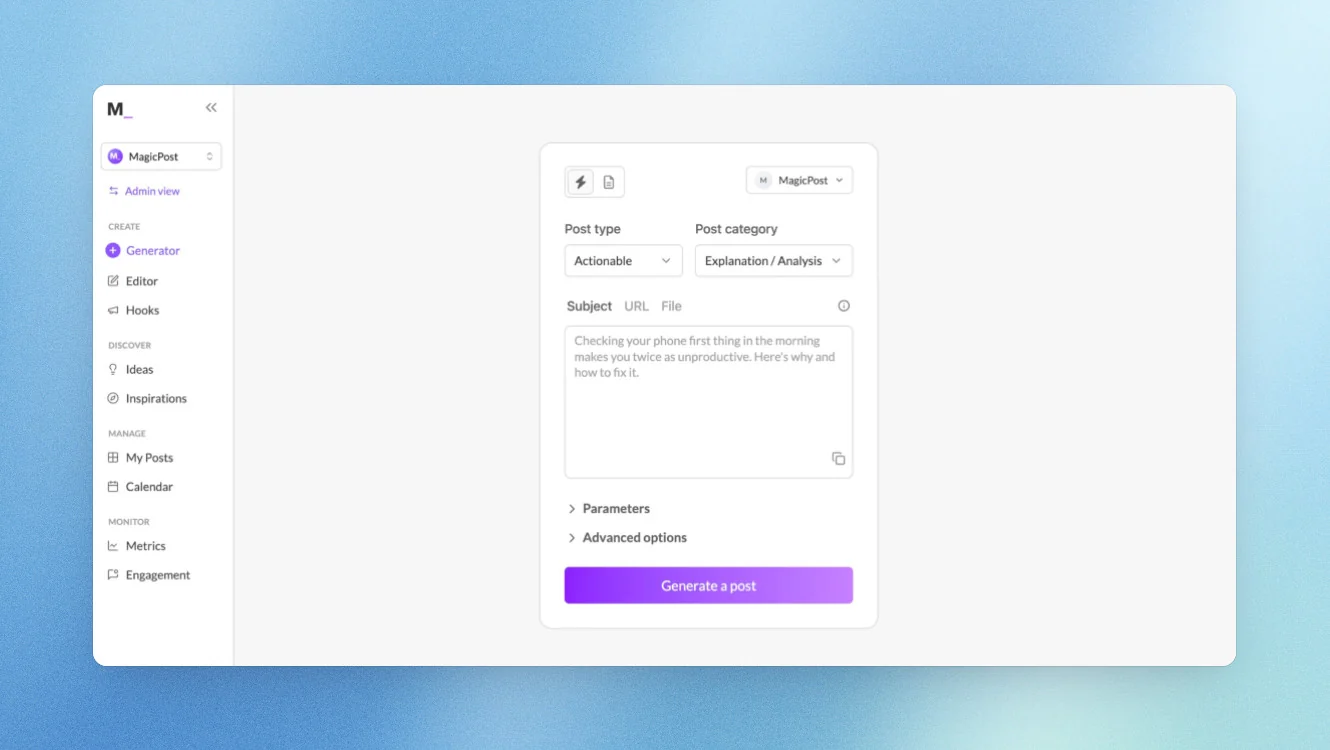
MagicPost is a strong choice if you’re leaving Kleo because you want better performance tracking without giving up AI content creation. It combines LinkedIn analytics, AI writing, and content creation in one web app.
Its biggest strength is helping you understand which LinkedIn posts perform best, then using those insights to improve future content.
MagicPost lets you import any LinkedIn creator's writing style by pasting their profile URL. For ghostwriters onboarding a new client, this surfaces the client's existing style patterns immediately without asking the client to paste sample posts or fill in a brief.
Key features
- Analytics suite: Impressions, followers gained, likes, comments, engagements with custom time ranges; audience breakdown by country, job fields, industries, cities, and LinkedIn account types; benchmarking against LinkedIn market averages; post library ranked by views and engagement with one-click repost; best formats and posting times from your own data
- White-label reporting: Customizable with brand name, company logo, and selected metrics — download in one click; agency plan includes credential-free client onboarding via secure connect link
- Creator style import: Paste any LinkedIn profile URL to extract writing style patterns — useful for ghostwriters and agencies onboarding new clients
- Content creation: AI post generator across 4 post types; Hook Generator with A/B testing; Inspiration Library of 2M+ posts filterable by engagement and topic; Engagement Feed for curated strategic manual commenting
Pricing
If paid monthly
- Analytics: $35/month
- Creator: 69/month
- Teams: custom
If paid yearly
- Analytics: $21/month
- Creator: $39/month
- Teams: custom
Free Trial is available in all plans.
Good fit for
- Creators who want AI content creation and analytics together.
- Agencies managing LinkedIn content for clients.
- Teams looking to improve their content strategy with real data.
Not a good fit for
- Users who need profile visits or post saves in their analytics.
- Creators looking for a free tier.
- Teams that want a persistent knowledge base for their content.
LinkedIn compliance
MagicPost connects through LinkedIn’s official API.
AI personalization quality
MagicPost learns from your writing style and past posts, and the creator style import from a LinkedIn profile URL is genuinely useful for ghostwriting.
#6 Postbeam: Best for B2B teams who want to capture warm leads
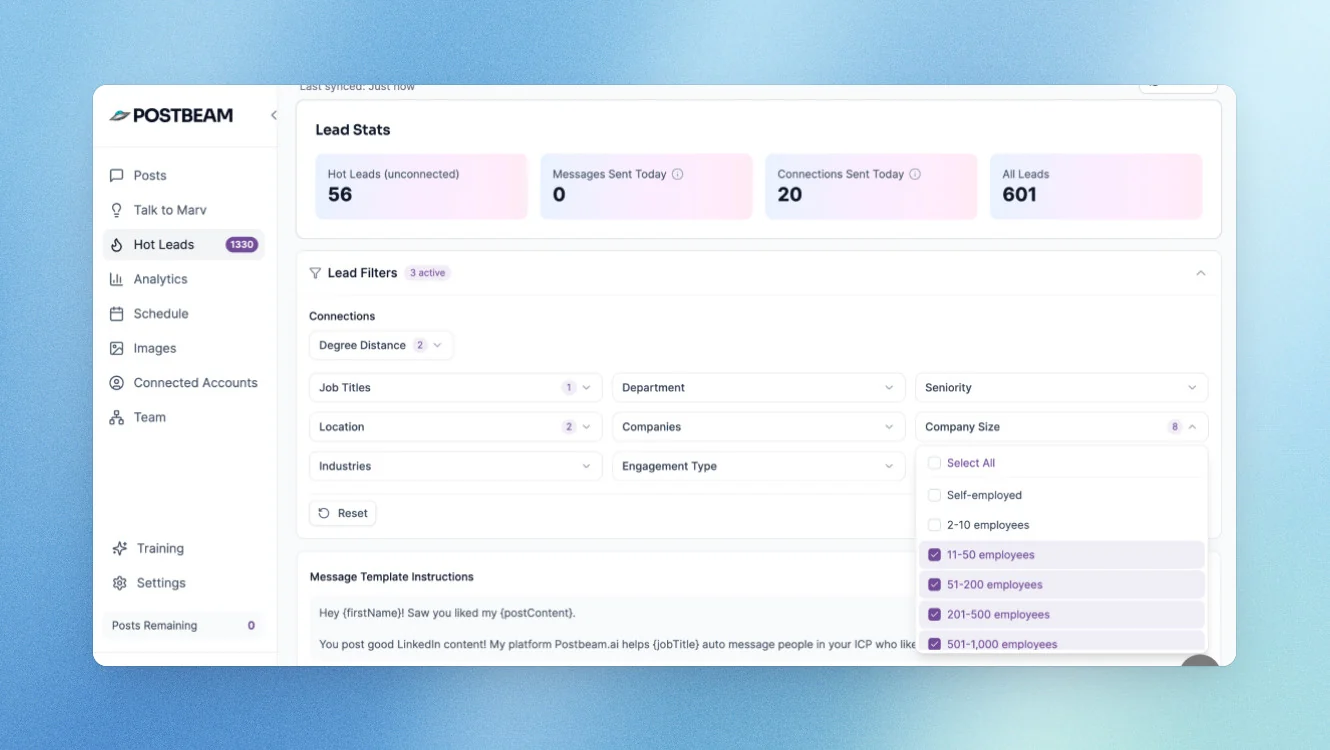
Postbeam is one of the more unique tool it focuses on turning LinkedIn posts into sales opportunities. If your goal is pipeline instead of personal brand growth, it’s worth a look.
Its biggest strength is identifying people who engage with your content, then helping your team turn those interactions into warm outreach.
Every like, comment, and profile view on every team member's post is captured, filtered through an ICP by job title, seniority, company size, and industry, and surfaced as a ranked warm lead list with a pre-drafted opening message referencing the exact post the prospect engaged with. One-click export to HubSpot, Salesforce, or CSV. This converts LinkedIn content from a brand awareness activity into a measurable pipeline input.
Postbeam's AI, named Marv, is trained on each person's past LinkedIn posts, company website, and meeting recaps. A 15-minute conversation with Marv generates a week of content drafts per connected profile.
Pricing
If paid monthly
- Solo: $99/month
- Team: $99/month per user (2-user minimum)
- Done for you: $499/month per user
If paid monthly
- Solo: $470/year
- Team: $374/year per user (two-user minimum)
- Done for you: $499/month per user
7-day free trial available.
Good fit for
- B2B founders and sales teams.
- Companies using LinkedIn content to generate pipeline.
- Teams that want AI writing tied to measurable business results.
Not a good fit for
- Creators focused on follower growth or personal brand building.
- Teams that need a persistent knowledge base.
- Anyone looking for multi platform support or company page management.
LinkedIn compliance
Postbeam connects through LinkedIn’s official API.
AI personalization quality
Marv learns from your past posts, company website, and conversations to improve AI content generation over time. It’s creating LinkedIn posts that generate more qualified conversations.
#7 Buffer: Best for creators who post on LinkedIn and other platforms
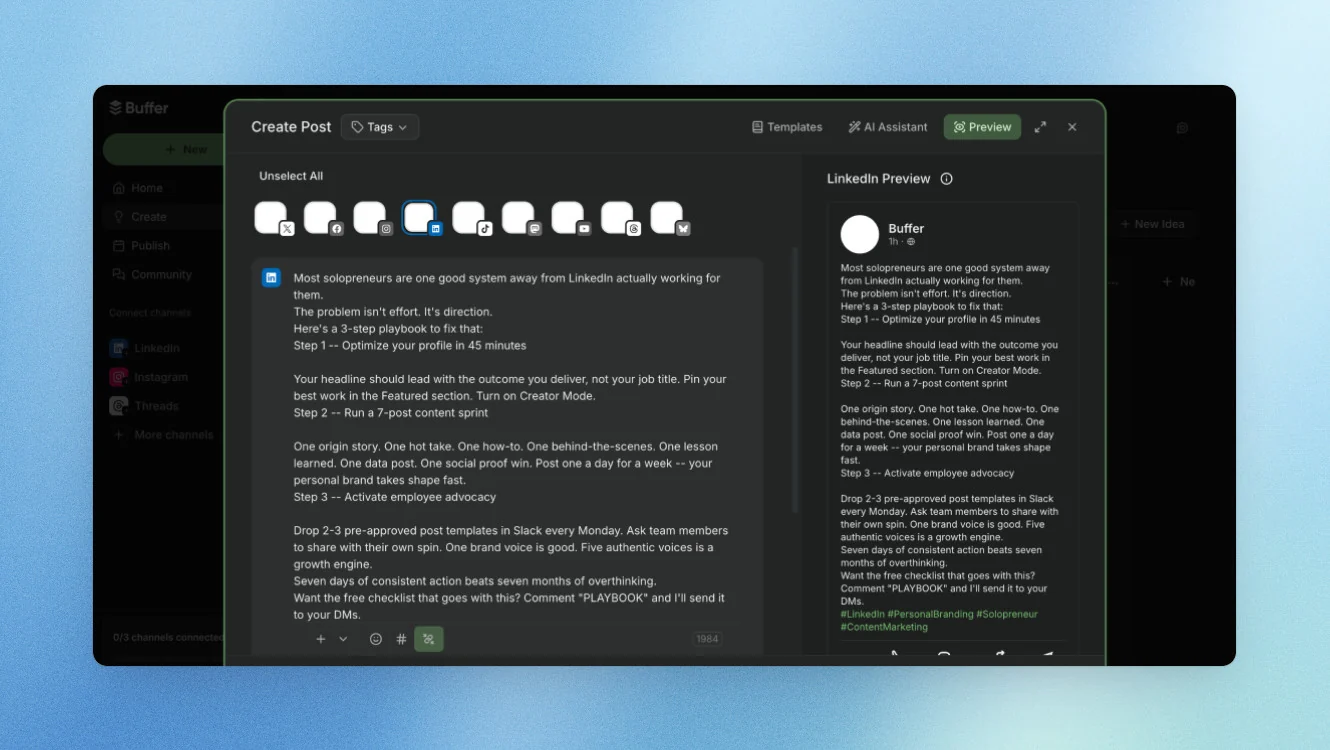
Buffer is a good fit if you’re leaving Kleo because you publish on more than LinkedIn. It helps you create content once, then manage post scheduling across multiple social platforms from one content calendar. Its biggest strength is multi-platform support, not personalized AI writing.
It covers 11 platforms — LinkedIn, Instagram, TikTok, Facebook, X/Twitter, Pinterest, YouTube Shorts, Google Business, Bluesky, Mastodon, and Threads — from a single queue and calendar.
But Buffer has no persistent voice profile, no knowledge base, no AI that learns the user's writing style, brand identity, or expertise over time. Buffer's AI assistant generates social captions from prompts. It is generic, session-based, and accumulates no context about who the user is. Every generation starts cold.
Key features
- Multi-platform scheduling across 11 networks from a single calendar
- RSS feeds and trending news aggregation for content ideas
- Post recycling — republish evergreen content on a set schedule
- Multi-platform analytics: performance data across all connected networks in one dashboard
- Approval workflows with role-based permissions and unlimited users
- AI caption assistant (generic, not voice-trained)
Pricing
If paid monthly
- Free: €0/mo (limited channels)
- Essentials: from $6/channel/mo
- Team: from $12/channel/mo
If paid yearlly
- Free: €0/mo (limited channels)
- Essentials: from $5/channel/mo
- Team: from $10/channel/mo
14-day free trial on paid plans.
Good fit for
- Creators who publish across multiple platforms.
- Marketing teams managing several social channels.
- Businesses looking for one publishing tool instead of multiple tools.
Not a good fit for
- Creators who want AI that learns their writing style.
- Teams looking for a knowledge base or voice learning.
- Anyone focused primarily on LinkedIn growth and personal brand building.
LinkedIn compliance
Buffer supports LinkedIn through LinkedIn’s official API.
AI personalization quality
Buffer’s AI helps you write posts and generate ideas, but it doesn’t learn from your past posts or build a long-term understanding of your voice. If that’s your priority, other Kleo alternatives will be a better fit.
Why people choose Scripe
When we built Scripe, I wasn't trying to create another AI writer.
I wanted the kind of content coach I wished I’d had. One that understands your expertise, learns how you write, keeps improving over time, and always gives you a place to start instead of a blank page.
That’s why Scripe is built around your complete LinkedIn workflow, not just AI writing.
Starting is easy:
- Sign up for the 7-day free trial.
- Build your knowledge base from documents, websites, Notion, YouTube, voice notes, and more.
- Scale from one LinkedIn account to your entire team with separate workspaces whenever you’re ready.
As you publish, Scripe keeps learning your writing style while bringing your content creation, publishing, and analytics together in one place.
The best part is seeing how different teams make it their own.
A few stories I love:
- HY Consulting Group replaced several disconnected tools with one shared workspace for planning, reviewing, and publishing content.
- Hunkeler Müller Martini helped employees create LinkedIn content in their voice while keeping everyone aligned around the same strategy.
One of my favorite things customers tell us is that Scripe feels like having a content coach available whenever they need one. They stop wondering what to write and start publishing consistently.
If you’d like to see whether Scripe fits the way you already work, I’d love for you to try the 7-day free trial. No credit card required.
FAQs

Co-Founder & CTO
Christoph Meise is Co-Founder and CTO at Scripe, where he leads engineering and product development with a focus on building intuitive, high-performing user experiences. With over a decade of engineering experience at multiple companies he combines deep technical expertise with a strong instinct for how technology should actually feel to use. His academic foundation, a Master of Science in Business Informatics from Freie Universität Berlin and a Bachelor of Applied Science in Computer Science from Baden-Wuerttemberg Cooperative State University (DHBW), grounds his engineering approach. He previously co-founded and architected an online platform connecting entrepreneurs with investors, sharpening his focus on building systems that serve real user needs end to end. At Scripe, Christoph has led the product through multiple rebuilds, including a shift to become an official LinkedIn API partner and the launch of a self-learning content agent, work centered on making powerful technology feel effortless for the people using it. Christoph shares his perspective on LinkedIn growth, product development, and building with AI to a following of over 11,000 on LinkedIn.
LinkedIn