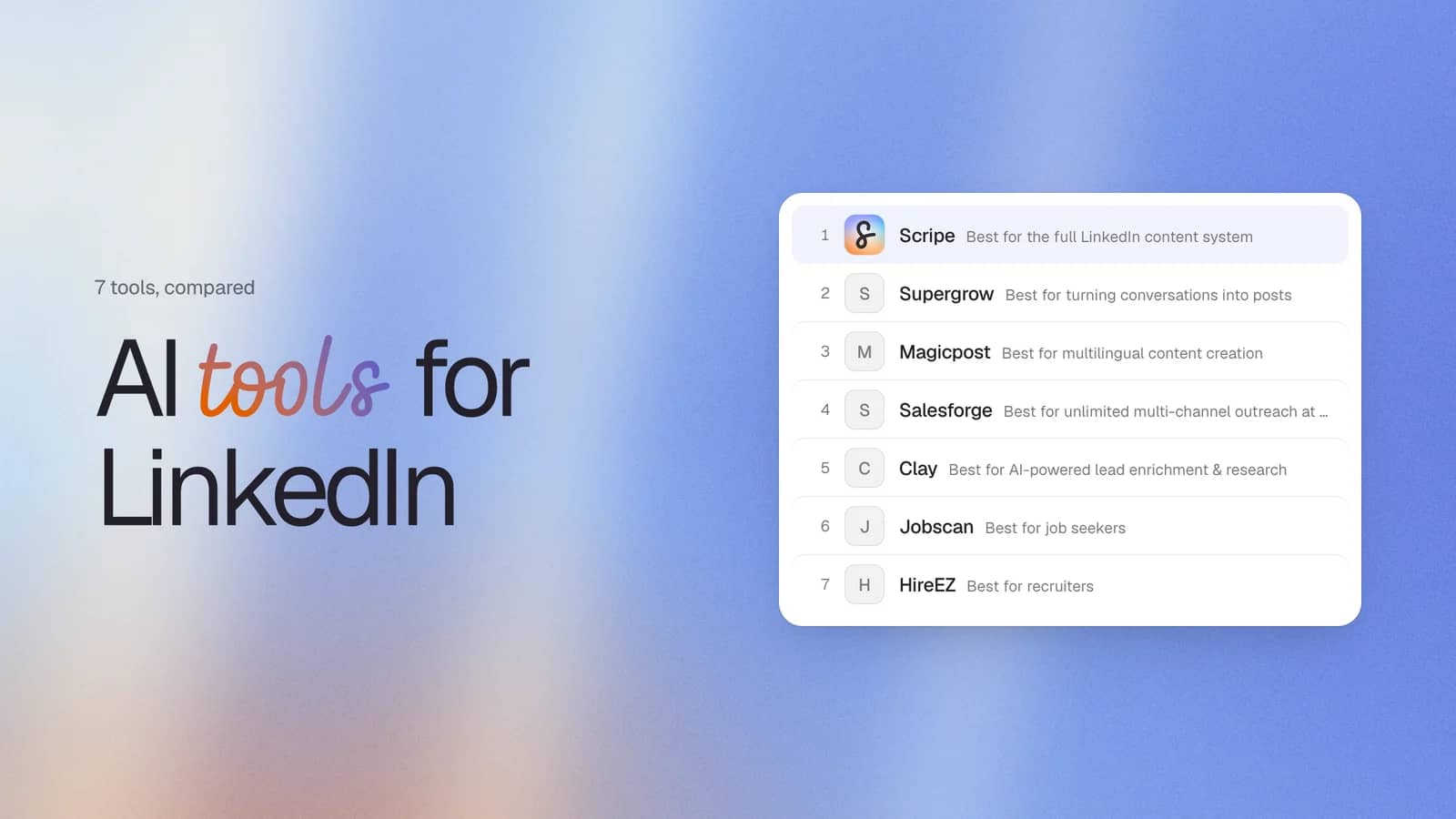
AI tools for LinkedIn cover a lot more than writing engaging posts. They solve very different problems, from creating content and finding leads to improving your profile and measuring what's working.
Comparing them all in a single list doesn't tell you much unless they're grouped by what they do. That's the approach I've taken here, built out of a few years spent creating a LinkedIn-specific AI product and testing alternatives to see where each one earns its place.
In this guide, I’ll break down the different categories before looking at the best tools in each one. I'll explain where general AI tools like ChatGPT fall short for LinkedIn, what LinkedIn already gives you for free or with Premium.
What Are LinkedIn AI Tools?
There's no single "LinkedIn AI tool." Before you compare solutions, it’s important to understand the different AI tool categories and what each does in practice:
| Type | How they use AI | Example tools |
|---|---|---|
| Content & personal branding | Generate content ideas, create engaging posts, edit posts, improve your writing, repurpose content, and schedule posts. | Scripe, Supergrow, Draftly |
| Outreach & lead generation | Find prospects, enrich contact and company data, personalize LinkedIn conversations, and automate parts of the outreach process. | Overloop, Clay |
| Profile optimization & hiring | Improve LinkedIn profiles and CVs, match candidates to roles, and help recruiters find the right people. | Jobscan, HireEZ |
You'll also come across tools for creating LinkedIn carousels or generating AI headshots, but these are usually features inside content platforms rather than standalone tools.
For this guide, I’ve only included tools where AI is central to the task it’s designed to do, not tools with AI features bolted on. LinkedIn has also introduced its own AI features over the past few years. I'll cover those separately later on, so it's clear where LinkedIn's built-in tools end and third-party products begin.
Why Not Just Use ChatGPT?
General purpose AI tools like ChatGPT and Claude have their place, and most people I talk to started out using one or the other. It makes sense. They’re fast, flexible and can be good for one-off tasks like rewriting a sentence or coming up with a few post ideas.
The problem is that building a LinkedIn presence needs ongoing workflows, not a series of one-off tasks. That’s where generic AI falls short. Here’s why:
- Every conversation starts from scratch. You can paste in examples of your writing, but you have to rebuild that context each time. There's no long-term memory of your voice or expertise.
- It's built for every use case, not LinkedIn. Generic AI can write a LinkedIn post, but it can also write a recipe or debug code. It isn't designed around LinkedIn content creation and has no visibility into LinkedIn’s algorithm, so you need to figure out for yourself what works and what doesn’t.
- Your knowledge doesn't build over time. You can give ChatGPT background information, but as each conversation has a limit, all your input and published posts get scattered and hard to find.
- The work doesn't end with the draft. You still need other tools to schedule posts, collaborate with teammates, track performance, and turn ideas into a consistent publishing process.
The best LinkedIn AI tools help you build a system that becomes more useful the more you use it, instead of starting over every time. That's the lens I'll use throughout this guide.
7 AI Tools for LinkedIn: Quick Comparison
Here’s a quick overview of the full list of tools before you dive into the more detailed profiles below:
| Tool | Category | Best for | Price (from) | LinkedIn compliance |
|---|---|---|---|---|
| Scripe | Content & personal branding | Full LinkedIn content system | €69/mo ($79.53/mo)) | Official API |
| Supergrow | Content & personal branding | Turning conversations into posts | $19/mo | Official API |
| MagicPost | Content & personal branding | Multi-language LinkedIn content | $35/mo | Official API/OAuth |
| Salesforge | Outreach & lead generation | Unlimited multi-channel outreach at scale | $80/mo | Automation, not official API |
| Clay | Outreach & lead generation | AI-powered lead enrichment & research | Free | N/A (doesn't automate LinkedIn actions) |
| Jobscan | Profile optimization & hiring | LinkedIn profile & resume optimization for job seekers | $29.98/mo | Not stated |
| HireEZ | Profile optimization & hiring | AI sourcing & recruiting at scale | Custom pricing | Not stated |
Best AI Tools for LinkedIn Content
#1 Scripe: Best for the Full LinkedIn Content System
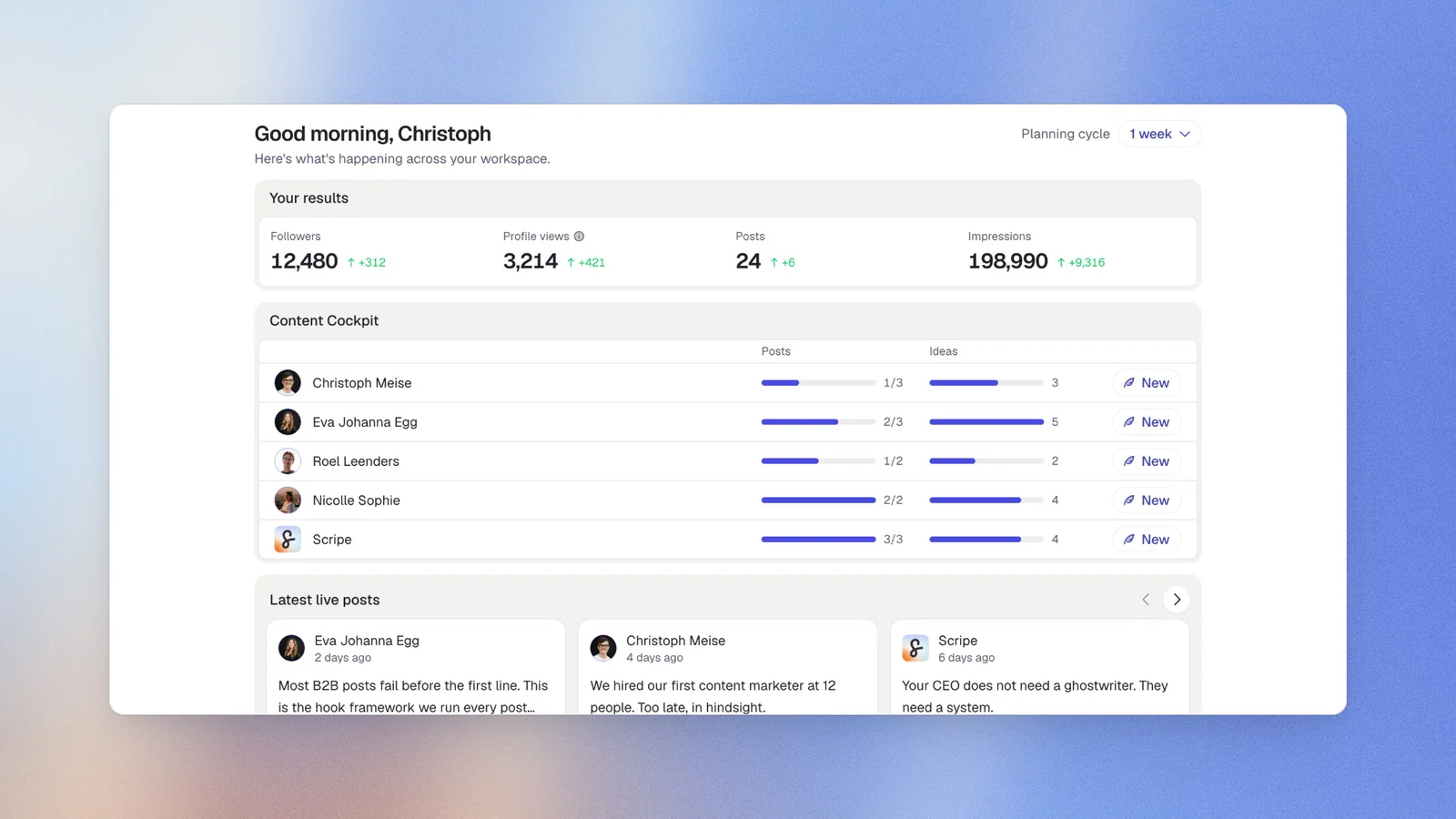
I'll start with the obvious disclosure: I'm Scripe's co-founder and CEO, so I'm not a neutral reviewer. I've still ranked it first because it's the only tool on this list built as a complete LinkedIn content system rather than a writing assistant or scheduler.
Scripe is designed to act as a personal content coach that's available the moment an idea shows up, not just when you sit down to write. The difference isn't a single feature, it's that everything in Scripe feeds the same system. An idea you send in doesn't disappear after one prompt, it shapes future drafts, and your voice keeps getting sharper the more you use it. That's paired with a live view of what's performing on LinkedIn right now, so drafts are grounded in current results instead of generated in a vacuum.
Key features
- Four content modes. Guided Mode coaches you from idea to draft through structured questions. Ideation Mode suggests ideas based on what's performing on LinkedIn. Content Interview turns spoken conversations into posts in six languages, while Source Mode repurposes long-form content into multiple drafts.
- WhatsApp voice-to-post. Send a voice note or text message to WhatsApp and receive a LinkedIn draft back within seconds.
- Structured knowledge base. Sync your website, Notion workspace, YouTube videos and documents into a searchable knowledge base that gives every draft richer context than a one-off prompt.
- Learns your writing style. The Tone of Voice engine analyses your best-performing posts and lets you customize everything from sentence length and emoji use to signature phrases and calls to action.
- LinkedIn benchmarking. A database of more than one million LinkedIn posts helps guide idea generation and benchmark content against what's performing on the platform.
- Built-in workflow. Shared calendars, approval workflows, carousel creation, analytics, campaigns, cross-account reporting, and team collaboration are all included, so you don't need separate tools after the draft is written.
Pricing
- Solo: €69/mo ($79.53/mo)
- Pro: €99/mo ($114.1/mo)
- Advanced: €149/mo ($171.73/mo)
Good fit for
- Founders, consultants, and executives building a personal brand on LinkedIn.
- Marketing teams managing executive or employee advocacy content.
- Agencies running multiple LinkedIn accounts with shared approval workflows.
- Teams that want one system for idea capture, content creation, publishing, and analytics.
Not a good fit for
- People who only want an occasional AI rewrite.
- Creators looking for a simple scheduling tool.
- Teams focused on managing multiple social media platforms rather than LinkedIn.
LinkedIn compliance
Scripe connects through LinkedIn's official API, not browser extensions or unofficial LinkedIn automations that come with account security risks.
#2 Supergrow: Best for Turning Conversations Into Posts
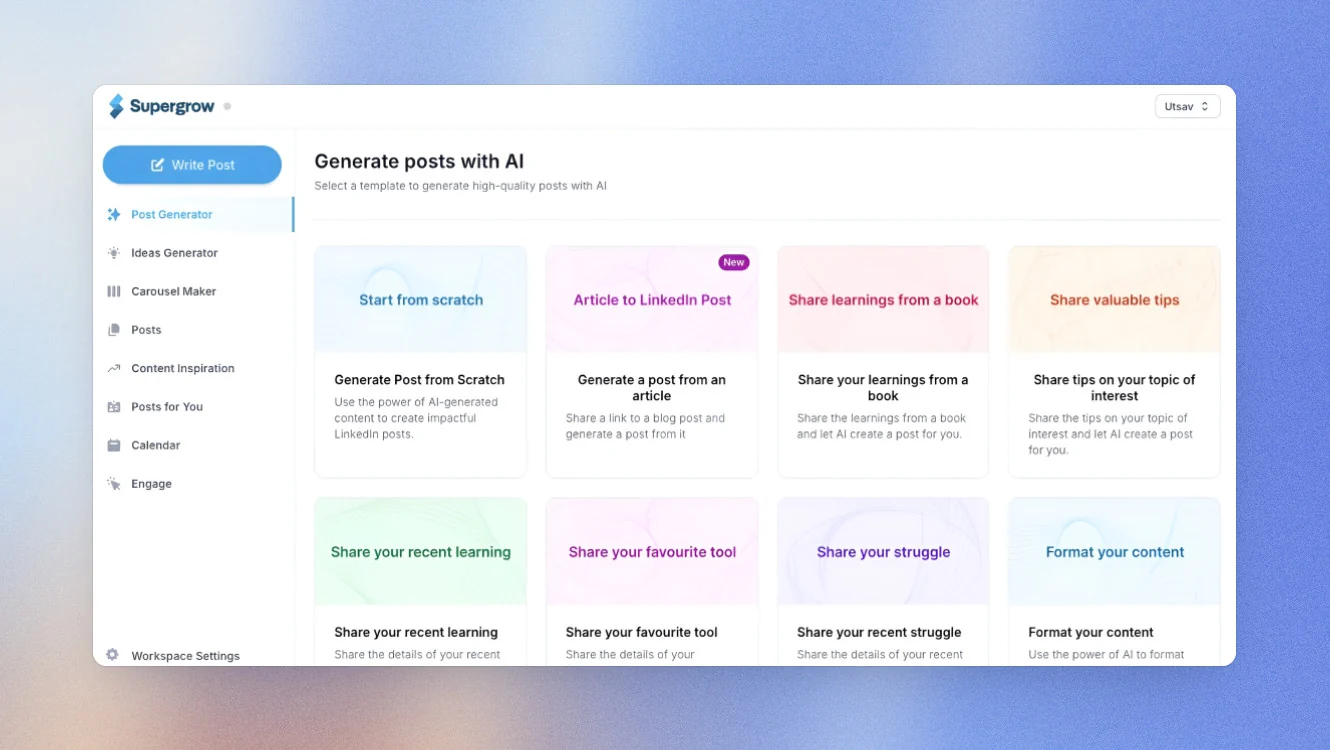
Supergrow is built around the idea that some people think better by talking than typing. Its standout feature, Postcast, turns a 10–15 minute AI-guided conversation into five to seven LinkedIn post drafts. Instead of starting with a blank page, you answer follow-up questions and let the conversation shape the content.
Those conversations feed into Content DNA, a persistent voice profile built from your LinkedIn posts. It learns your tone, vocabulary, opinions, and the topics you write about, helping keep new drafts more consistent over time.
There are a couple of limitations to keep in mind. The Starter plan includes just two Postcast sessions per month, which can feel restrictive if you're publishing four or five times a week. Analytics are also locked behind the Pro plan, so you'll need to upgrade if you want AI scorecards and performance recommendations.
Key features
- Postcast. A 10 to 15 minute AI-guided interview generates five to seven LinkedIn post drafts from a single conversation.
- Content DNA. Builds a persistent voice profile from your LinkedIn posts and refines it over time.
- Flexible content creation. Generate posts from a topic, voice note, PDF, YouTube video, blog post, or URL.
- Visual content tools. Carousel and infographic generators are included on the Pro plan.
- Publishing workflow. Schedule posts with a visual calendar, smart queue, Kanban board, and automatic first-comment publishing.
- Analytics. AI scorecards highlight what's working and suggest rewrites for underperforming posts on the Pro plan.
- Team features. Shared calendars, approval workflows, team analytics, and posting challenges with leaderboards are available on the Teams plan.
Pricing
- Starter: $19/mo
- Pro: $39/mo
- Teams: $139/mo
A 7-day free trial is available, with 20% off annual billing.
Good fit for
- Founders and executives who communicate better in conversation than through writing.
- B2B marketing teams running executive or employee advocacy programs.
- Anyone who wants guided interviews instead of starting every post from scratch.
Not a good fit for
- Anyone who wants analytics without paying for the Pro plan.
- People posting four or five times a week on the Starter plan, as the two monthly Postcast sessions disappear quickly.
- Teams that need a structured knowledge base to organize company information and subject matter expertise.
LinkedIn compliance
Supergrow connects through LinkedIn's official API.
#3 Magicpost: Best for Multilingual Content Creation
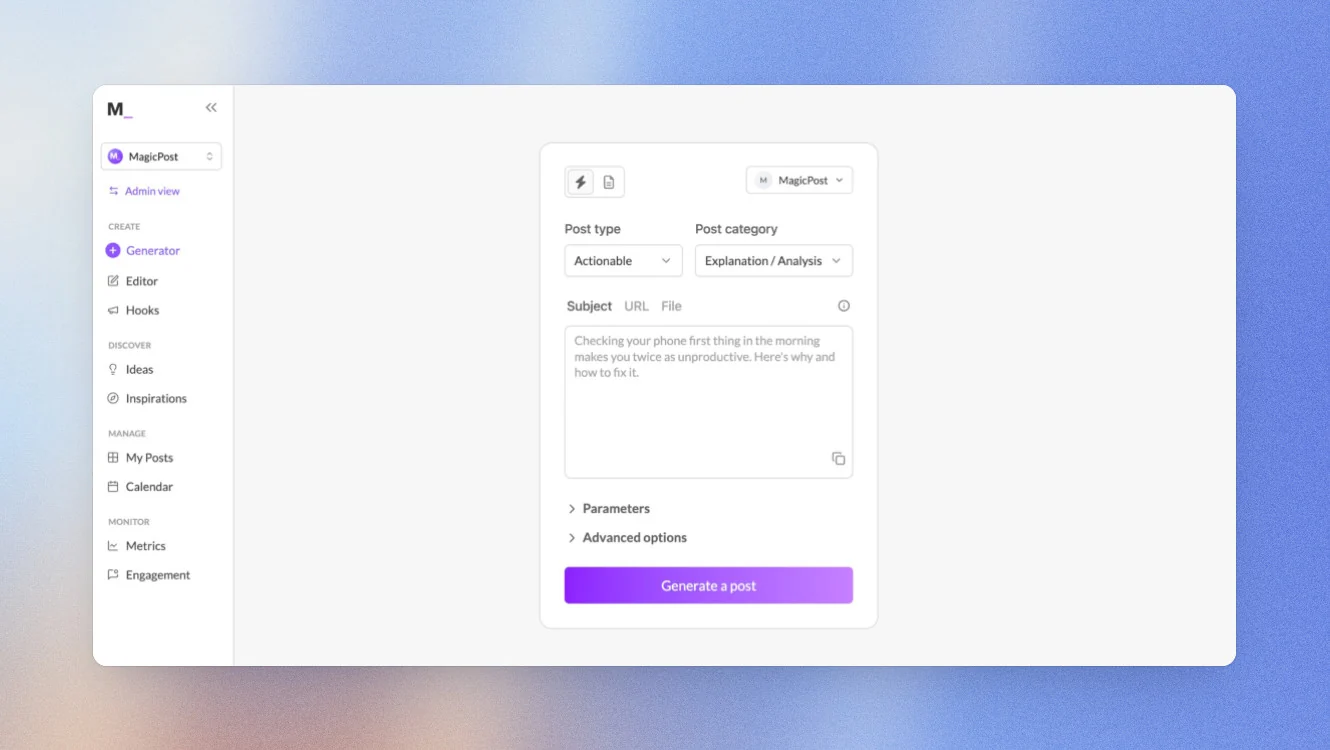
If you publish LinkedIn content in more than one language, MagicPost is built for that workflow. It can generate posts in up to seven languages while keeping your tone and messaging consistent.
Like other LinkedIn writing tools, it learns from your previous posts rather than relying on a new prompt every time. It also includes AI writing, idea generation, scheduling, analytics, and one of the larger searchable libraries of high-performing LinkedIn posts for inspiration.
The trade-off is that MagicPost focuses on your writing style rather than building a structured knowledge base. If you want AI to draw from company documents, product information, meeting notes, or other long-form sources, you'll likely outgrow it.
Key features
- Multilingual content. Generate LinkedIn posts in up to 7 languages while keeping your tone consistent.
- Style learning. Learn your writing style from previous LinkedIn posts, or import another creator's style instead.
- Content repurposing. Turn YouTube videos, blog posts, and URLs into LinkedIn content.
- Post library. Search more than 2 million LinkedIn posts for ideas and inspiration.
- Scheduling and analytics. Built-in scheduling, analytics, and scheduled first comments.
- Agency features. Multi-account management and white-label reporting included.
Pricing
- Analytics: $35/mo ($21/mo annually)
- Creator: $69/mo ($39/mo annually)
- Team or Agency: Custom
Good fit for
- Creators and businesses publishing in multiple languages.
- Agencies managing clients across different markets.
- Teams that want strong LinkedIn analytics alongside AI writing.
Not a good fit for
- Teams that want AI grounded in a structured knowledge base rather than previous LinkedIn posts.
- Anyone looking for AI-generated engagement on other people's LinkedIn posts.
LinkedIn compliance
MagicPost connects through LinkedIn's official developer program using authenticated API and OAuth connections.
Best AI Tools for Sales Outreach & Lead Generation
#4 Salesforge: Best For Unlimited Multi-Channel Outreach At Scale
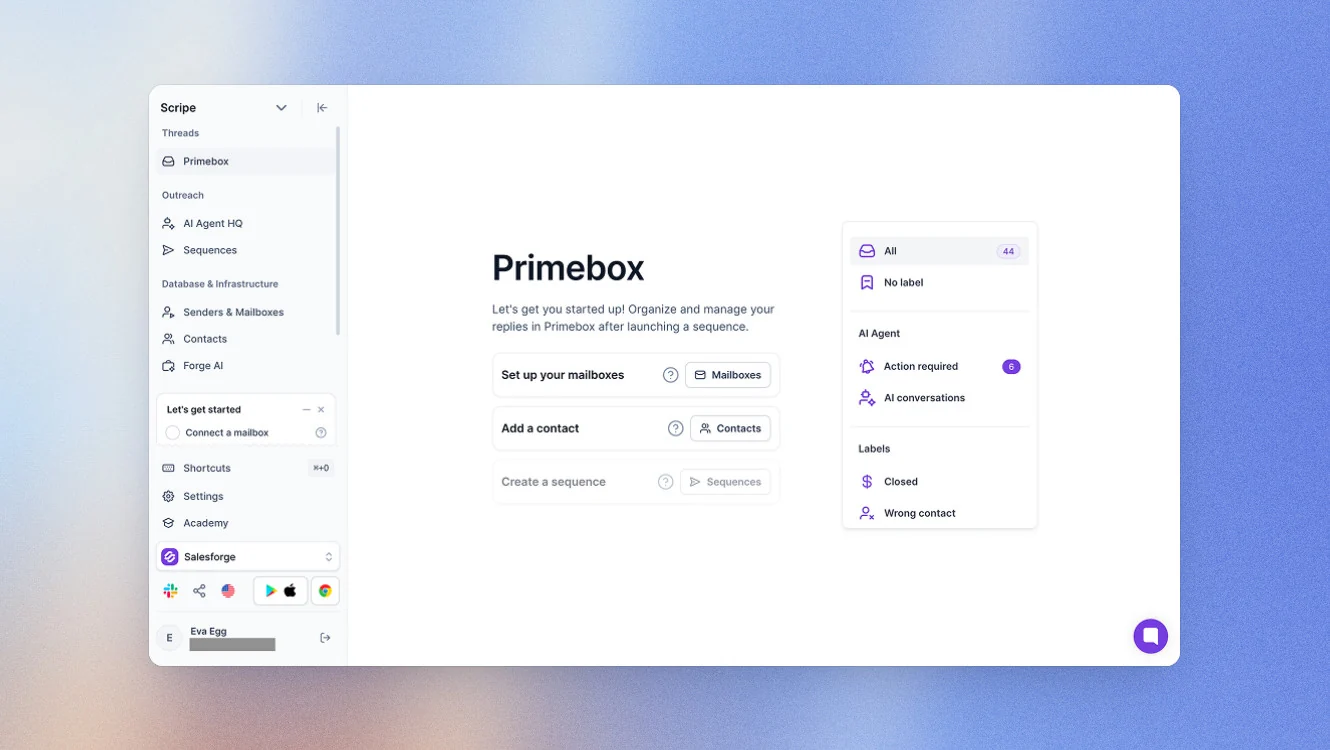
Salesforge runs LinkedIn and email outreach sequences from the same system. Its biggest differentiator for LinkedIn users is the pricing model: the Growth plan includes unlimited LinkedIn sender accounts alongside unlimited email inboxes, with no per-seat cost, a strong fit for agencies and sales teams running outreach across many people at once.
The main trade-off is LinkedIn connectivity. Salesforge says it isn't affiliated with or endorsed by LinkedIn, so LinkedIn actions rely on automation rather than LinkedIn's official API. Some parts of the platform, including email infrastructure and lead search, are also sold as separate products.
Key features
- Unlimited accounts. Unlimited LinkedIn sender accounts and email inboxes on the Growth plan, with no per-seat pricing.
- Multi-channel sequences. Combine LinkedIn and email in the same sequence, with automatic branching based on what a prospect does on each channel.
- Unified inbox. AI-powered inbox with sentiment tagging across both channels.
- Agent Frank. An AI SDR that handles prospecting and follow-up autonomously.
- Chrome extension. Find verified emails and company details from LinkedIn profiles.
Pricing
- Growth: from $80/mo (billed monthly)
- Agent Frank: from $499/mo
- Email infrastructure: from $33/mo
Good fit for
- Sales teams and agencies managing outreach across multiple LinkedIn accounts.
- Teams that want AI handling prospecting and follow-up across LinkedIn and email.
Not a good fit for
- Teams that only use tools connected through LinkedIn's official API.
- Businesses looking for an all-in-one platform without separately priced add-ons.
LinkedIn compliance
Salesforge uses automation rather than LinkedIn's official API. It includes built-in limits designed to keep activity within recommended ranges, but it’s still riskier than using LinkedIn's own infrastructure.
#5 Clay: Best for AI-Powered Lead Enrichment & Research
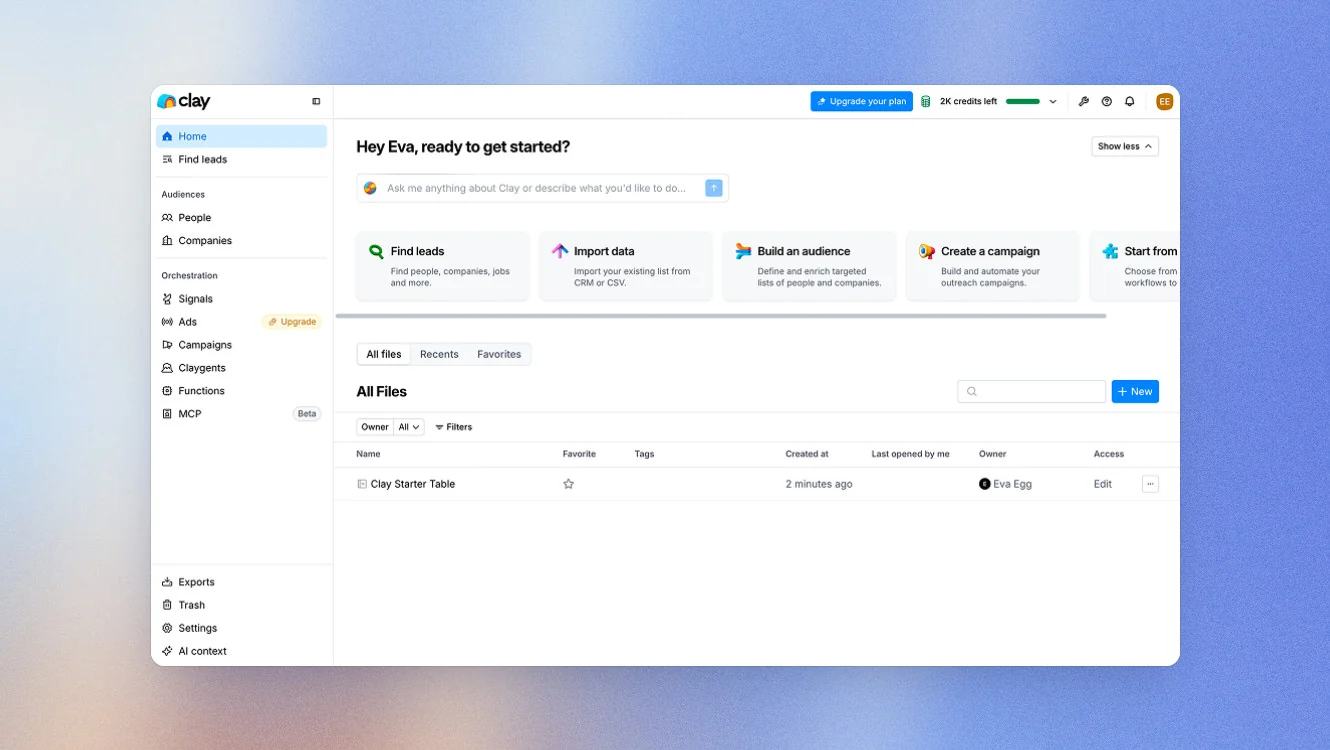
Clay is the research layer that comes before LinkedIn outreach, helping sales and RevOps teams build richer prospect profiles and identify the right time to reach out. Its biggest strength is Waterfall Enrichment, which fills in missing prospect information so you can send more personalized messages.
Clay’s trade-off is complexity. It’s designed for teams running data-driven outbound campaigns, so it's more than most people need if they're simply looking for an outreach tool for LinkedIn lead generation.
Key features
- Waterfall Enrichment. Enrich prospects using data from 150+ providers.
- Claygent. Research prospects and companies with AI to improve outreach personalization.
- Signals. Track job changes and promotions that can trigger outreach.
- LinkedIn Ads sync. Send enriched audiences directly to LinkedIn Ads.
Pricing
- Free plan: Free forever
- Launch: From $54/mo (billed annually)
- Growth: From $185/mo (billed annually)
- Enterprise: Custom pricing
Good fit for
- Sales, growth, and RevOps teams that want to personalize LinkedIn outreach with richer prospect data.
- Teams using signals to time outreach more effectively.
Not a good fit for
- Anyone looking for a simple LinkedIn automation tool for outreach or messaging.
- Teams that don't need advanced enrichment before starting outreach campaigns.
LinkedIn compliance
Clay doesn't automate LinkedIn actions or send LinkedIn messages, so that’s not relevant here.
Best AI Tools for LinkedIn Profile Optimization & Job Search
#6 Jobscan: Best for Job Seekers
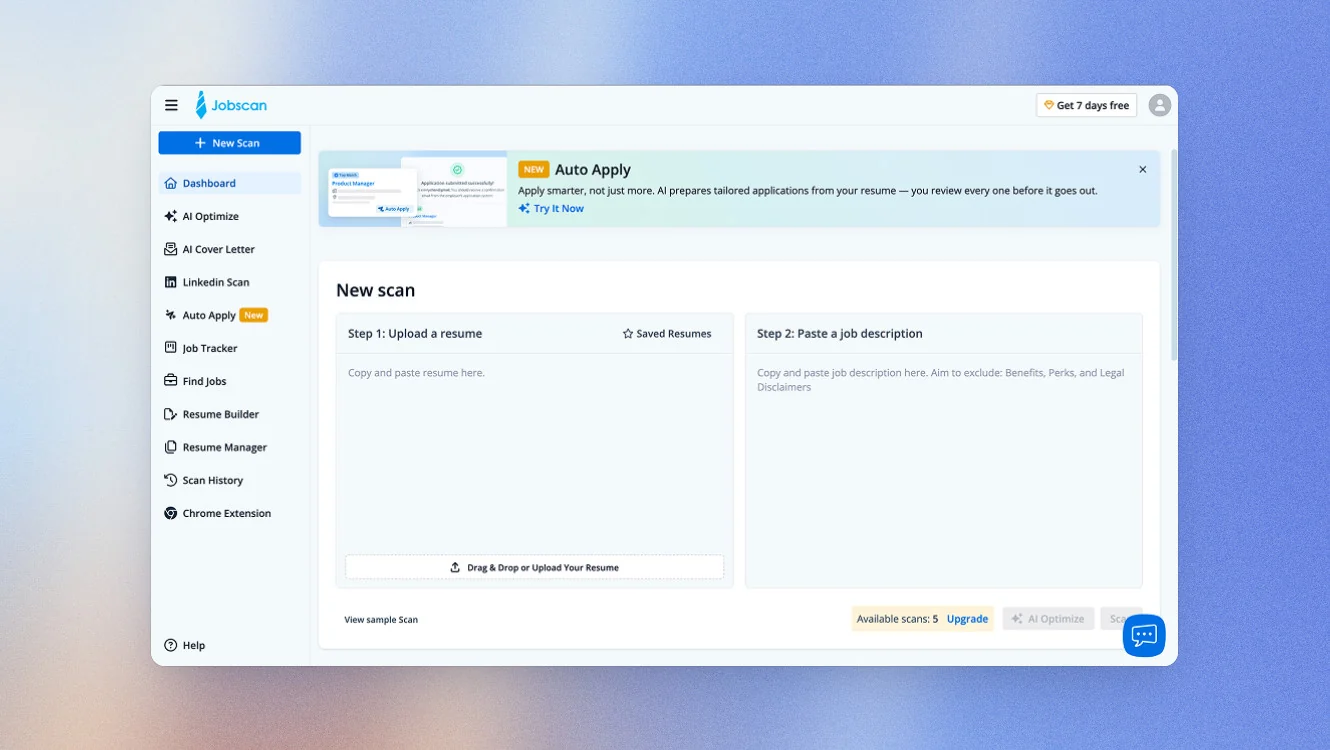
Jobscan helps you optimize your LinkedIn profile for the jobs you want, not the job you already have. Instead of giving generic profile advice, it compares your profile against multiple job descriptions and shows how closely it matches what recruiters are searching for.
Key features
- LinkedIn Profile Score. Get a tangible figure for how closely your profile matches the roles you're targeting.
- Keyword recommendations. Find the skills and keywords recruiters are searching for and add them to your headline, summary, and skills section.
- AI headline and summary generation. Generate optimized profile content based on your experience and target jobs.
- Resume Scanner. Compare your resume against job descriptions with ATS-specific feedback.
- AI Optimize. Update your resume with AI suggestions while tracking your Match Rate in real time.
Pricing
- Free: 5 resume scans/month with ATS and recruiter match findings. LinkedIn Optimizer requires a paid plan.
- Quarterly: $29.98/month (billed as $89.95 every three months).
- Monthly: $49.95/month.
Good fit for
- Active job seekers optimizing both their LinkedIn profile and resume.
- Professionals targeting specific roles who want to appear in more recruiter searches.
- Anyone applying for jobs through ATS systems as well as LinkedIn.
Not a good fit for
- Recruiters or talent teams sourcing candidates rather than applying for jobs.
- People looking for a general LinkedIn profile writing tool without the job search focus.
#7 HireEZ: Best for Recruiters
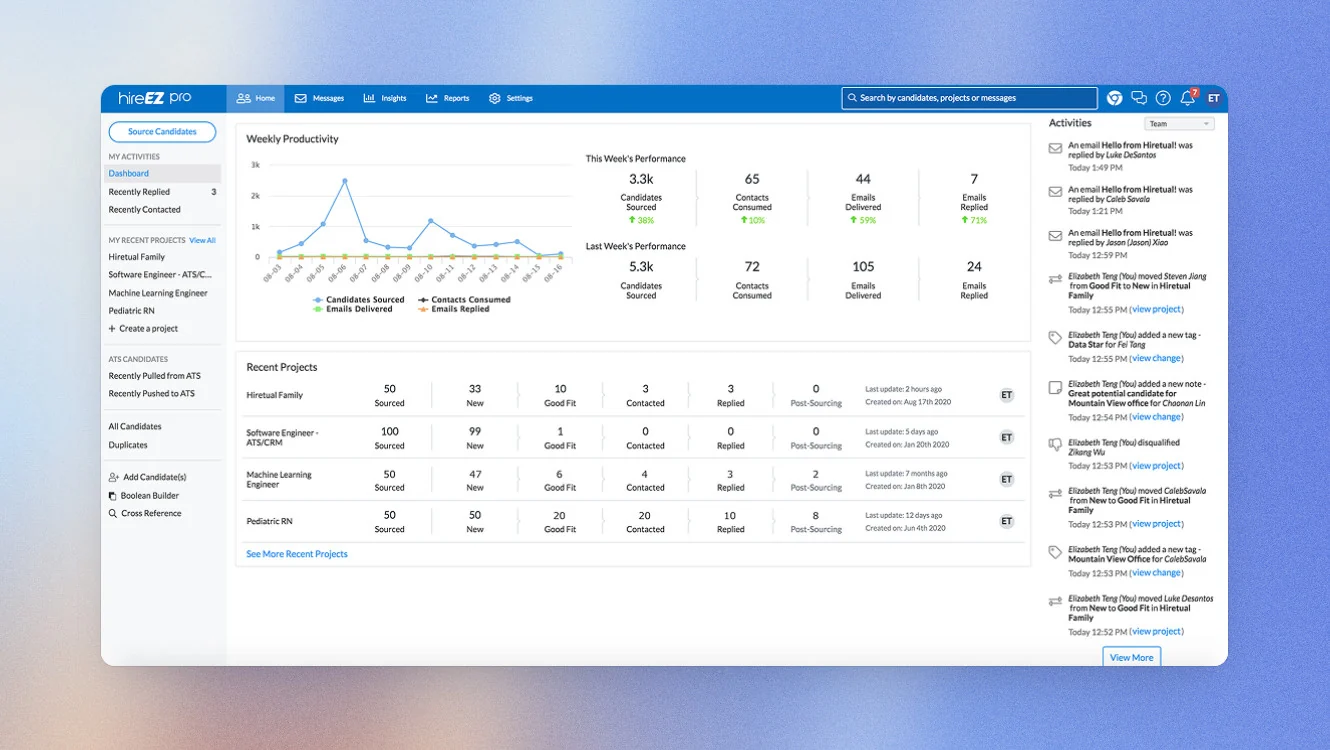
HireEZ is built to reduce how much sourcing work has to happen inside LinkedIn Recruiter in the first place. It sits alongside your existing ATS, and its AI agent, EZ Agent, searches over a billion open-web profiles, not just LinkedIn, ranking candidates by how well their profile fits rather than just matching keywords or job titles.
Key features
- EZ Agent. AI automates sourcing, qualifying, outreach, and interview scheduling.
- AI sourcing. Search 45+ platforms and more than 1 billion public profiles from one place.
- AI screening. Conduct AI phone interviews with transcripts and fit summaries.
- Multi-channel outreach. Personalize email, text, and InMail campaigns with AI.
- Interview scheduling. Coordinate recruiter, hiring manager, and candidate calendars automatically.
Good fit for
- In-house recruiting teams hiring at scale.
- Staffing and RPO firms managing sourcing across multiple clients.
- Organizations looking beyond LinkedIn Recruiter for finding candidates.
Not a good fit for
- Small recruiting teams or solo recruiters.
- Companies looking for a self-serve recruiting tool with transparent pricing.
Pricing
HireEZ doesn't publish pricing. Plans are available through custom enterprise quotes and demos.
LinkedIn's Native AI Features
People often ask me: if LinkedIn already has AI features, why do I need to pay for separate tools? If you already have Premium, Recruiter, and Sales Navigator, you may not need a separate AI tool for every task. Here's what LinkedIn includes today and where dedicated tools still offer more.
| Feature | Available in | Best for | Main limitation |
|---|---|---|---|
| Profile Writing Assistant | Premium | Rewriting your headline, About section, and experience while editing your profile. | Uses general patterns rather than your own writing style, and each edit starts from scratch. |
| Native Post Rewriter | Premium | Improving a rough draft without leaving the LinkedIn post composer. | You still need to write the first draft, and there's no memory across posts, scheduling, or analytics. |
| AI-powered Job Search | Free (with additional features in Premium) | Finding relevant jobs using natural language instead of keyword searches. | Helps you discover jobs, but doesn't make your profile more visible to recruiters. |
| Recruiter AI Search | LinkedIn Recruiter | Turning job descriptions or notes into candidate searches without complex Boolean queries. | Searches are limited to LinkedIn's own candidate pool. |
| Sales Navigator AI | LinkedIn Sales Navigator | Drafting InMail messages and summarizing accounts inside your sales workflow. | Focused on individual sales tasks rather than broader outreach or prospect research. |
Built-in AI for LinkedIn is a good place to start if you post occasionally. But if you're creating content every week, running regular outreach, or treating LinkedIn as a consistent source of leads or candidates, dedicated tools become more valuable. They support a broader workflow rather than helping with a single task in the moment.
How to Choose the Right Tool for You
After testing all of these tools, I've found that the biggest mistake people make is starting with the software instead of the goal. That usually looks like picking whatever tool has the most features or the best reviews, and then trying to bend your workflow to fit it. Start with the job you’re trying to do instead and the choice usually becomes much simpler:
| Your situation | Best fit |
|---|---|
| You're building a personal brand and want a complete system for capturing ideas, writing posts, publishing, and measuring what works. | Scripe |
| You communicate better by talking than typing and want AI to turn conversations into LinkedIn posts. | Supergrow |
| You publish in multiple languages and want to keep your tone and messaging consistent across markets. | MagicPost |
| You run LinkedIn and email outreach at scale across multiple accounts. | Salesforge |
| You want to research prospects and personalize LinkedIn outreach before sending connection requests. | Clay |
| You're actively job hunting and want your LinkedIn profile to appear in more recruiter searches. | Jobscan |
| You're a recruiter looking beyond LinkedIn's own candidate pool. | HireEZ |
| You only need occasional help rewriting posts or updating your profile and already pay for LinkedIn Premium. | LinkedIn's built-in AI |
Why Customers Choose Scripe
Among the tools built for LinkedIn content, the thing that separates Scripe is that it isn't designed to help you create one good post. It's designed to make posting consistently easier month after month.
That's reflected in what customers talk about. For ColdIQ, a B2B growth and GTM agency, the challenge was scaling LinkedIn across a growing team. Co-founder Alex Vacca and the team had been coaching each person individually, which worked but wasn't scalable. With Scripe, the whole team now works from one system, with shared analytics showing how often people post and what performs. Today, 20 to 30 team members post consistently, and by the agency's own numbers, 80% of deals are now influenced by LinkedIn.
The same pattern shows up for individual leaders building a personal brand. Philipp Trentmann, CEO of HASE + CO, says: "I was surprised by how Scripe works – it captures my tone of voice and requires minimal corrections." His profile grew from 1,000 to over 4,400 followers in four months, and he says he's now getting "more and more comments and direct inbound messages from potential leads."
Cremanski & Company describes a similar shift. As Head of Marketing Virginie Rivet puts it, Scripe took the team from "you don't know what to do on LinkedIn" to having "a system that guides you through what to do." Since adopting it, the company has passed 240,000 impressions in under six months, with 30% growth over the same period.
Those stories all point to the same idea. LinkedIn works best when you can keep showing up with content that reflects your own experience and expertise. That's difficult if every post starts from a blank page. Scripe approaches the problem differently by building a system around your knowledge and voice, so creating the next post gets easier instead of starting from scratch every time.
If LinkedIn is an important source of leads, hiring, or brand awareness for your business, that's the reason I'd recommend Scripe over a generic AI writer. Start a free trial and see what that looks like with your own content.
FAQs

Co-Founder & CTO
Christoph Meise is Co-Founder and CTO at Scripe, where he leads engineering and product development with a focus on building intuitive, high-performing user experiences. With over a decade of engineering experience at multiple companies he combines deep technical expertise with a strong instinct for how technology should actually feel to use. His academic foundation, a Master of Science in Business Informatics from Freie Universität Berlin and a Bachelor of Applied Science in Computer Science from Baden-Wuerttemberg Cooperative State University (DHBW), grounds his engineering approach. He previously co-founded and architected an online platform connecting entrepreneurs with investors, sharpening his focus on building systems that serve real user needs end to end. At Scripe, Christoph has led the product through multiple rebuilds, including a shift to become an official LinkedIn API partner and the launch of a self-learning content agent, work centered on making powerful technology feel effortless for the people using it. Christoph shares his perspective on LinkedIn growth, product development, and building with AI to a following of over 11,000 on LinkedIn.
LinkedIn