What is a LinkedIn showcase page?
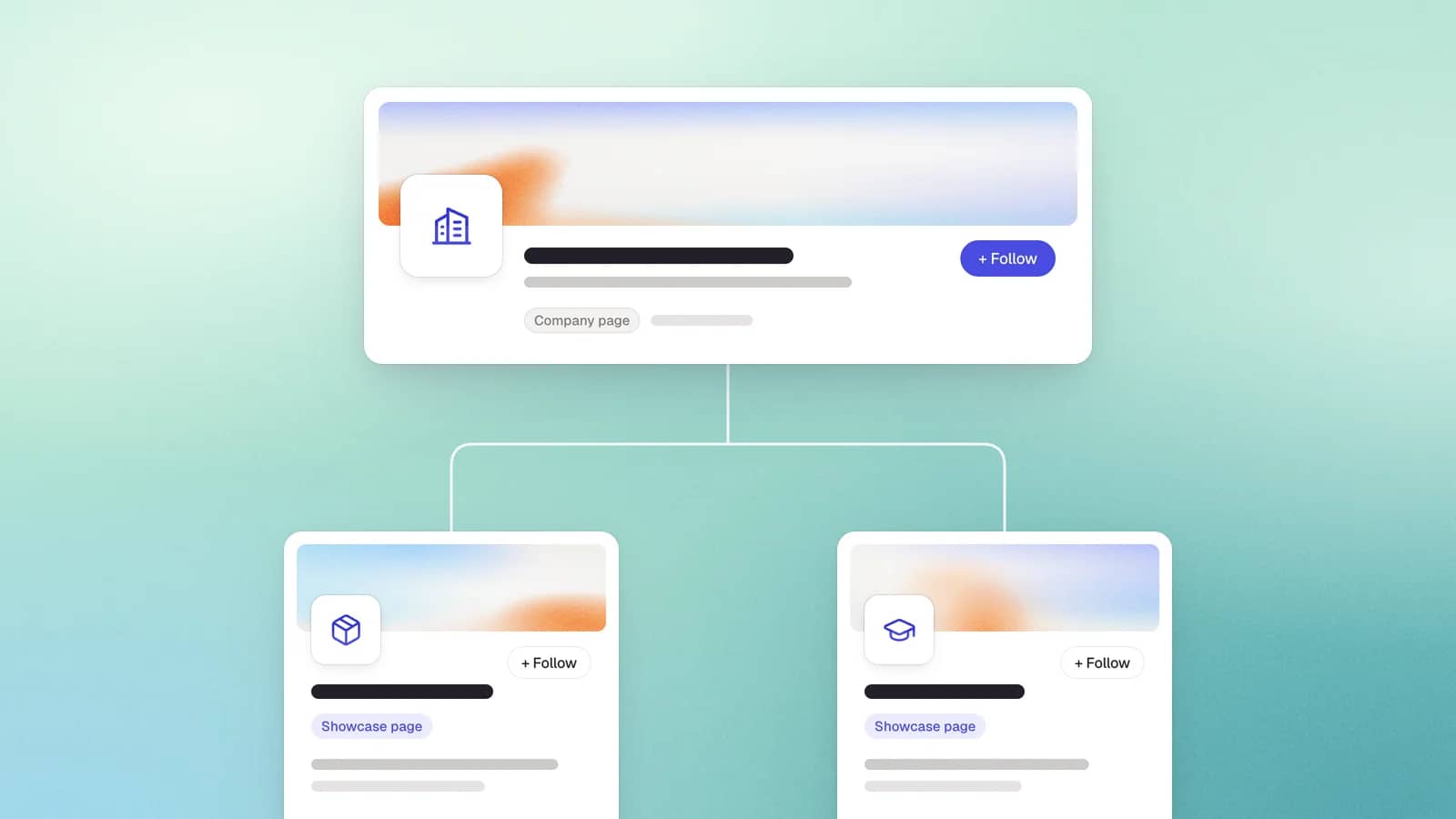
A LinkedIn Showcase Page is a sub-page of a parent Company Page, dedicated to a specific product, brand, initiative, or audience segment, with its own name, logo, unique URL, followers, and content. Think of showcase pages as extensions of your main company page that let you publish targeted content to one specific audience segment instead of mixing everything on a single feed. They live under the parent page's "Affiliated Pages" section, carry a distinct /showcase/ URL, and build their own follower base that is independent of the parent. In short: a focused content channel for one slice of your audience, attached to, but separate from, your main LinkedIn company page.
Showcase page vs company page (and other page types)
The fastest way to understand a Showcase Page is to see exactly how it differs from the main company page.
| Feature | Company Page | Showcase Page |
|---|---|---|
| Purpose | Your main organizational presence | A sub-page for one product or audience segment |
| URL | linkedin.com/company/ | linkedin.com/showcase/ |
| How many | One primary page | Up to 25 per parent page |
| Followers | Accumulate over time | Start from zero, independent of parent |
| Employee association | Employees list it as employer | Not available |
| Careers / jobs tab | Yes | No |
| Daily invite credits | 250 | 100 |
| Found in LinkedIn search | Yes | Not by non-followers |
LinkedIn's hard cap is up to 25 Showcase Pages per parent Company Page. LinkedIn itself, however, recommends keeping the number well under that and bucketing audiences rather than fragmenting them, which is where the "10" figure comes from.
Showcase vs Affiliated vs Product vs Subsidiary Pages
hHere is the clean taxonomy:
- Showcase Page: a content channel you actively run for a distinct audience segment. You create and feed it.
- Affiliated Page: not a content tool at all. It is the automatic relationship LinkedIn draws between related entities (a parent, its subsidiaries, acquired brands) so members can move between them. You do not post from it.
- Product Page: a dedicated page for a specific product, built around features and user reviews rather than a content feed.
- Subsidiary page: a separate company page for a distinct legal entity or business unit, usually surfaced through the affiliated-pages relationship.
The quick "which one" test: if you want to link related brands or business units, you want the affiliated behavior (which is automatic), not a Showcase Page. If you want product reviews, you want a Product Page. A Showcase Page is only the right answer when you have a genuinely separate audience to publish targeted content to, week after week.
How to create a linkedIn showcase page
Creating one takes about five minutes, and only super admins of the parent page can do it. From your main company page:
- Open your super admin view and click the admin tools menu (the ... or "Admin tools" option) next to the Edit button.
- Select Create a Showcase Page.
- Choose a page name (it must differ from the main page, since it drives the URL) and set a unique /showcase/ URL.
- Add the details LinkedIn asks for: at least one admin, industry, description, a hero image, website link, and a custom button.
- Publish, then drive your first followers manually by inviting connections and cross-posting the page from the parent company page and its affiliated-pages section.
No followers migrate from the parent page, so day one is an empty page with zero audience, and whatever reach your company page built over years does not transfer.
How to manage, convert, and delete a showcase page
Editing, admins, and the analytics change
Super admins can edit the logo, tagline, custom button, description, and URL from the admin view, and add or remove other admins. One 2026 change to plan around: LinkedIn's deeper, visitor-level page analytics ("Premium Insights," things like who viewed your page) now sit behind a paid Premium Company Page subscription, while basic analytics stay free. Showcase Page metrics are also tracked separately from the parent, which fragments your reporting.
Can you convert a Showcase Page to a Company Page?
Yes, but it is a manual, support-driven process, not a button. A super admin of both the Showcase Page and its parent must contact LinkedIn support to request the conversion, and it is irreversible: LinkedIn cannot retrieve the data afterward, and the change cannot be undone. The reverse (Company to Showcase) is also possible and simply swaps /company/ for /showcase/ in the URL, migrating followers and posts while truncating the description to 200 characters.
How to delete (deactivate) one, and what happens
A super admin of the parent page can deactivate a Showcase Page from the admin settings. Export any analytics you want to keep first, because showcase reporting is tracked separately from the parent and disappears once the page is gone. After deactivation the page and its content are removed from LinkedIn, so its URL no longer resolves to a live page.
Are LinkedIn showcase pages worth it in 2026?
In short: for most companies, no.
The distribution reality
Showcase Pages inherit the company-page reach collapse and then underperform inside it. LinkedIn company page organic reach fell drastically in recent time.
The structural handicaps make it worse. A Showcase Page starts from zero followers, cannot have employees associate their profiles (which is one of the single biggest organic distribution levers on LinkedIn), and is invisible in LinkedIn search to anyone who does not already follow it. You are rebuilding an audience with fewer tools and less reach than the page you already have.
The hierarchy that matters now
LinkedIn's 2026 model prioritizes people over pages, which produces a clear order of distribution: personal profiles, then the company page, then the showcase page, in that order. Any strategy that pushes effort down that hierarchy instead of up it is fighting the algorithm.
A decision framework: when it still makes sense
A Showcase Page is a real tool for a narrow situation, not a default move. Build one only if you can answer yes to all of these:
- You are a large brand with a big parent-page following to draw on.
- You have genuinely distinct, high-volume audiences that need separate content streams (a product ecosystem, a partner or developer community, a recurring event).
- You have a dedicated content owner to feed each page real, unique content every week.
- You will use it primarily as a paid-targeting and content-organization asset, not an organic-reach play.
Skip it if any of these are true: you are an SMB or growth-stage company; you lack unique content or a committed owner; you are chasing organic reach; or the page would siphon followers and effort away from your parent page and your employees. For most teams, that describes the situation exactly, and the honest move is to invest that energy in the main company page and in activating employees instead.
LinkedIn showcase page examples that still work in 2026
The examples that pass the framework are enterprise brands with large, genuinely separate audiences. These pages are current as of 2026 (pages change, so confirm before you model one):
- Adobe Creative Cloud (/showcase/adobe-creative-cloud): a flagship product ecosystem page that leans on strong visuals, spotlights real artists, and points its link to the Creative Cloud hub rather than Adobe's corporate homepage. A textbook distinct audience.
- Microsoft Visual Studio: one of a dozen-plus Microsoft product pages (alongside Microsoft 365, Azure, and Dynamics 365), serving a developer audience that wants tooling news, not general Microsoft updates.
- Salesforce AppExchange and Salesforce Partners: the customer relationship management leader runs separate pages for its app marketplace and its partner ecosystem, each with a genuinely different audience and a steady content supply.
- Salesforce Dreamforce: a Showcase Page built entirely around an annual conference, which is one of the few cases where a recurring event justifies its own page and cadence.
- Cisco segment pages: used to deliver specialized technical content to specific industry and product-line audiences.
Notice the pattern: every one is a large organization with a distinct, high-volume audience segment and the resources to feed it. That is the whole "still worth it" category.
Best practices if you do launch one
If you have cleared the framework, run it well:
- Feed it or fold it. A Showcase Page needs unique content, not reposts of the parent page. If you cannot commit to regular updates, do not create it.
- Drive follows deliberately. Since nothing migrates, invite connections, cross-post from the parent, and make sure the page appears in the affiliated-pages section.
- Use it for paid targeting. Its real 2026 value is organizing content and audiences for sponsored campaigns, so treat that as the primary job.
- Lead with formats that still travel: native documents and carousels and short captioned video outperform link-and-logo posts.
- Write a clear headline and mission and keep brand visuals consistent with the parent, so the page reads as a focused extension rather than an orphan.
Conclusions
Showcase Pages are not a scam, but they are a specialist tool that most companies treat as a default, and in 2026 that mistake is expensive. The distribution hierarchy is clear: personal profiles first, the company page second, showcase pages a distant third. For the overwhelming majority of businesses, the right move is to invest in your people's personal profiles and an employee program, keep the company page as trust-verification infrastructure, and reserve a Showcase Page for the narrow enterprise cases that genuinely pass the framework above.
If you take one action from this guide, make it the one with the highest return: help your team post consistently in their own voice, since that is where LinkedIn distribution actually lives now.
Try Scripe free for 7 days to turn a two-minute voice note into a finished, on-brand post, so the people at the top of the hierarchy always have something worth sharing.

Head of Growth
Nicolle Sophie is Head of Growth at Scripe, where she leads creator and partnership strategy, drawing on cross-disciplinary expertise in influencer marketing, content strategy, automation, and AI. She has built her career at the intersection of these fields, giving her a versatile, full-picture approach to growth that few specialists can match.
LinkedIn