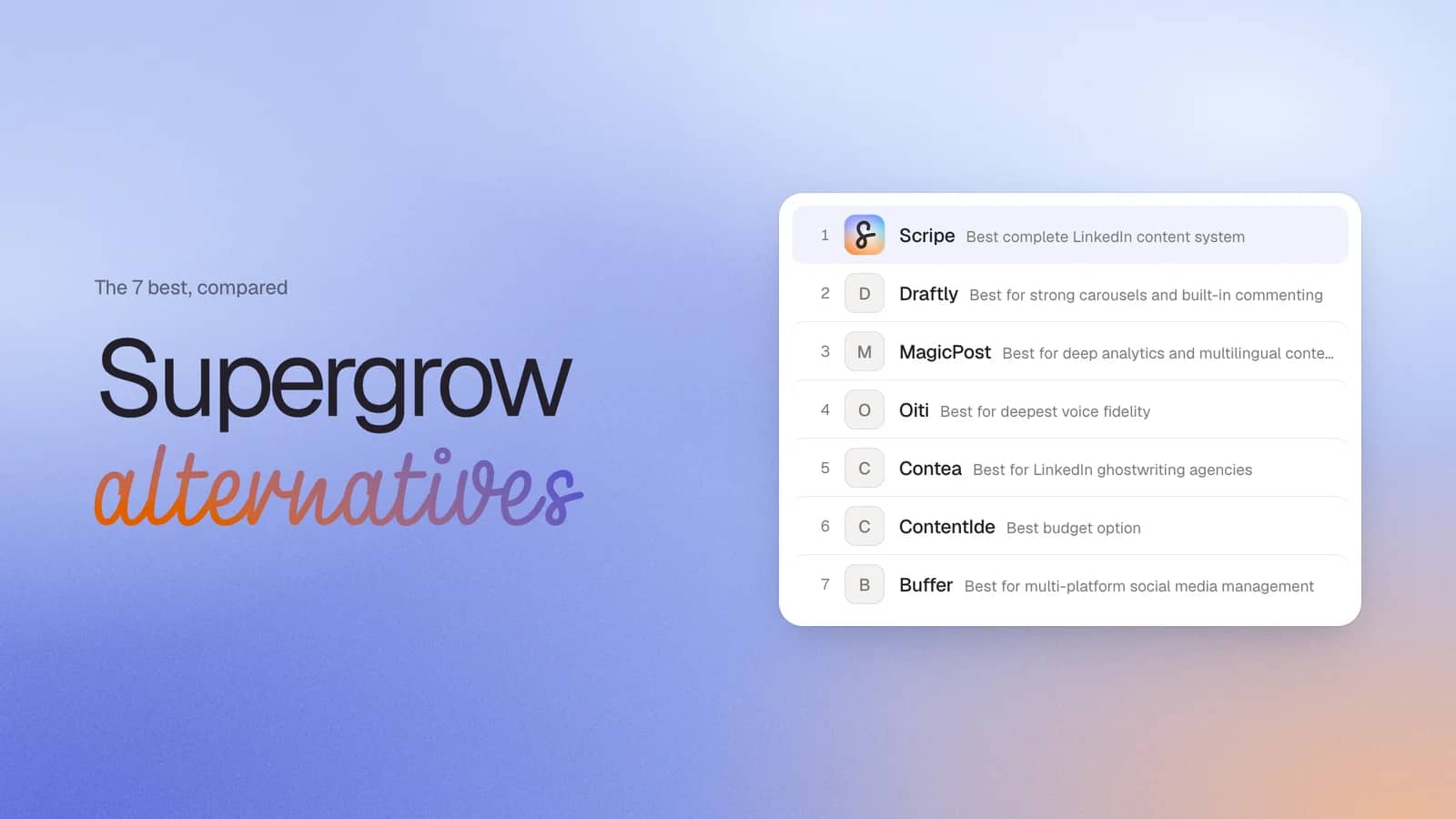
Supergrow has built a strong reputation among LinkedIn creators, founders, and consultants. But as your LinkedIn strategy becomes a more important source of visibility, inbound leads, and revenue, certain limitations become harder to work around. Many users discover that basic analytics, limited collaboration features, or gaps in the content workflow create friction once posting becomes a serious business activity rather than a side project.
That's why more professionals are exploring Supergrow competitors that offer deeper analytics, stronger content creation tools, and better support for teams. Other tools emerged to solve these challenges by combining AI-powered content generation, advanced analytics, visual content creation, knowledge management, and workflow automation in a single platform.
Why People Look for a Supergrow Alternative
A Supergrow alternative is typically a LinkedIn content platform that solves workflow, analytics, or collaboration limitations that become more noticeable as posting volume and business reliance increase.
It's important to be fair here: Supergrow maintains excellent user ratings and has helped thousands of creators build a consistent LinkedIn presence. Most users aren't switching because the platform is broken. They're switching because their needs have evolved.
Four recurring themes explain why users start looking for alternatives:
1. Analytics that don't provide enough visibility
Analytics are one of the most frequently mentioned limitations in Supergrow reviews. On the Starter plan, analytics are unavailable, which means users have little insight into which posts drive engagement, profile views, or follower growth. Even on higher plans, some reviewers report wanting more detailed reporting.
2. Carousel creation that feels unfinished
Carousel posts have become one of the most effective formats for educating audiences, showcasing expertise, and driving engagement on LinkedIn. Yet several users describe Supergrow's carousel functionality as less mature than dedicated alternatives.
3. Engagement features that don't go far enough
Creating content is only one part of LinkedIn growth. Meaningful engagement through comments and conversations often determines whether a post gains traction in the first place.
Several reviewers specifically mention dissatisfaction with Supergrow's engagement functionality. While the platform helps users publish content consistently, some creators want stronger tools to support audience interaction, relationship building, and ongoing visibility.
How I chose this list
A Supergrow alternative should solve the specific bottleneck limiting your LinkedIn growth, not simply offer a different set of features. The challenge is that most comparison articles treat every platform as though it serves the same purpose. In reality, some tools are built for content creation, others for analytics, others for agency operations, and a handful attempt to cover the entire LinkedIn workflow.
The criteria below focus on the factors that have the greatest impact on long-term content performance, team efficiency, and content quality.
- Official LinkedIn API connection. Tools using cookie-based authentication or Chrome extension overlays for publishing have been targeted by LinkedIn's enforcement. Every tool's connection architecture is identified explicitly.
- Which Supergrow gaps each tool closes. Analytics depth, visual content creation, engagement tools, or agency workflow — each tool's place on the list maps to a specific gap it solves.
- AI quality and personalization. Does the AI learn the user's voice persistently, or reset with every session? Does it draw on a knowledge base of the user's actual expertise, or generate from a fresh prompt each time?
- Depth of LinkedIn operations. Content ideation, carousel creation, engagement tooling, analytics, approval workflows — the more of the content lifecycle covered, the fewer disconnected tools users juggle.
- Analytics depth. Post-level performance, follower growth, best posting times, content type breakdowns. For agencies: cross-account visibility.
- Team and agency workflows. Approval chains, shared calendars, role-based permissions, multi-account management from one dashboard.
- Pricing model. Is core functionality available at the entry tier, or gated? Are there credit ceilings or sudden tier cliffs?
Quick Supergrow Comparison Table
Before diving into each platform in detail, here's a high-level overview of how the leading Supergrow alternatives compare:
| Tool | Best For | Starting price | Depth of operations | LinkedIn Compliance | Standout feature |
|---|---|---|---|---|---|
| Scripe | Complete LinkedIn content system | $79/mo | Very High | Yes | Knowledge Base + WhatsApp voice-to-post, analytics on every plan |
| Draftly | Carousels and AI-assisted commenting | $20/mo | Medium | Partial | Carousel builder on all plans; Thoughtful Commenting Chrome extension |
| MagicPost | Deep analytics and multilingual content | $35/mo | Medium-High | Yes | Shield Analytics replacement with creator style import |
| Oiti | Deepest voice fidelity | $49/mo | Low | No | AI Clone with permanent long-term memory and edit retention |
| Contea | LinkedIn ghostwriting agencies | $35/mo | Medium-High | Yes | Async client voice input; structured approval feedback loop |
| ContentIde | Budget-conscious creators | $24.99 one-time | Low | Yes | Lifetime pricing with carousel creation included |
| Buffer | Multi-platform social media scheduling | Starting from $5/mo | Medium | Yes | Scheduling across 11 platforms from one calendar |
#1 Scripe: Best Complete LinkedIn Content System
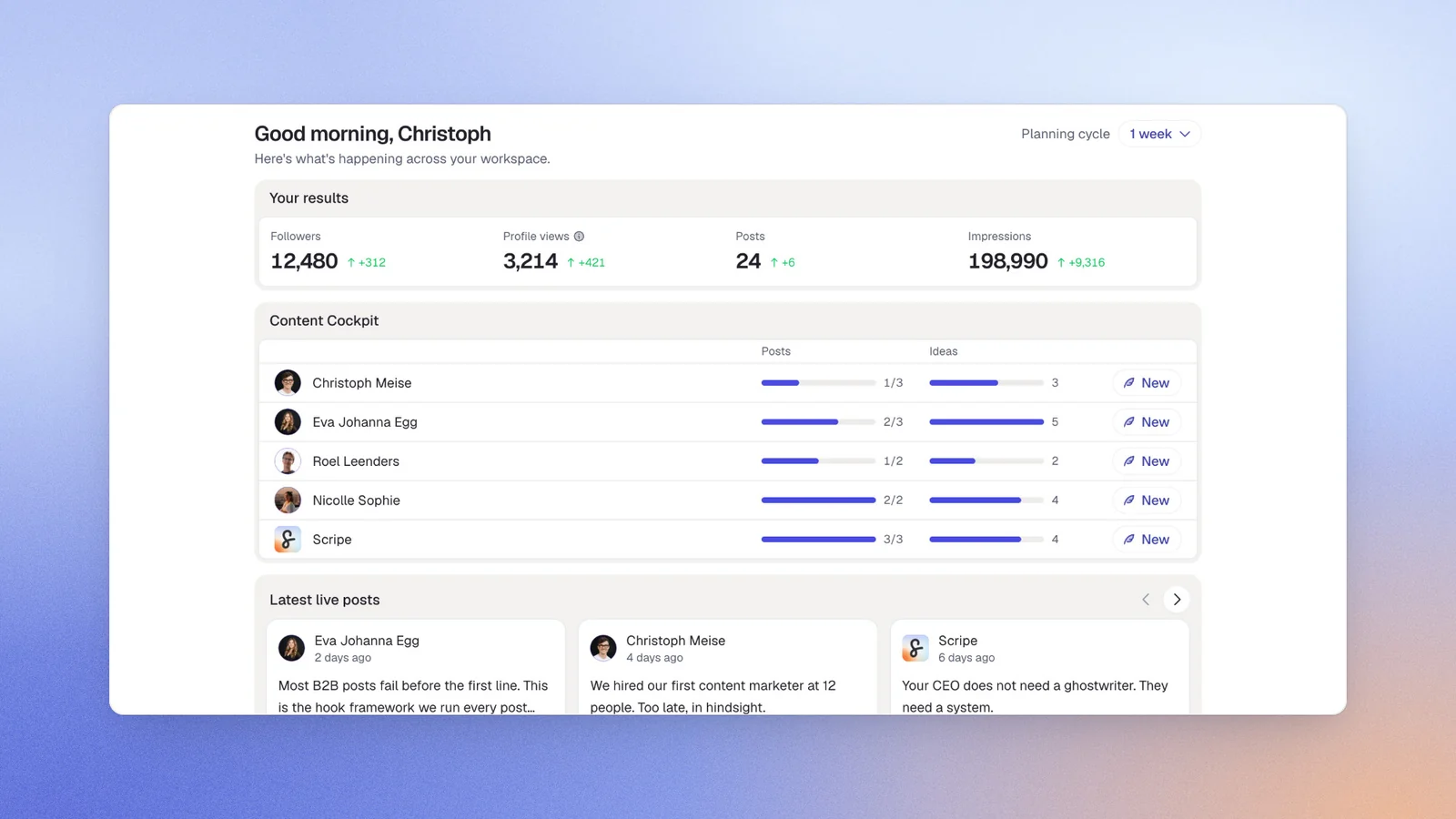
Scripe is an AI-powered LinkedIn content platform designed to help founders, executives, sales teams, and agencies manage the entire content lifecycle from idea capture through to publishing, analytics, and engagement.
It addresses multiple growth-stage challenges within one platform. Users looking for deeper analytics, more advanced visual content creation, stronger engagement workflows, or scalable agency operations can replace several disconnected tools with a single system.
This is an important distinction. Most LinkedIn tools help users create content faster. Scripe is designed to help users build a repeatable content operation.
Scripe provides analytics across every subscription tier and includes a fully featured visual editor. Scripe also offers structured engagement workflows across teams and combines voice learning with a persistent knowledge base that continuously improves the quality and specificity of AI-generated content
Scripe’s Key Features
Scripe's feature set is designed around the entire LinkedIn content workflow rather than isolated content generation tasks.
- Advanced analytics on every plan: Track post performance, audience engagement, and content trends without upgrading to unlock reporting features. This makes it easier to identify which topics and formats contribute to LinkedIn growth.
- Full carousel editor: Create professional LinkedIn carousels without switching to external design software. This streamlines visual content creation and keeps the entire workflow inside one platform.
- Knowledge Base: Store documents, websites, Notion pages, video transcripts, and proprietary frameworks that the AI can reference when generating content. The result is more accurate, more insightful, and less generic AI output.
- WhatsApp voice-to-post workflow: Turn voice notes into draft LinkedIn posts within seconds. This helps busy professionals capture ideas when inspiration strikes rather than trying to remember them later.
- Tone of Voice learning: Analyze previous LinkedIn posts and custom instructions to create content that feels consistent with the user's existing writing style.
- Team collaboration and approval workflows: Manage multiple stakeholders, content calendars, and approval processes without relying on separate project management tools.
- Structured engagement workflows: Coordinate engagement activity across teams to increase visibility and support stronger LinkedIn presence growth.
- Mobile app: Access content creation, analytics, approvals, publishing, and collaboration features from any device.
Pricing
If paid monthly
- Solo: $79/mo
- Advanced: $114/mo (unlocks unlimited users)
- Business: $170/mo
If paid yearly
- Solo: $63/mo
- Advanced: $90/mo (unlocks unlimited users)
- Business: $136/mo
Prospective customers can sample all core functionality with a 7-day free trial.
Good Fit For
Scripe is best suited to users who want more than a basic AI writing assistant or scheduling tool.
- Founders and executives posting three to five times per week who want to capture ideas through voice notes, meetings, and daily conversations, then review drafts rather than write every post from scratch.
- LinkedIn content agencies managing multiple client accounts that need separate voice profiles, approval workflows, collaborative workspaces, and consolidated billing.
- Sales leaders and revenue teams using LinkedIn as a pipeline generation channel who need clear analytics, consistent posting, and repeatable content workflows.
Not a Good Fit For
No LinkedIn platform is the right solution for every use case. Scripe may not be the best fit for:
- Budget-conscious solo creators who simply need basic post scheduling and are comfortable creating content manually.
- Enterprise organizations with 50+ users that require deep CRM integrations, highly customized governance controls, or complex enterprise software ecosystems.
For these users, a simpler scheduling platform or dedicated enterprise solution may be a better fit.
How Scripe replaces Content DNA and PostCast
PostCast equivalent: Scripe's Content Interview Mode is the closest functional replacement — a voice session where users speak freely and Scripe transcribes and structures speech into post drafts in 6 languages. The WhatsApp integration extends this further: send a voice memo from any device and a draft appears in Scripe within seconds. There is no AI interviewer asking follow-up questions the way PostCast's "Alex" does, but there is also no monthly session cap — PostCast allows only 2 sessions on Starter, which constrains creators posting 4–5x/week. Scripe's voice workflow is uncapped.
Content DNA equivalent: Scripe's Tone of Voice system learns from past LinkedIn posts and is fine-tuned with custom instructions, equivalent to Content DNA in scope. The critical addition is the Knowledge Base. Content DNA learns how you write. The Knowledge Base teaches the AI what you know. Posts improve in substance over time, not just in style.
LinkedIn compliance
Scripe uses LinkedIn’s Community Management API.
Start a 7-day free trial
Register for Free#2 Draftly: Best for Strong Carousels and Built-In Commenting
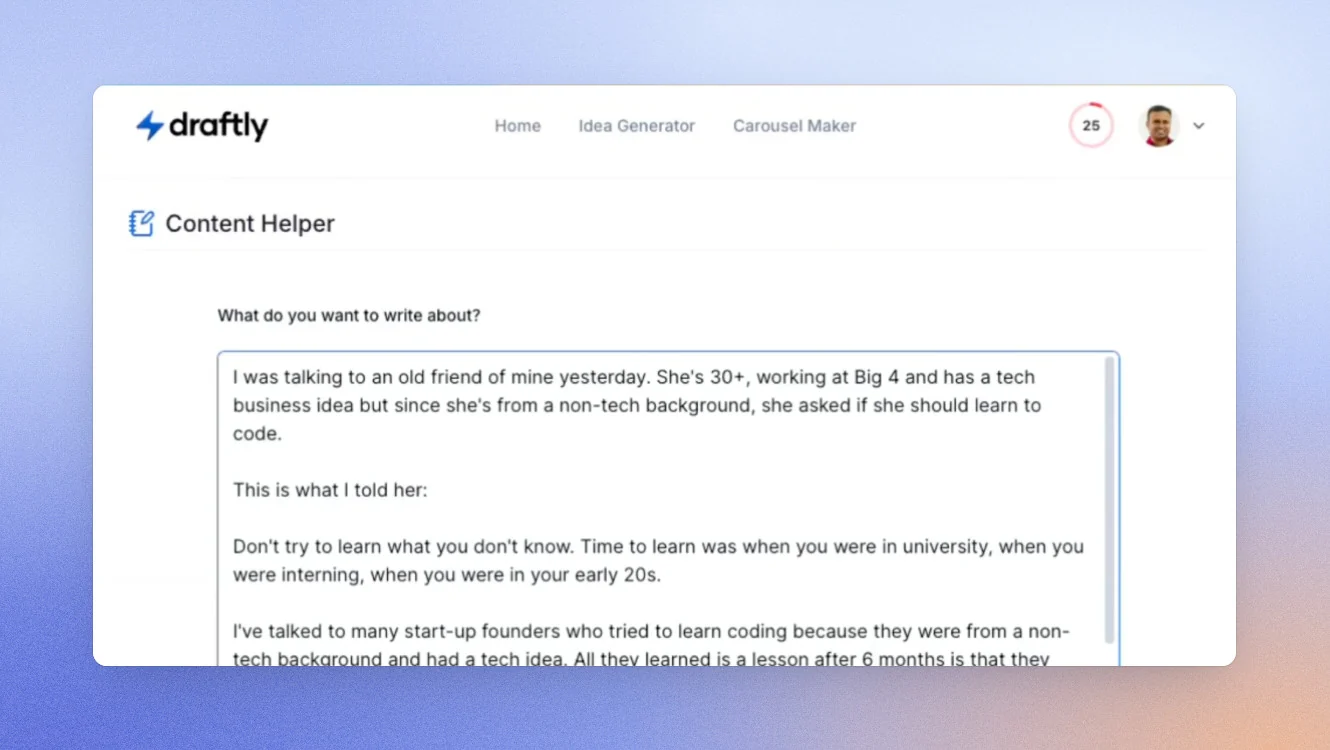
Draftly is a LinkedIn content creation platform focused on helping creators produce visual content and engage more consistently with their audience.
Among the alternatives on this list, Draftly most directly addresses two of the most common Supergrow limitations: carousel creation and commenting workflows. Its carousel builder is a core feature rather than a premium add-on, allowing users to create LinkedIn-ready PDF carousels from templates without relying on external design tools.
The platform's Thoughtful Commenting feature also stands out. Through a Chrome extension, users can generate contextual comment suggestions directly within LinkedIn. Importantly, Draftly does not automate engagement. Users still review and publish comments themselves, helping maintain compliance while reducing the time required to participate in conversations.
Where Draftly falls short compared to more comprehensive platforms is depth. There is no persistent knowledge base, no documented agency workflow functionality, no voice memo workflow, and usage is governed by an AI credit system.
Draftly’s Key Features:
- AI-powered carousel builder
- Thoughtful Commenting Chrome extension
- Brand Voice learning from existing LinkedIn posts
- URL-based content repurposing
- Content idea generation and scheduling
Pricing:
If paid monthly
- Starter: $19/month
- Pro: $59/month
If paid yearly
- Starter: $16/month
- Pro: $49/month
All plans include free trial.
Good Fit For
- LinkedIn creators who regularly publish carousel content and want an alternative to Canva.
- Professionals who view commenting as a core part of their LinkedIn growth strategy.
Not a Good Fit For
- Agencies requiring approval workflows, client management, or multiple workspace support.
- Users who prefer capturing ideas through voice notes rather than written prompts.
How Draftly Replaces Content DNA and Postcast
Draftly's Brand Voice feature is the closest equivalent to Content DNA, learning writing patterns from previous LinkedIn content and applying them to future drafts.
There is no direct Postcast replacement. Content creation is driven through prompts, idea generators, and content inputs rather than voice conversations or interview-style workflows.
LinkedIn compliance
Draftly uses secure OAuth authentication and never stores LinkedIn password.
#3 MagicPost: Best for Deep Analytics and Multilingual Content
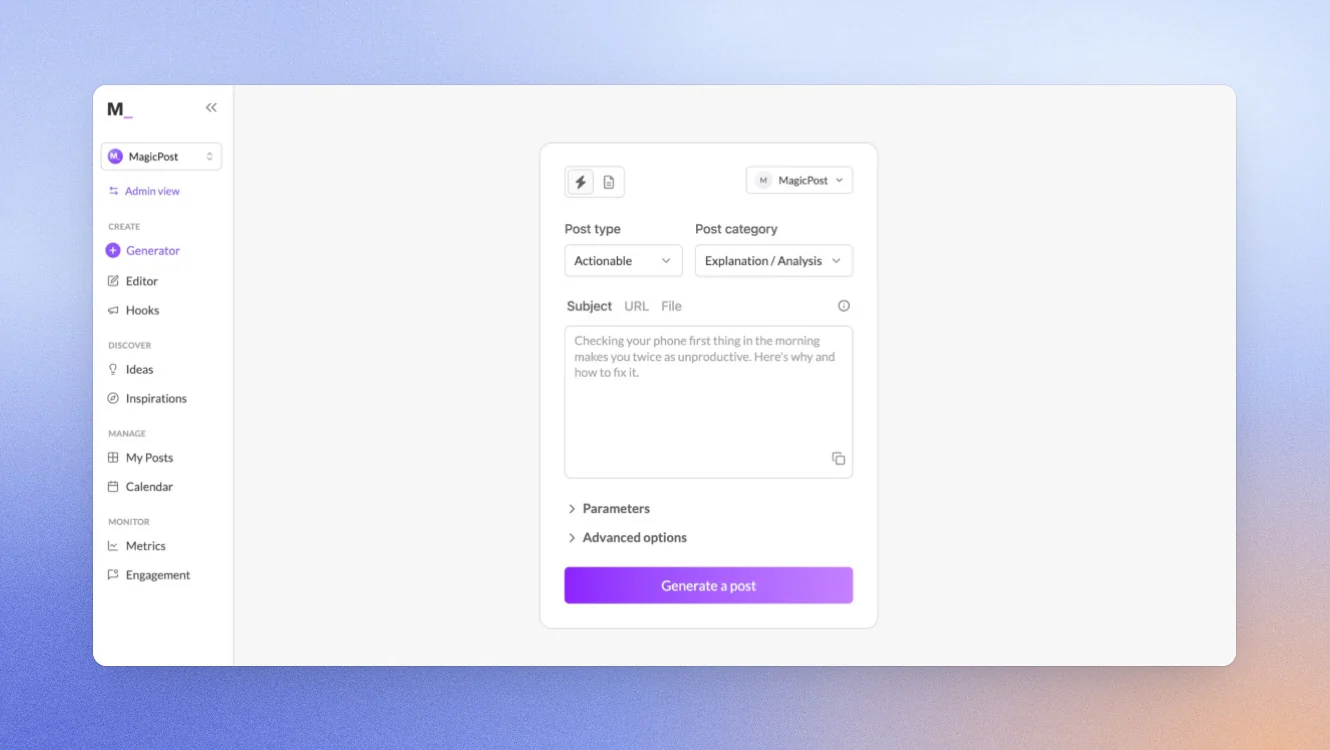
MagicPost is a LinkedIn-focused content platform that combines AI content creation with one of the strongest analytics suites available in this category.
For users whose primary frustration with Supergrow is analytics visibility, MagicPost may be the most compelling alternative. The platform provides detailed reporting on impressions, audience growth, audience demographics, posting performance, and content benchmarking. It also positions itself as a replacement for Shield Analytics, offering reporting capabilities that extend well beyond basic engagement metrics.
A secondary differentiator is multilingual content generation. MagicPost supports content creation in seven languages, making it particularly useful for international creators, consultants, and agencies serving multiple markets.
The trade-off is that collaboration and workflow features are less developed than some alternatives. The platform is strongest when viewed as a content and analytics solution rather than a full operational system.
MagicPost’s Key Features
- Advanced LinkedIn analytics
- Competitive profile analysis
- Best posting time recommendations
- White-label reporting
- AI content generation in seven languages
Pricing
If paid monthly
- Analytics: $35/month
- Creator: $69/month
- Teams: custom
If paid yearly
- Analytics: $21/month
- Creator: $39/month
- Teams: custom
Free Trial is available in all plans.
Good Fit For:
- Founders and creators who want detailed insight into what content is driving growth.
- Agencies serving multilingual audiences or international clients.
Not a Good Fit For:
- Teams looking for approval workflows and collaborative content operations.
- Users who want voice-first content creation.
How MagicPost Replaces Content DNA and Postcast:
MagicPost's Voice & Style system performs a similar role to Content DNA by learning from previous LinkedIn content and adapting generated posts accordingly.
There is no Postcast equivalent. Content is created through guided workflows, templates, and prompts rather than voice-led interviews or conversations.
LinkedIn Compliance
MagicPost is a LinkedIn-verified partner.
#4 Oiti: Best for Deepest Voice Fidelity
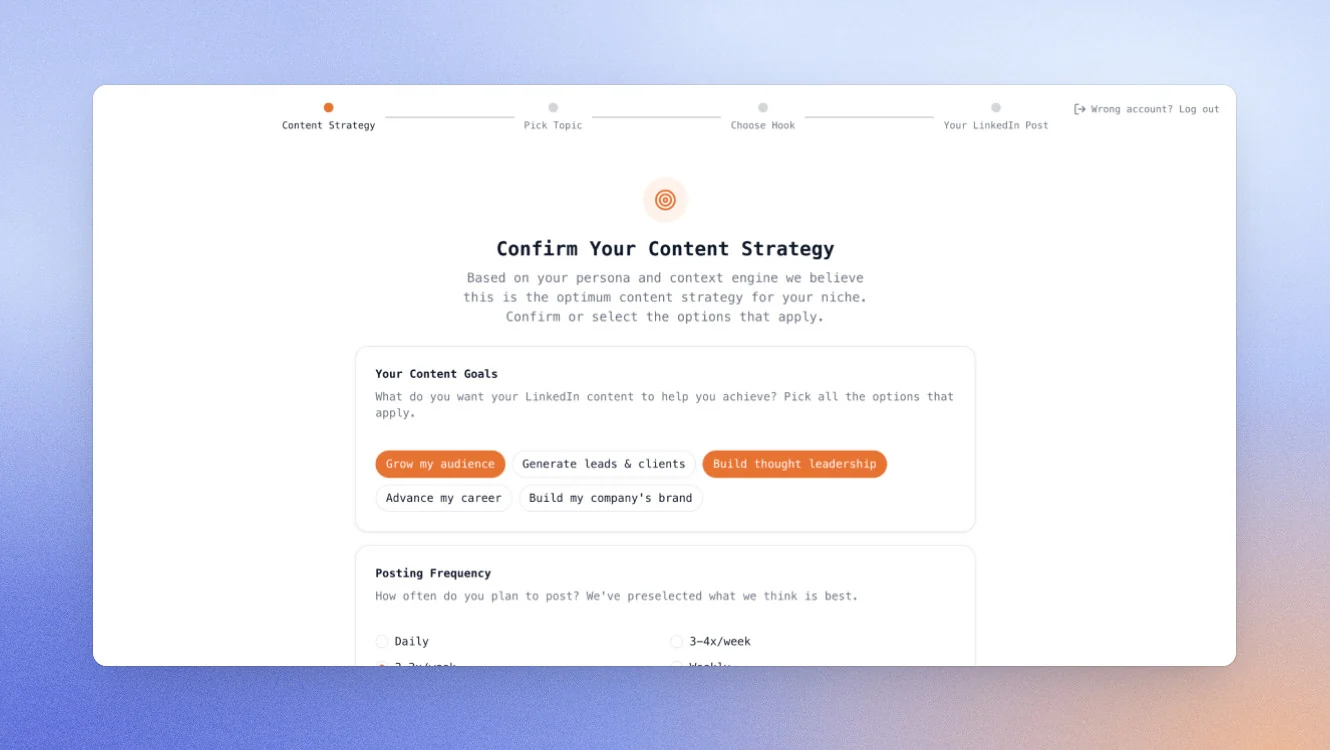
Oiti is an AI writing platform built around a single idea: preserving and improving voice consistency over time.
Its standout feature is the AI Clone, which stores user preferences, editing decisions, and writing instructions permanently. Rather than relearning preferences every session, Oiti compounds them over time. For creators who care deeply about sounding authentic, this makes it one of the strongest voice-learning systems available.
The platform also includes a persistent knowledge base and research functionality that can pull information from both stored documents and live web sources before generating content.
However, Oiti is far less comprehensive than platforms such as Scripe. There are no analytics tools, engagement features, or agency workflow capabilities. Users still rely on LinkedIn's native reporting to measure performance.
Oiti’s Key Features
- AI Clone with long-term memory
- Persistent knowledge base
- Research agents
- Viral content template library
- Newsjacking and trend discovery tools
Pricing
If paid monthly
- Creator plans: $49/month
- Pro plans: $79/month
If paid yearly early supporter deal is available
- Creator plans: $245 (or $49/month)
- Pro plans: $395 (or)
Oiti offers a free trial.
Good Fit For
- Personal brands prioritizing authentic voice reproduction above all else.
- Thought leaders who want AI to retain editing preferences permanently.
Not a Good Fit For
- Agencies managing multiple client workflows.
- Users looking for analytics, engagement tools, or reporting.
How Oiti Replaces Content DNA and Postcast
Oiti's AI Clone is arguably the closest direct competitor to Content DNA. Both learn writing style, but Oiti extends this by retaining explicit instructions and editing preferences permanently.
There is no Postcast alternative. Content creation remains text-based and prompt-driven.
LinkedIn Compliance
Oiti uses LinkedIn's official APIs.
#5 Contea: Best for LinkedIn Ghostwriting Agencies
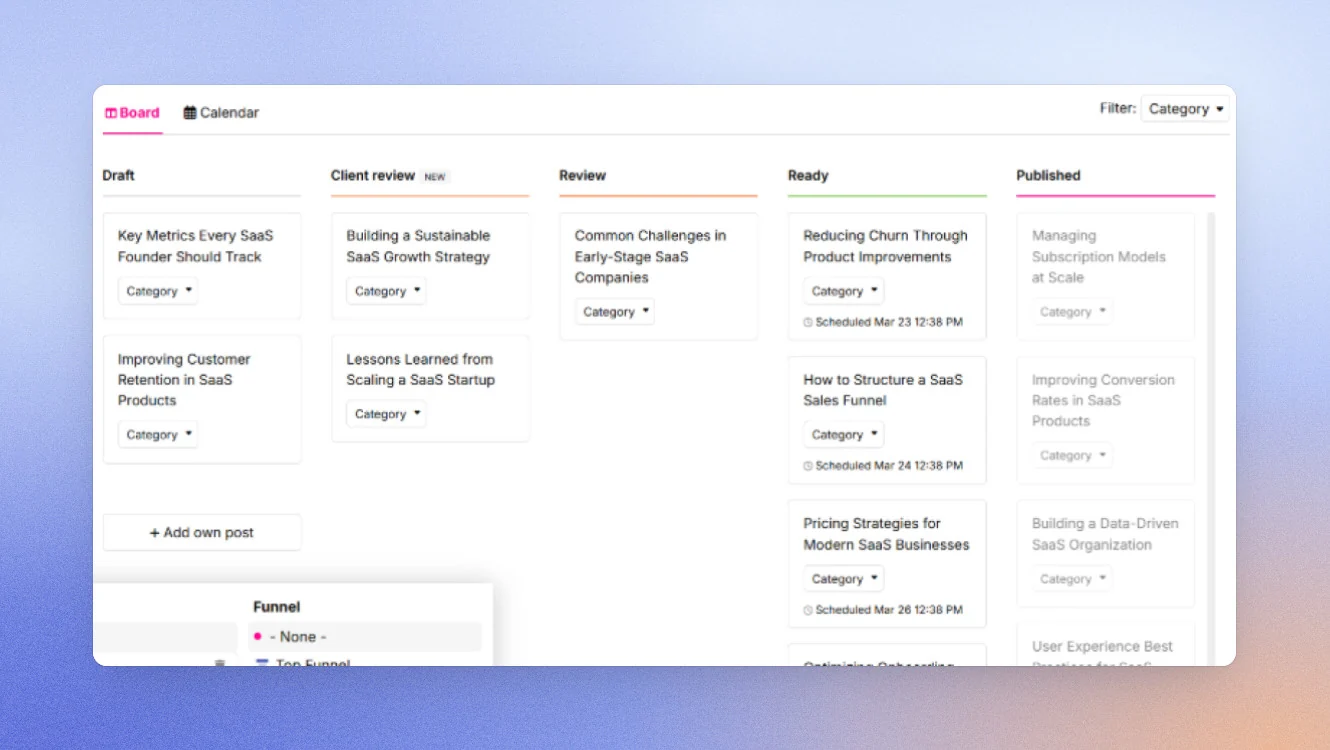
Contea is a LinkedIn content platform built specifically for ghostwriters and agencies managing content on behalf of clients.
Contea was created by practicing LinkedIn ghostwriters who needed a more efficient way to collect ideas, manage feedback, and deliver content at scale. As a result, many of its strongest features focus on reducing the operational friction that slows agencies down.
Its biggest differentiator is asynchronous content collection. Instead of scheduling content interviews, clients can submit ideas, answer prompts, or leave voice memos whenever it's convenient. For agencies juggling multiple founders, executives, and busy stakeholders, this removes one of the biggest bottlenecks in the content creation process.
Contea also offers a structured feedback system that replaces the scattered approval loops often spread across email, WhatsApp, and Slack. For agencies handling multiple client accounts, this creates a far more organized workflow than many general-purpose LinkedIn tools.
The trade-off is that Contea focuses more heavily on agency operations than personal brand building. Individual creators looking for deep analytics, advanced engagement features, or sophisticated voice learning may find stronger alternatives elsewhere.
Contea’s Key Features
- Asynchronous client voice memo collection
- Structured client feedback workflows
- Agency-focused content management
- Client Avatar and ICP learning
- Multi-client content operations
Pricing
- Custom pricing; verify with the vendor for details.
Good Fit For
- Boutique LinkedIn ghostwriting agencies managing multiple founders or executive clients.
- Agencies looking to reduce time spent coordinating interviews, approvals, and feedback cycles.
Not a Good Fit For
- Solo creators primarily focused on growing their own LinkedIn presence.
- Users looking for advanced analytics or engagement functionality.
How Contea Replaces Content DNA and Postcast
Contea's voice memo workflow is the closest equivalent to Postcast on this list from an agency perspective. Clients can record thoughts and ideas whenever they choose, which Contea then converts into structured LinkedIn content.
Its Client Avatar and ICP learning capabilities provide some overlap with Content DNA, but the focus is more on audience positioning and content direction than replicating an individual's writing style with high fidelity.
LinkedIn Compliance
Contea integrates with LinkedIn's official API.
#6 ContentIde: Best Budget Option
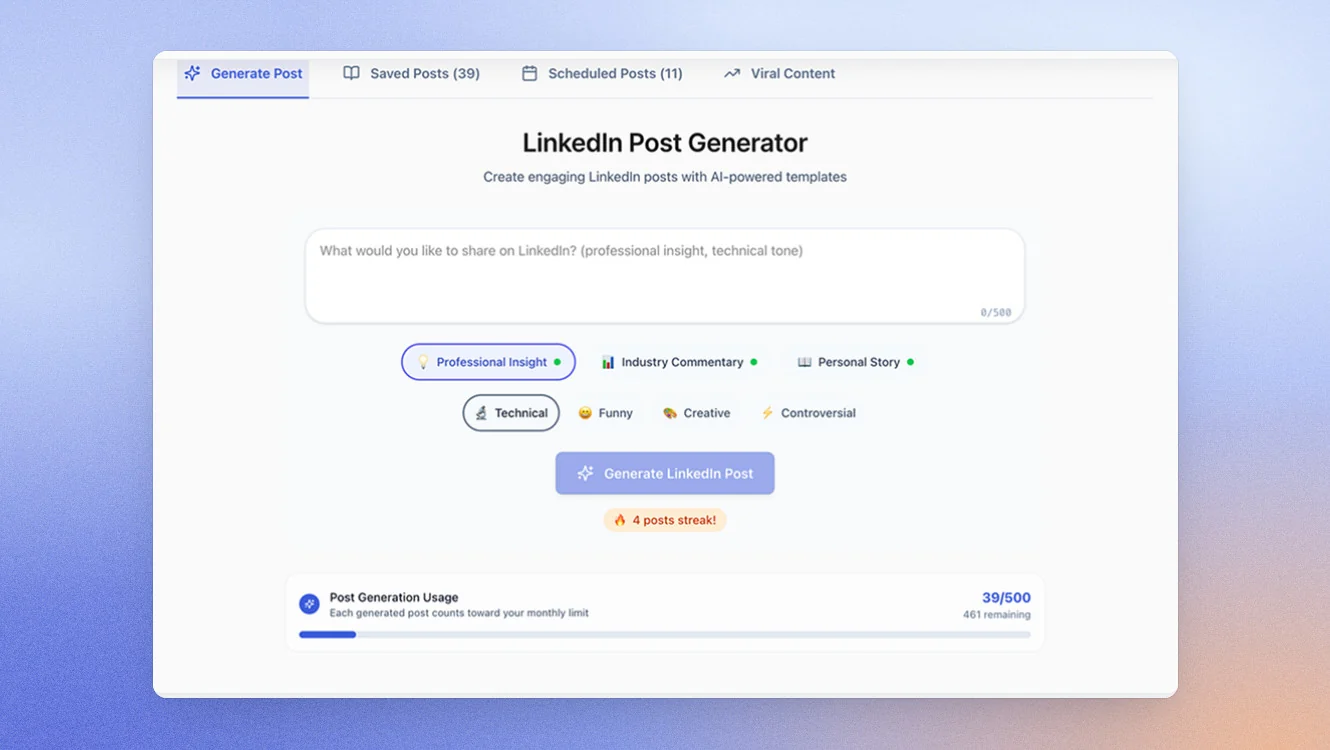
ContentIde is a LinkedIn content creation tool designed for creators who want a low-cost entry point into AI-assisted content generation.
What makes ContentIde unique is its pricing model. While virtually every other Supergrow competitor relies on monthly subscriptions, ContentIde offers a one-time lifetime purchase for $24.99. It is also the only platform on this list with a genuinely free plan, allowing users to generate up to five posts per month without committing to a paid subscription.
The platform focuses on simplicity. Users choose a content category, add a topic or insight, configure tone and formatting preferences, and generate a LinkedIn post in seconds. AI-generated carousel creation is also included, making it one of the most affordable ways to experiment with different content formats.
That simplicity is both its greatest strength and its biggest limitation. ContentIde is designed to help users create content quickly, not manage a sophisticated LinkedIn content operation. Features such as advanced analytics, deep voice learning, knowledge management, and agency workflows are largely absent.
For creators who simply want to develop a consistent posting habit without investing heavily in software, however, it represents excellent value.
Key features
- Structured generation: Post type, subcategory, tone, emoji, hashtag, and length all configurable
- Carousel creation: AI-generated carousels included at both free and paid tiers
- LinkedIn scheduling: Official OAuth connection
Pricing
- Free: Up to 5 posts/month
- Lifetime access: $24.99 one-time payment
Good Fit For:
- New LinkedIn creators testing whether consistent posting fits their growth strategy.
- Budget-conscious professionals who want AI-assisted content creation without recurring subscriptions.
Not a Good Fit For:
- Agencies managing multiple client accounts.
- Users who need advanced analytics, collaboration features, or persistent AI personalization.
How Contentide Replaces Content DNA and Postcast:
ContentIde offers only a lightweight alternative to Content DNA. Users can provide information about their audience, topics, and preferences, but there is no sophisticated voice model that improves significantly over time.
There is no equivalent to Postcast. Content generation is entirely form-based, requiring users to input ideas manually before generating posts.
LinkedIn compliance
Contentide uses official LinkedIn APIs.
#7 Buffer: Best for Multi-Platform Social Media Management
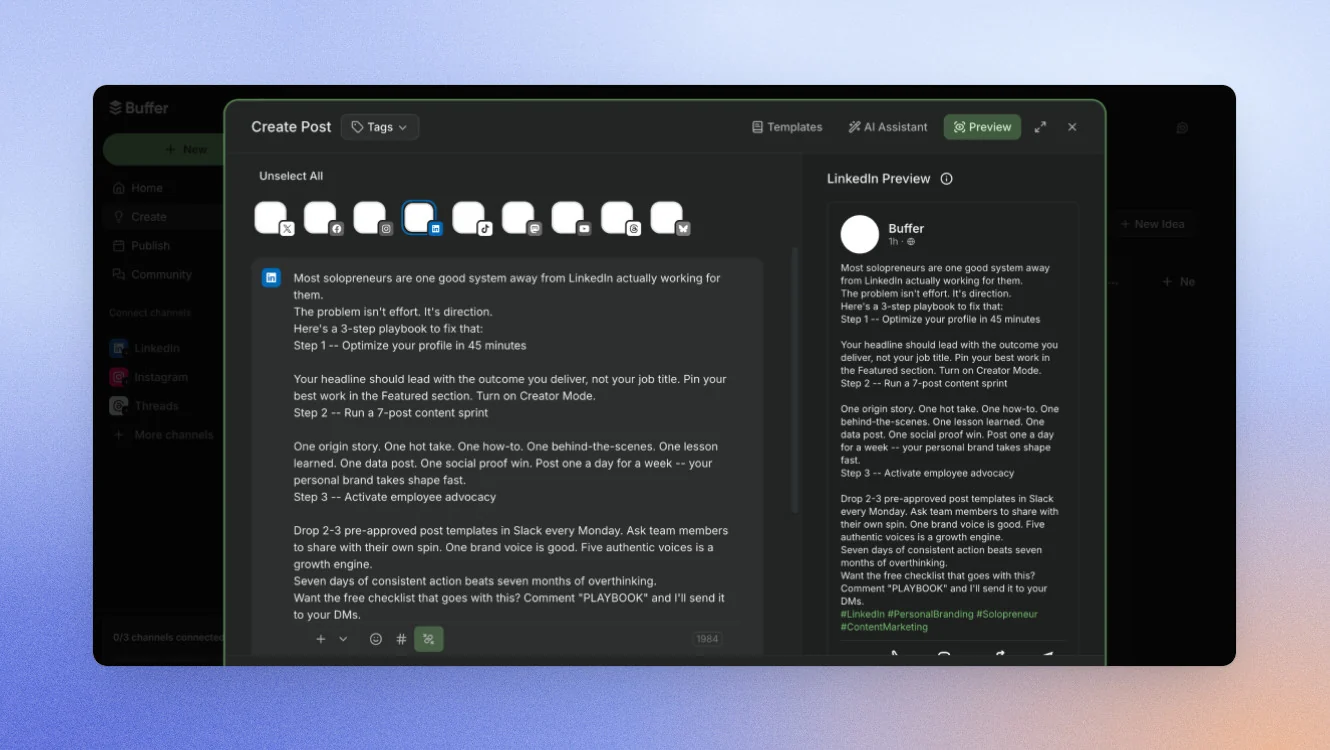
Buffer is a social media management platform designed to help businesses plan, schedule, publish, and analyze content across multiple social networks.
It earns a place on this list because some Supergrow users eventually realize their challenge isn't LinkedIn-specific. As content strategies expand across X, Facebook, Instagram, Threads, TikTok, and other platforms, managing everything through separate tools becomes increasingly difficult.
Buffer solves that problem by providing a centralized publishing and scheduling environment across multiple channels. Users can manage content calendars, schedule posts, review analytics, and coordinate publishing activities from a single dashboard.
The trade-off is that Buffer is fundamentally a social media management platform rather than a LinkedIn growth platform. It lacks many of the LinkedIn-specific features that attract users to Supergrow in the first place, including advanced voice learning, dedicated LinkedIn content workflows, knowledge-based content generation, and creator-focused ideation tools.
For teams prioritizing operational simplicity across multiple platforms, Buffer remains one of the most established options available. For users focused exclusively on LinkedIn growth, more specialized alternatives will usually provide greater value.
Key features
- Multi-platform scheduling across 11 social networks
- RSS feeds and trending news aggregation
- Post recycling — republish evergreen content on a schedule
- Basic AI caption generation (generic, not voice-trained)
- Analytics across all connected platforms
Pricing
If paid monthly
- Free: $0/mo (limited channels)
- Essentials: from $6/channel/mo
- Team: from $12/channel/mo
If paid yearlly
- Free: $0/mo (limited channels)
- Essentials: from $5/channel/mo
- Team: from $10/channel/mo
14-day free trial on paid plans.
Good Fit For
- Marketing teams managing content across multiple social media platforms.
- Businesses that prioritize centralized scheduling and publishing workflows.
Not a Good Fit For
- LinkedIn-first creators seeking deep platform-specific functionality.
- Users who want sophisticated voice learning, knowledge management, or content personalization.
How Buffer Replaces Content DNA and Postcast
Buffer does not offer a direct equivalent to either Content DNA or Postcast.
Its AI features generate content from prompts but do not learn from previous posts, build persistent voice profiles, or improve through ongoing usage. Users looking for personalized AI writing will generally find more advanced capabilities in LinkedIn-specific platforms.
How to Choose the Best Supergrow Alternative
The best Supergrow alternative depends entirely on what's driving your search. Many comparison articles try to identify a single winner, but that approach overlooks an important reality: most users don't leave Supergrow because they dislike the platform. They leave because they've encountered a specific limitation that's preventing them from achieving the next stage of growth.
The quickest way to make the right decision is to identify the bottleneck first, then choose the platform designed to solve it.
| If your biggest challenge is... | Choose... | Why |
|---|---|---|
| Limited analytics and reporting | Scripe or MagicPost | Both provide significantly deeper analytics than Supergrow. MagicPost is particularly strong for reporting and benchmarking, while Scripe combines analytics with broader content and workflow capabilities. |
| Creating high-performing carousels | Draftly or Scripe | Draftly's carousel builder is one of its strongest features, while Scripe combines visual content creation with a wider content management ecosystem. |
| Capturing expertise and creating more authentic content | Scripe or Oiti | Both focus heavily on personalization. Oiti excels at retaining writing preferences, while Scripe combines voice learning with a persistent Knowledge Base that stores and applies expertise. |
| Managing multiple client accounts | Scripe or Contea | Both provide agency-friendly workflows. Contea focuses heavily on client collaboration, while Scripe offers a broader operating system for content creation, approvals, analytics, and publishing. |
| Keeping costs as low as possible | ContentIde | Its free plan and $24.99 lifetime option make it the lowest-cost entry point on this list. |
| Managing content across multiple platforms | Buffer | Buffer is purpose-built for multi-platform scheduling and publishing. |
How to Migrate from Supergrow
Migrating from Supergrow is relatively straightforward, but there are two assets worth protecting before you cancel: your Content DNA setup and your Postcast history.
Because both are proprietary features, they cannot be exported directly into another platform. Spending 30 minutes documenting your setup before switching can save weeks of rebuilding later.
Before You Cancel Supergrow:
- Document your Content DNA settings - Take screenshots of your tone configuration, custom instructions, content preferences, and any stylistic guidance you've added over time. While this data won't transfer automatically, it can be used to recreate your voice profile in your new platform.
- Save your best Postcast drafts - Postcast sessions don't have a dedicated export format. Review your draft library and copy any high-performing ideas, frameworks, or posts you may want to repurpose in the future.
- Export available analytics - Download any reporting data available within your account. Pay particular attention to posting frequency, top-performing topics, successful hooks, and content formats that consistently generated engagement.
- Audit your content library - Identify your strongest published posts and evergreen content. Many modern platforms can use these examples to accelerate voice training and improve AI-generated output.
- Confirm your billing cycle - Before cancelling, verify your renewal date with Supergrow support. This helps avoid paying for an unnecessary overlap month while ensuring you maintain access to historical content during migration.
The most successful migrations happen when creators treat the move as an opportunity to improve their content operation rather than simply replace one tool with another. The more context you bring into the new platform, the faster you'll see results.
Why People Choose Scripe
Scripe is a LinkedIn content platform designed to help professionals turn expertise into consistent, high-performing content without increasing the time spent creating it.
While many Supergrow alternatives solve a single problem, users often choose Scripe because it addresses several growth-stage challenges simultaneously. Rather than adding separate tools for analytics, content creation, carousel design, voice capture, collaboration, and knowledge management, users can manage the entire LinkedIn content workflow in one place.
Expertise Becomes a Competitive Advantage
Most AI tools are only as good as the prompts they receive. Scripe takes a different approach by helping users build a permanent Knowledge Base that stores the expertise behind their content.
Documents, websites, Notion pages, YouTube transcripts, research, frameworks, and internal resources can all be added to the platform. Every piece of content generated by Scripe can draw on this information, creating posts that become more specific, more insightful, and more differentiated over time.
As AI-generated content becomes increasingly common, this ability to combine voice learning with proprietary knowledge is becoming one of the strongest predictors of content quality.
Capture Ideas Anywhere
Many founders, consultants, and sales leaders don't get their best content ideas while sitting at a desk. Scripe's WhatsApp voice-to-post workflow allows users to capture ideas wherever they happen. A quick voice note can be transformed into a draft LinkedIn post within seconds, helping users maintain consistent posting habits without disrupting their day.
For busy professionals, reducing friction is often the difference between posting occasionally and posting consistently.
Built for Teams and Agencies
The challenges facing individual creators are very different from those facing agencies or growing businesses.
Scripe includes approval workflows, collaborative workspaces, analytics visibility, shared content management, and support for multiple client environments. This allows agencies and internal marketing teams to scale LinkedIn content operations without introducing additional administrative complexity.
Proven Across Different Business Models
The platform is used by both growing businesses and established organisations looking to scale personal branding efforts. HY Consulting Group implemented Scripe across more than 10 consultants and generated over 500,000 LinkedIn impressions within two months while increasing visibility by more than 300%.
Similarly, Smovement adopted Scripe to simplify content creation and create a more consistent publishing rhythm. By reducing the effort required to turn expertise into content, the team was able to focus more time on client delivery while maintaining a stronger LinkedIn presence.
FAQs

Co-Founder & CEO
Eva Johanna Egg is the co-founder and CEO of Scripe, where she helps individuals turn their genuine expertise into authentic, high-impact content. With nine years of hands-on social media building and academic grounding in engineering she brings a rare combination of practical platform experience and technical rigor to the personal branding space.
LinkedIn