
I’ve run LinkedIn content for people who had a lot to say and no reliable way to get it out. The pattern was always the same. You had to capture ideas, write drafts, chase approvals, check analytics, and start over the following week. At some point it became obvious that the problem wasn’t effort. It was the absence of a system built specifically for how LinkedIn works.
That’s the lens I brought to this review. Buffer is a fine scheduler. But if LinkedIn is your primary revenue channel, “fine” is the wrong standard. I reviewed five LinkedIn-specific alternatives — covering founders, consultants, and agencies — against six criteria. General schedulers like Hootsuite, Sprout Social, and Later are excluded by design. I may not be a completely neutral reviewer, Scripe is on this list, but every tool here earned its place.
Why people look for Buffer alternatives
If you ask a lot of LinkedIn users about the tools in their stack, Buffer comes up often. But it’s usually as something people started with and eventually outgrew. After analyzing the most common complaints across various review sites, some common trends pop up.
Post failures and reliability
Many users report posts failing silently with no email alert or retry mechanism.
“I have to constantly verify that my posts are going up as scheduled. Post failures occur far too often for this to be a reliable tool,” says a user on Trustpilot. “It's easier to do it myself and know that I won't end up with failed posts after the fact.”
For LinkedIn specifically, where posting cadence directly affects algorithmic reach, a single missed post isn't just an inconvenience. It resets momentum you've been building for weeks.
Analytics that are too shallow to act on
Buffer shows basic engagement numbers, but it can't break down performance by content type or campaign. There's no way to understand whether your storytelling posts outperform your how-to content, or whether your Monday posts consistently outperform your Thursday ones. For anyone running LinkedIn as a revenue channel, that’s a big blind spot.
“Analytics and reporting tools are insufficient, especially when compared to native platforms or other social media management tools,” reports one G2 reviewer.
Pricing that doesn't scale
Buffer’s key features like analytics, AI assistance, and additional channels are locked behind paid tiers. Once you're managing more than a few accounts, the per-channel pricing model becomes expensive fast compared to LinkedIn-specific tools built for multi-account workflows from the start. It’s one of the most common reasons users start evaluating Buffer competitors.
AI that doesn't personalize
Buffer’s AI assistant doesn’t learn your voice, doesn't reference your past posts, and doesn’t know your audience. The output reads generic because it is generic. It has no context specific to you or your LinkedIn history.
LinkedIn limitations
There's also a practical limitation that matters specifically for LinkedIn users. Buffer can't tag personal LinkedIn profiles in posts, doesn't support LinkedIn PDF scheduling, and certain content formats require manual posting anyway. These are huge flaws when you’re scheduling and publishing content across multiple social platforms at scale.
“There are some big limitations such as not being able to customize copy going to a specific platform (i.e. wanting to use hashtags on a twitter post, but not facebook or linkedin without having to do a whole second post creation,” says a Founder on G2.
Why LinkedIn needs a dedicated tool and not a general scheduler
The reason I excluded Hootsuite, Sprout Social, and Later from this list is because LinkedIn’s content format differs from every other social platform and needs its own strategy. General schedulers treat all platforms as equivalent distribution channels. These types of tools help you with social media publishing, but the content you’re producing for LinkedIn isn’t what you’re going to post elsewhere.
A post that performs well on LinkedIn — one with a strong opening line, a clear personal point of view, a story that earns its conclusion — is structurally unlike anything you'd write for Instagram or Twitter (X). And these tools don’t help you write content that works on LinkedIn specifically.
The LinkedIn algorithm rewards consistency and early engagement signals over volume. Dwell time matters. The first 60 minutes after a post goes live matter. Tools built specifically for LinkedIn surface this data and help you act on it. General schedulers typically don't because LinkedIn is one of many social media channels they’re trying to support simultaneously.
AI personalization only works with platform-specific training. A LinkedIn-native AI tool produces better LinkedIn posts because it's been trained on what performs on LinkedIn. It learns the hooks, the pacing, the formatting conventions that actually earn reach on this platform. A general social media AI has none of that context. The output shows.
What you’re actually looking for when you look for a Buffer alternative isn’t a better scheduler. It’s a LinkedIn content system.
How I chose this list
I evaluated every tool on this list evaluated against six criteria:
- Official LinkedIn API connection (Yes/No): This is a binary risk factor. Tools using cookie-based authentication or Chrome extension overlays have been targeted by LinkedIn's enforcement. An official API connection is the difference between an account that's safe and one that could get suspended. Every tool on this list uses official LinkedIn access.
- AI quality and personalization: Does it learn your voice from past posts? Does it produce LinkedIn-native content — hooks, storytelling, formatting — or generic output? Can it handle voice input, video, or raw text and turn it into something usable?
- Depth of LinkedIn operations: Does it go beyond scheduling? Content ideation, hook generation, analytics with actionable insight, team approval workflows — the more of the content lifecycle it covers, the less you're stitching together separate tools.
- Analytics depth (advanced analytics): Can you see post-level performance, follower growth, best posting times, and content type breakdowns? For agencies conducting social media collaboration, can you see analytics across multiple accounts in one view?
- Team collaboration: Approval workflows, shared calendars, role-based permissions, multi-account management from one dashboard.
- Pricing model: Is it flat-rate or per-account? Does it get expensive as you scale? Is the feature set meaningful at the entry price?
Quick comparison table
Here’s how the five tools stack up on the criteria that matter most for LinkedIn-first use cases. Use this as a quick reference before diving into my full reviews below.
| Tool | Best for | Starting price | Depth of operations | Official LinkedIn connection | Standout feature |
|---|---|---|---|---|---|
| Scripe | LinkedIn content system | $79/mo | Full lifecycle | ✅ | Voice-trained AI + end-to-end team workflow |
| Supergrow | Voice-to-content via AI interviews | $19/mo | Mid-to-high | ✅ | PostCast AI interview format |
| Linkedbud | Budget-friendly idea discovery | $10/mo | Scheduling + ideation | ✅ | Article discovery bubble board |
| Oktopost | Enterprise B2B with CRM integration | Custom | Enterprise-grade | ✅ | Deep CRM + marketing automation integrations |
| MagicPost | Multilingual creators | $21/mo | Mid-range | ✅ | AI in 7 languages + any-creator metrics |
#1. Scripe: Best for the full LinkedIn revenue system
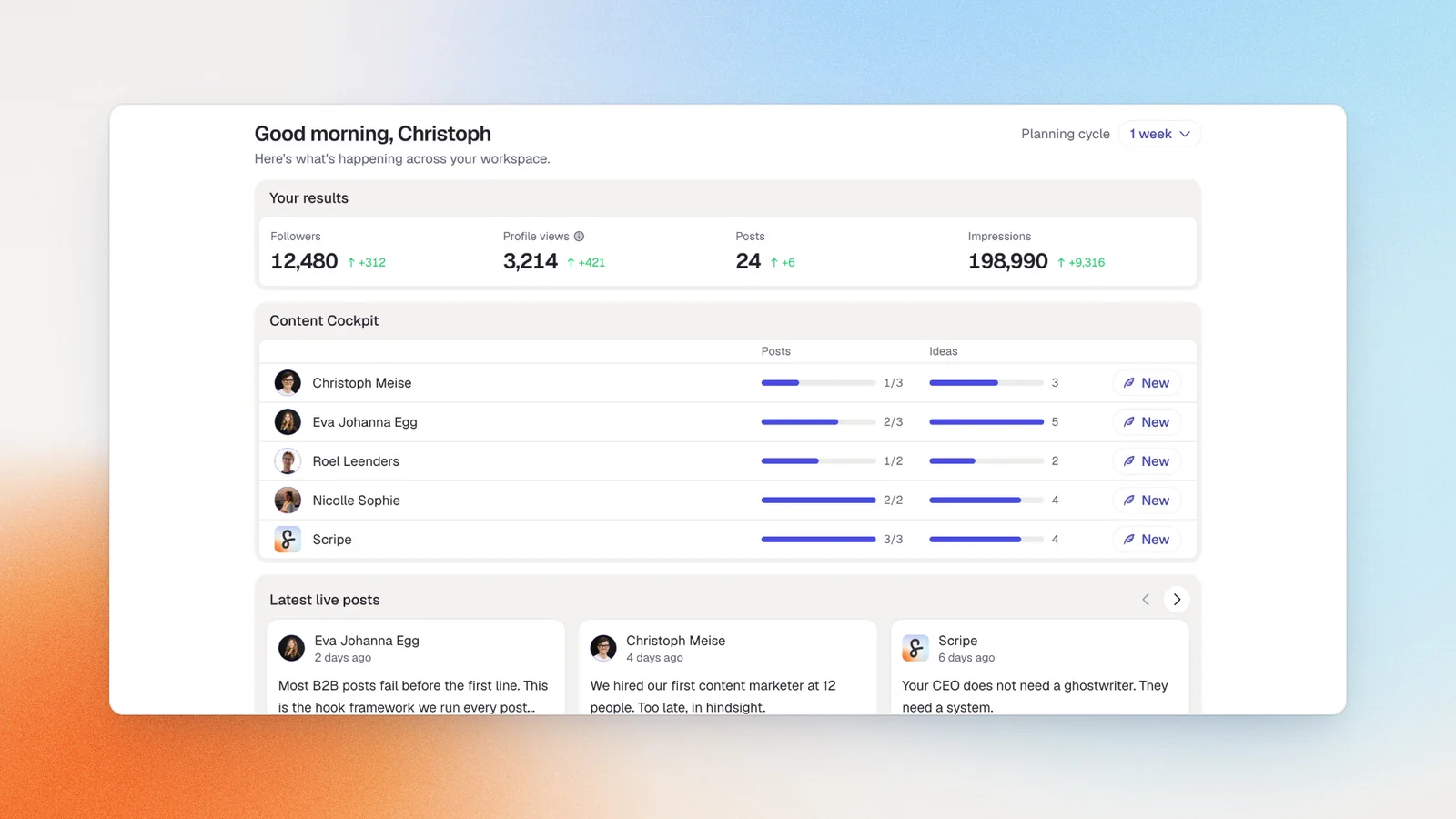
Scripe is the tool we built, so I won’t pretend to be a neutral reviewer here. What I can tell you is why we built it, and why the approach is different from everything else on this list. When I was running a personal branding agency, I watched the same problem repeat itself: clients had things to say, but the gap between what they knew and what actually went out on LinkedIn was enormous. Schedulers moved the problem downstream. Generic AI produced content that sounded like everyone else. The manual process of capturing voice, drafting posts, getting approvals, and tracking what worked was eating hours every week.
Scripe is built to close that gap for individuals, for teams, and for agencies. You configure your tone of voice and knowledge base once, and the content agent draws on that context every time you sit down to write. Feed it a voice memo, a meeting transcript, a rough idea, or a video, and it handles the structure, the hook, and the formatting.
The workflow follows four stages. You set goals, enable your team, create content, and finally analyze and optimize.The full feature set is available on mobile too.
Key features
- Voice-trained content agent: Learns your tone from post history and generates drafts that draw on your knowledge base, analytics, and goals
- Multi-input post creation: Convert voice memos, notes, video, or uploaded documents into finished LinkedIn posts
- Full LinkedIn analytics: Post-level performance, historical data, and link tracking for revenue attribution
- Team collaboration suite: Shared content calendar, approval workflows, roles and permissions, team engagement, and multiple isolated client workspaces
Official LinkedIn API: ✅
Scripe builds on LinkedIn’s official Community Management API, a partnership LinkedIn grants only to approved developer partners. There’s no Chrome extension, cookie-based login, or password sharing. Because the access is data-minimal, connecting a senior executive's profile doesn't expose their private messages, which removes a real blocker for agencies and marketing managers trying to manage leadership accounts.
Good fit for
- A founder or executive posting multiple times a week who wants to capture ideas via voice memo or quick note and have drafts ready to review — not write from scratch
- A LinkedIn content agency managing 5–20 client accounts that needs separate voice profiles, approval flows, and a single billing line
- A sales leader using LinkedIn as a pipeline channel who needs consistent posting and analytics showing what content drives inbound
- A marketing manager building a CEO’s or executive team’s LinkedIn presence without a dedicated content team
Not a good fit for
- Budget-constrained solo creators who just need basic scheduling and can write their own content
- Enterprise teams at 50+ users who need deep CRM integration
Pricing
If paid monthly
- Solo: $79/mo
- Advanced: $114/mo (unlocks unlimited users)
- Business: $170/mo
If paid yearly
- Solo: $63/mo
- Advanced: $90/mo (unlocks unlimited users)
- Business: $136/mo
All plans include a 7-day free trial.
#2. Supergrow: Best for voice-to-text
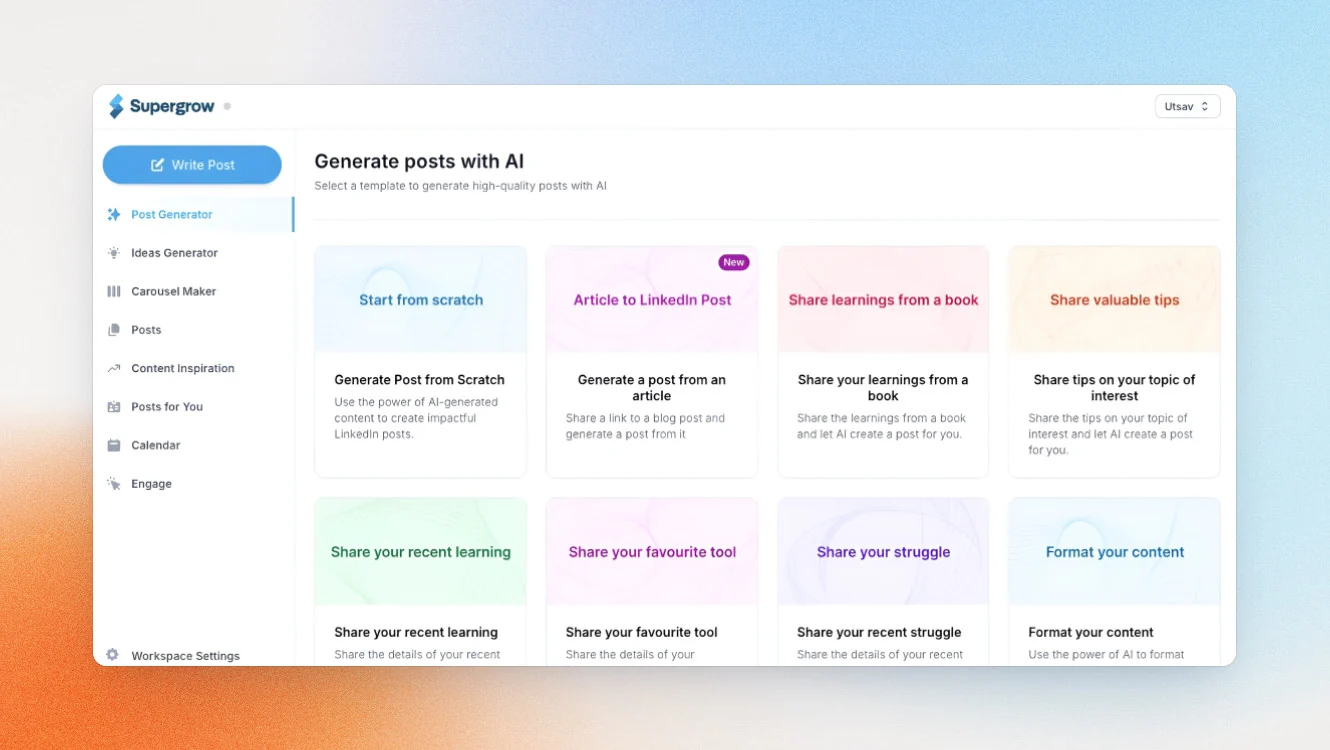
Supergrow’s standout feature is PostCast, a structured AI interview where an interviewer named Alex asks you questions about your expertise for 10–15 minutes and turns your spoken answers into multiple LinkedIn post drafts. It’s a strong fit for the kind of person who’s articulate in conversation but freezes in front of a blank text field.
However, analytics are completely locked behind the Pro plan and PostCast sessions are capped at two per month on Starter, which is tight if you’re posting 4–5 times a week.
Key features
- PostCast AI interviews generates multiple post drafts in your voice
- Turns YouTube videos, blog posts, and PDFs into LinkedIn-ready posts
- Carousel maker and infographic generator are available on the Pro plan and above
- Teams plan has an org dashboard, approval workflows, team analytics, posting challenges, leaderboard, and role-based permissions for up to 4 accounts
Official LinkedIn API: ✅
Supergrow publishes directly to LinkedIn through an official connection. There’s no Chrome extension automation or cookie-based login.
Good fit for
- Founders or consultants who are more comfortable speaking their ideas than writing them
- Thought leaders posting 3–5x/week who need analytics, carousels, and infographic creation (and are willing to pay for the Pro plan)
Not a good fit for
- Solo users on a tight budget who need analytics, as those are locked behind Pro plan
- Users who need white label reporting or deep knowledge base integration
Pricing
If paid monthly
- Starter: $19/mo
- Pro: $39/mo
- Teams: $139/mo (up to four executives)
- Enterprise: Custom
If paid yearly
- Starter: $16/mo
- Pro: $31/mo
- Teams: $133/mo (up to four executives)
- Enterprise: Custom
Free trial is available.
#3. Linkedbud: Best for budget-friendly teams
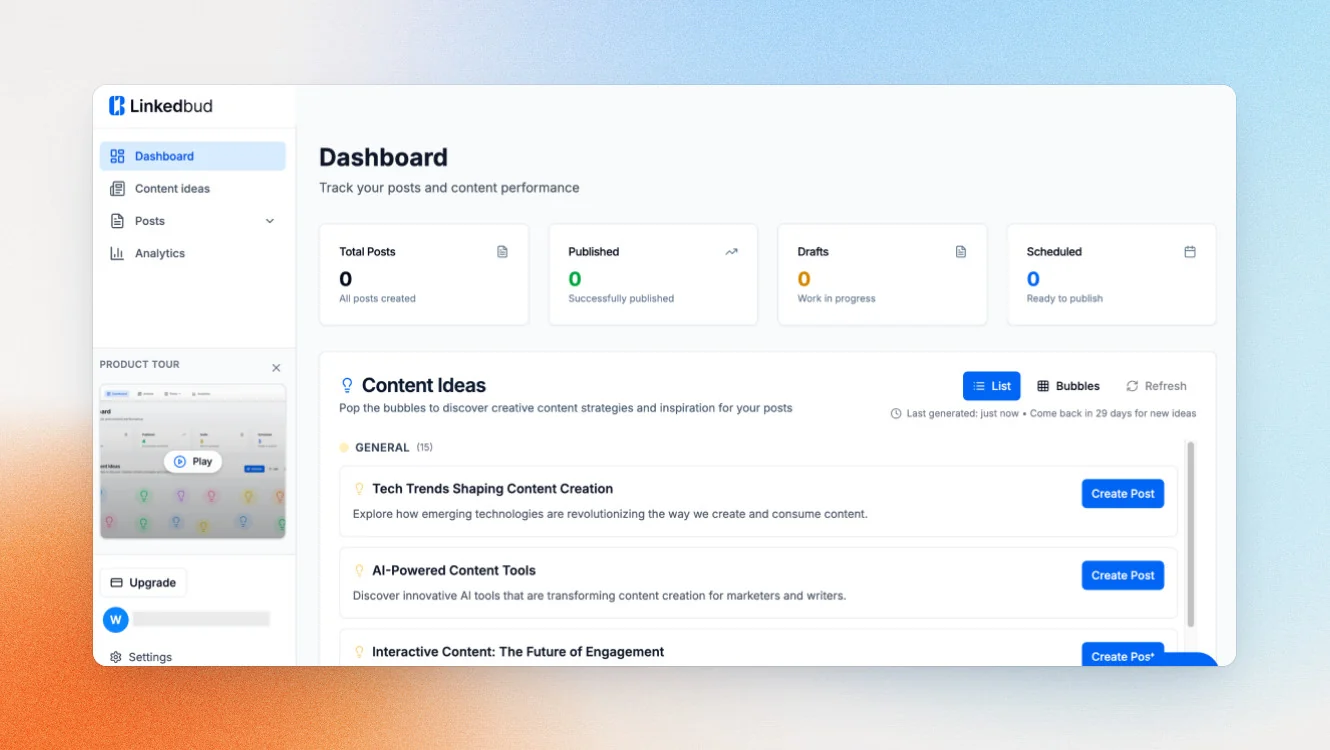
Linkedbud is a newer platform, and also the most affordable tool on this list, a great choice for small businesses looking to improve their social media efforts. My favorite feature is the ideas bubble board, which is a continuously updated discovery engine that monitors different feeds and sources, then generates up to 15 post idea variants per run. It’s built for users who are idea-poor rather than writing-poor.
The platform is LinkedIn-only by design, and every suggestion and workflow is trained on high-performing LinkedIn content. If you often find yourself staring at a blank page, then it’s a great tool to overcome writer’s block.
Key features
- Ideas bubble board monitors RSS feeds, Google News, and custom article sources, then generates up to 15 post idea variants per run
- AI-assisted post creation generates multiple draft variants with customizable tone, post type, and formatting
- Shared team workspace with shared calendars, assets, posts, and AI performance intelligence across the workspace (on the Creator Pro Teams plan)
Official LinkedIn API: ✅
Linkedbud is a LinkedIn Verified App, publishing directly to personal and organisation pages through official LinkedIn connectivity.
Good fit for
- Budget-conscious individuals or small teams who struggle with what to post rather than how to write it
- Small teams looking for a shared LinkedIn workspace without the cost of larger platforms
Not a good fit for
- Users who need deep voice personalization trained on past post history, as Linkedbud’s AI is content-discovery-led, not voice-first
- Agencies needing white label client reporting or complex client management workflows
Pricing
If paid monthly
- Free plan
- Creator Lite: $10/mo
- Creator Pro: $22/user/mo
- Growth: $113/user/mo
If paid yearly
- Free plan
- Creator Lite: $7.70/mo
- Creator Pro: $16.20/user/mo
- Growth: $84.80/user/mo
Free trial is available.
#4. Oktopost: Best for B2B enterprises
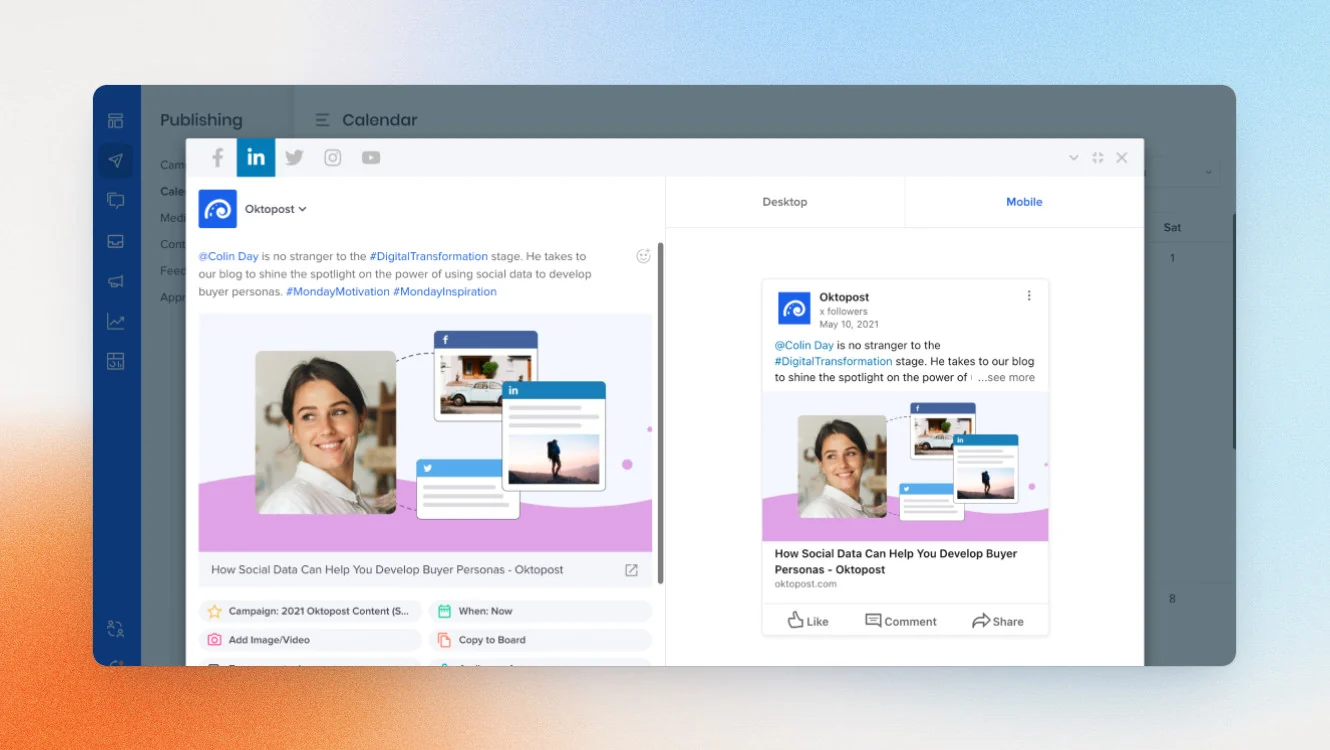
Oktopost serves a different purpose than the other tools on this list. It’s an enterprise B2B social media management platform designed for marketing teams at mid-to-large companies. It won’t be a fit if you’re a personal brand or small agency. The platform connects social publishing directly to CRM and marketing automation systems so every LinkedIn engagement feeds into lead scoring, personalized nurturing, and pipeline reporting.
If your business development involves connecting LinkedIn content to CRM-tracked pipeline, Oktopost is the right tool. If it doesn’t, it’s more complexity and cost than most teams on this list need.
Key features
- Measures social media’s impact on pipeline and revenue with B2B funnel analytics
- AI advocacy agent delivers personalized post suggestions to employees; syncs brand and advocacy campaigns at scale
- Social listening monitors brand mentions, competitors, and industry conversations
Official LinkedIn API: ✅
Oktopost supports official LinkedIn publishing, company page management, and LinkedIn Ads integration.
Good fit for
- B2B marketing teams at companies with 200–5,000+ employees who need to connect social to CRM and pipeline
- Sales teams needing social selling tools integrated with existing CRM workflows
Not a good fit for
- Founders, freelancers, coaches, or agencies
- Anyone who needs transparent self-serve pricing or personal brand building tools
Pricing
- Custom pricing only
#5. MagicPost: Best for multilingual creators
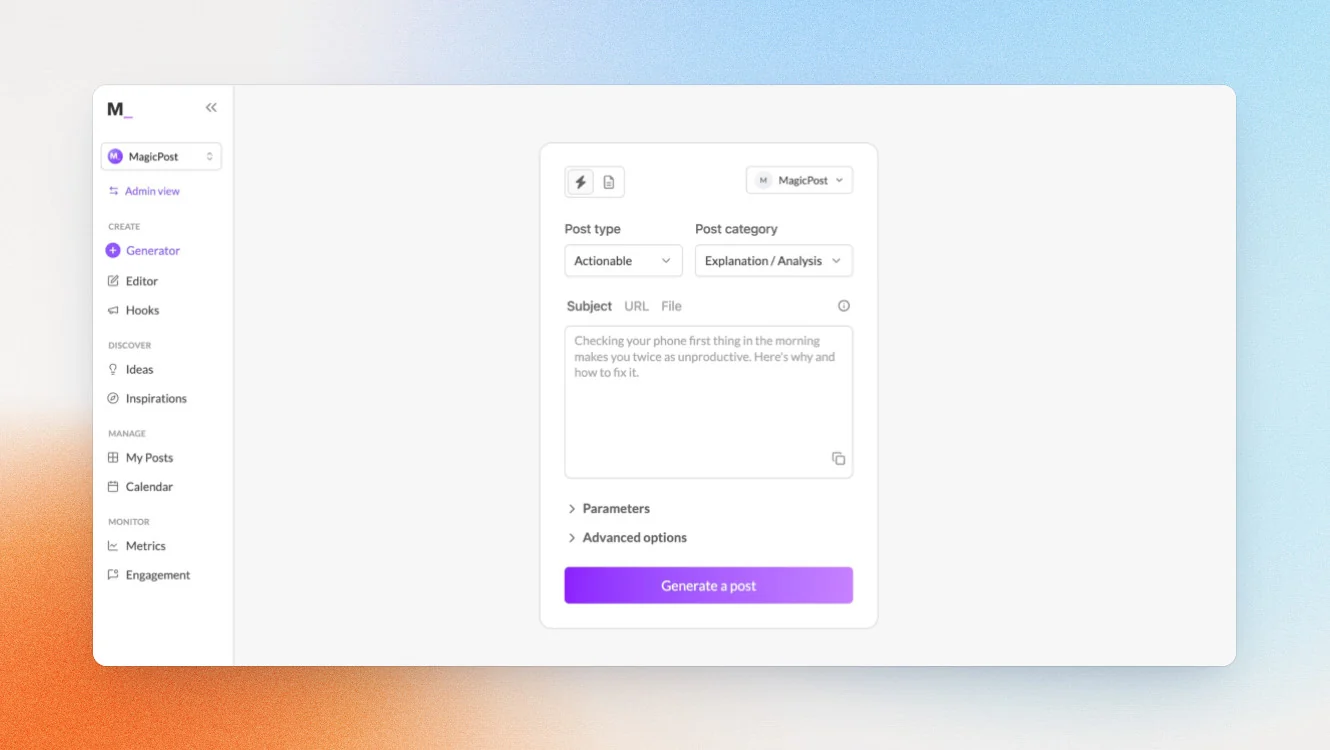
If you post in more than one language, MagicPost is built for you. It supports AI post generation in seven languages, including English, French, Spanish, Italian, German, Portuguese, and Dutch.
It also has a feature I didn’t find elsewhere on this list, which is the ability to pull performance metrics from any public LinkedIn creator profile. This includes profiles other than your own, which is useful for competitive benchmarking and content inspiration.
Key features
- Multilingual AI generation can create LinkedIn posts in 7 languages in your voice
- Pulls performance data from any public LinkedIn profile for competitive benchmarking (Creator Plus plan and above)
- Agency plan has multi-account management, approval workflows, white label reports, and dedicated account manager
Official LinkedIn API: ✅
MagicPost operates through LinkedIn's official developer program, using authenticated API connections that LinkedIn explicitly approves. Authentication happens through LinkedIn's secure OAuth system.
Good fit for
- LinkedIn creators posting in multiple languages or targeting multilingual audiences
- Agencies needing white label reporting and multi-account management at a competitive price
Not a good fit for
- Users who need deep content strategy, knowledge base integration, or voice training from post history
- Teams needing a full content lifecycle platform with end-to-end AI and team workflows
Pricing
If paid monthly
- Analytics: $35/month
- Creator: $69/month
- Teams: custom
If paid yearly
- Analytics: $21/month
- Creator: $39/month
- Teams: custom
Free Trial is available in all plans.
How to choose the best Buffer alternative
If you’re unsure which tool matches your situation, I’ve made this decision matrix to help you find the right Buffer competitor.
| Your situation | Best fit |
|---|---|
| You’re a founder, executive, or consultant using LinkedIn to generate inbound and you want a full system, not just a scheduler | Scripe |
| You’re articulate in conversation but struggle to write from scratch, so you want to speak your ideas and get drafts back | Supergrow |
| You’re on a tight budget, need unlimited scheduling, and want help discovering what to post about | Linkedbud |
| You’re a B2B marketing team at a mid-to-large company that needs to connect social to Salesforce, Marketo, or HubSpot pipeline | Oktopost |
| You post in multiple languages or want to track competitor and prospect LinkedIn activity | MagicPost |
| You’re a LinkedIn content agency managing 5–20 clients who needs separate voice profiles, approval flows, and white-label reporting | Scripe |
How to migrate from Buffer
Don’t let tool migration prevent you from switching to a more suitable platform. Here’s a checklist you can use, regardless of which tool you move to.
- Export what you can before you cancel: Buffer allows you to export your scheduled queue and some analytics data. Do this before you cancel the subscription so you have a reference for your posting history and content archive. Buffer’s export guide is available in their support center.
- Document your posting cadence and content mix: Before switching, write down how often you’ve been posting, what content types you've been using (like storytelling, how-to, promotional, commentary), and which posts have performed best. This information will help you accelerate your setup in whichever new tool you choose. Especially if your chosen tool has a knowledge base or voice-training step during onboarding.
- Set up your new tool fully before canceling Buffer: Don’t cancel Buffer before your new tool is configured and you’ve published at least one test post. A gap in posting, even a week, can affect your LinkedIn algorithm momentum. The tools on this list all have free trials, so there's no reason to leave a gap.
- Cancel strategically with the billing cycle in mind: If you’ve just renewed, you have the full billing period to migrate before you lose anything. Time your cancellation to coincide with the end of a billing cycle, not the middle of one.
Keep in mind, switching tools feels bigger than it is. The actual migration is really just a few hours of configuration work, not days.
Why people choose Scripe
Beyond the feature comparison, what I hear most consistently from Scripe users is that it solves a different problem than the other Buffer alternatives. It’s not just that it does more. It’s that the whole system is designed around getting LinkedIn to generate real business outcomes.
Take ColdIQ, a B2B GTM agency that runs a team of 20+ on Scripe. They used to depend heavily on the content output of the co-founders alone. After building a structured content system in Scripe — with a content strategy, shared knowledge base, team analytics — they scaled to 20–30 team members posting consistently.
“At this point, +80% of our deals are influenced by LinkedIn,” says Co-Founder of ColdIQ, Alex Vacca. “People already trust us before we ever talk to them.”
The agency founder and CEO of Leaders Media describes a similar before-and-after. Before Scripe, Robert Heineke spent too much of his week on the content creation process, from brainstorming topics to searching for accompanying imagery. After building his full workflow in Scripe — for himself and then his whole team — here’s what he had to say: “We’re at almost 3 million impressions over the last 365 days. That’s 1 million more than before we started using Scripe.”
For solo operators, the impact can be even more immediate. One career consultant put it simply: “I've been active on LinkedIn since 6 years without impact — after using Scripe for 1 month, I got +10 inbound leads! I can finally use LinkedIn as my main business channel thanks to Scripe.”
What makes the difference isn’t any single feature. It’s the combination of a voice that sounds like you, not like AI, with a content system that keeps you posting consistently and analytics that show you what's actually working. That combination is what turns LinkedIn from a platform you’re present on into a channel that brings in business.
If you’re ready to build that system, start a free trial of Scripe and see how it works for your specific situation.
FAQs

Co-Founder & CEO
Eva Johanna Egg is the co-founder and CEO of Scripe, where she helps individuals turn their genuine expertise into authentic, high-impact content. With nine years of hands-on social media building and academic grounding in engineering she brings a rare combination of practical platform experience and technical rigor to the personal branding space.
LinkedIn