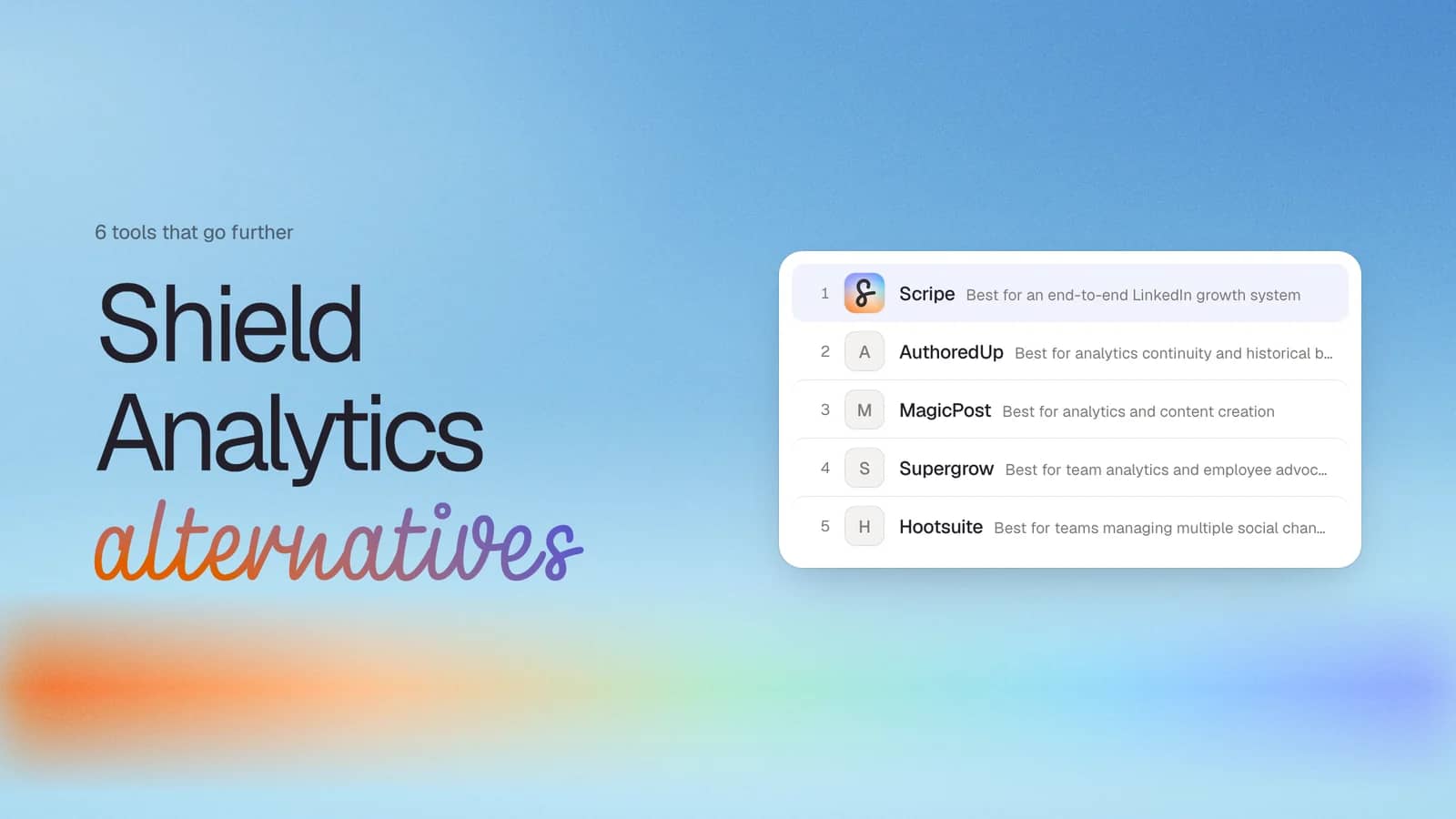
A tribute to Shield Analytics
Shield Analytics (shieldapp.ai) was founded in Copenhagen in 2018 and built the analytics layer LinkedIn's native dashboard never provided. Where LinkedIn showed aggregate numbers, Shield showed the full post-level picture: complete impressions history, audience demographics broken down by job title, industry, location, company size, and many more.
It was analytics-only and its pricing was transparent: $25 per profile per month, every feature included. In late 2025, the team added Shield Agent, a natural-language AI layer for querying your own data with natural language.
In mid-May 2026, it closed. Both Google and LinkedIn made its session cookie-based Chrome extension impossible to sustain. The co-founders' farewell: "Both Google and LinkedIn made it clear that we could not continue operating Shield as it was built. We decided not to fight it."
As the CTO at Scripe, I want to say something about Shield's shutdown, because it doesn't feel like a competitor going away – it feels like losing a peer. Shield set the bar for what post-level LinkedIn analytics could look like. Every team in this space, including mine, built better products because Shield existed and forced us to. I have nothing but respect for what their team built, and I hope they take that with them into whatever comes next.
What data you've already lost and what LinkedIn still shows you
The hardest part isn't finding a replacement. It's accepting that some of the data is gone for good.
What's gone forever (if you didn't export before the shutdown):
- Your full multi-year impressions history and follower growth timeline — LinkedIn only stores 365 days natively; anything older existed only in Shield.
- Audience demographics per post (job title, industry, company, company size, location breakdowns tied to specific posts) — LinkedIn's API does not expose this data via OAuth, so no alternative can retrieve what Shield held.
- Earned Media Value history — Shield's EMV figures were Shield's own calculation; no other tool inherits them.
- Shield Agent conversation history and saved collections or notes.
What's still accessible directly from LinkedIn (no third-party tool needed):
- The last 365 days of post impressions, reactions, comments, and reposts — visible on each post natively and in LinkedIn's analytics dashboard.
- Aggregate follower growth over the last year.
- Per-post audience demographics for posts above 25 impressions (job title, industry, location, seniority) — added by LinkedIn in May 2025, now available natively without any extension.
- Search appearances and profile views over a rolling 90 days.
How I chose this list
Shield's shutdown is a direct consequence of a platform compliance issue, and that shapes what matters most in any replacement.
- LinkedIn compliance. Shield died because its Chrome extension read the user's session cookie in the background. Every tool on this list is evaluated on how it connects to LinkedIn: official OAuth/API, on-screen browser reading, or session-based access. Any tool using background cookie access is excluded.
- Analytics depth vs. Shield's baseline. Shield set a high bar: full post history, per-post audience demographics, period-over-period comparison, posting frequency analysis. Each tool is mapped honestly against that specific feature set.
- Multi-profile and agency viability. Does the tool support multiple profiles in one dashboard, and what does per-profile pricing look like at scale?
- Analytics only vs. a full content system. Some former Shield users want a direct like-for-like replacement. Others see this as an opportunity to consolidate. Both scenarios are addressed.
- Pricing transparency. Shield's $25/profile/month all-in model was simple. Tools that gate analytics features behind higher tiers are flagged explicitly.
Quick comparison of Shield Analytics alternatives
| Tool | Best for | Starting price | Connection type | Analytics depth vs. Shield | Content creation |
|---|---|---|---|---|---|
| Scripe | End-to-end LinkedIn content system | From $79/mo | Official API | Partial | Yes |
| AuthoredUp | Analytics continuity and historical backfill | From $19.95/mo | On-screen browser reading | Full | No |
| MagicPost | Pure Shield replacement + AI content creation | From $35/mo | Official API | Partial | Yes |
| Supergrow | Team analytics and employee advocacy | From $19/mo (analytics from $39/mo) | Official API | Partial | Yes |
| Hootsuite | Teams managing multiple social channels | From $149/mo | Official APIs | Partial | Yes |
| LinkedIn Native | Free baseline | Free | Official | Partial | No |
#1 Scripe: Best for an end-to-end LinkedIn growth system
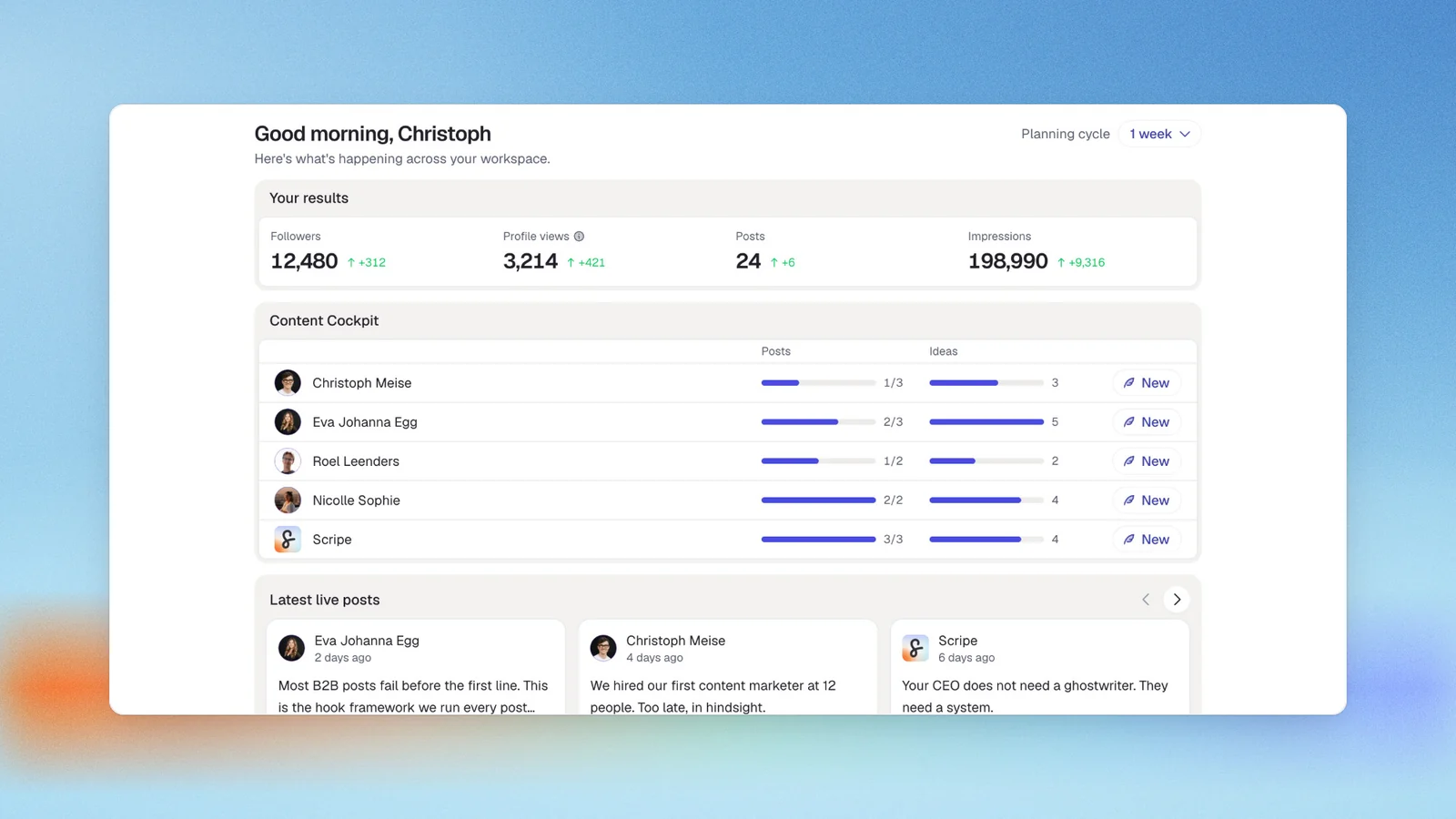
Shield was analytics-only by design. Scripe is built around a different premise: that analytics without a content system is only half the job done.
We built Scripe because the same problem repeated across every LinkedIn program I worked with insights nobody acted on, voice memos that never became posts, planning sessions that cost more than the content they produced. Scripe covers the full content lifecycle: capture, draft, approve, publish, measure. The analytics layer is built in.
Key features
Analytics (the direct Shield replacement layer)
- Impressions, engagement rate, follower growth, and Earned Media Value with configurable currency (€/$)
- Content library with per-post metrics and CSV export
- 3D Activity Visualization with posting streaks and content pillar color-coding
- Performance breakdown by content type, format, and media type
- Team Leaderboard and Company Page Analytics (follower demographics by country, industry, seniority, and job function)
- Click tracking for Business plan users
- Custom date ranges: 7 days, 30 days, 3 months, 6 months, 1 year, or custom
Content creation (the upgrade beyond Shield)
- AI chat with four modes — Guided, Ideation, Interview, Source — plus weekly AI-generated post suggestions
- Tone of Voice system trained on your past posts
- Knowledge Base: PDFs up to 2GB, websites auto-scanned every 7 days, Notion pages, YouTube transcripts
- WhatsApp voice memo integration — voice note to draft in seconds
- AI carousel creation and official LinkedIn API scheduling
- Full-featured mobile app with complete feature parity
Pricing
If paid monthly
- Solo: $79/mo
- Advanced: $114/mo (unlocks unlimited users)
- Business: $170/mo
If paid yearly
- Solo: $63/mo
- Advanced: $90/mo (unlocks unlimited users)
- Business: $136/mo
All plans include a 7-day free trial.
Analytics depth vs. Shield
- Match: EMV with configurable currency, engagement rate, follower growth, content library with CSV export, posting frequency visualization, custom date range filters.
- Where Scripe goes further: Content creation layer, Knowledge Base, multi-workspace agency management, click and revenue attribution (Business plan).
- Where Shield went deeper: Full multi-year historical backfill, per-post audience demographics at the job-title, company, and company-size level. These are LinkedIn API limitations — no official-API tool recovers them.
Good fit for
- A founder or executive posting 3–5x/week who wants to capture ideas in the moment — voice memos, quick notes — and have drafts ready to review, not write from scratch
- A LinkedIn content agency managing 5–20 client accounts that needs separate voice profiles, approval workflows, and isolated workspaces
- A sales leader using LinkedIn as a pipeline channel who needs consistent publishing and clear analytics showing what content drives inbound
Not a good fit for
- Budget-constrained solo creators who only need basic scheduling and can write their own content
- Enterprise teams at 50+ users who need deep CRM integration as a primary requirement
Try Scripe yourself
Start a Free Trial#2 AuthoredUp: Best for analytics continuity and historical backfill
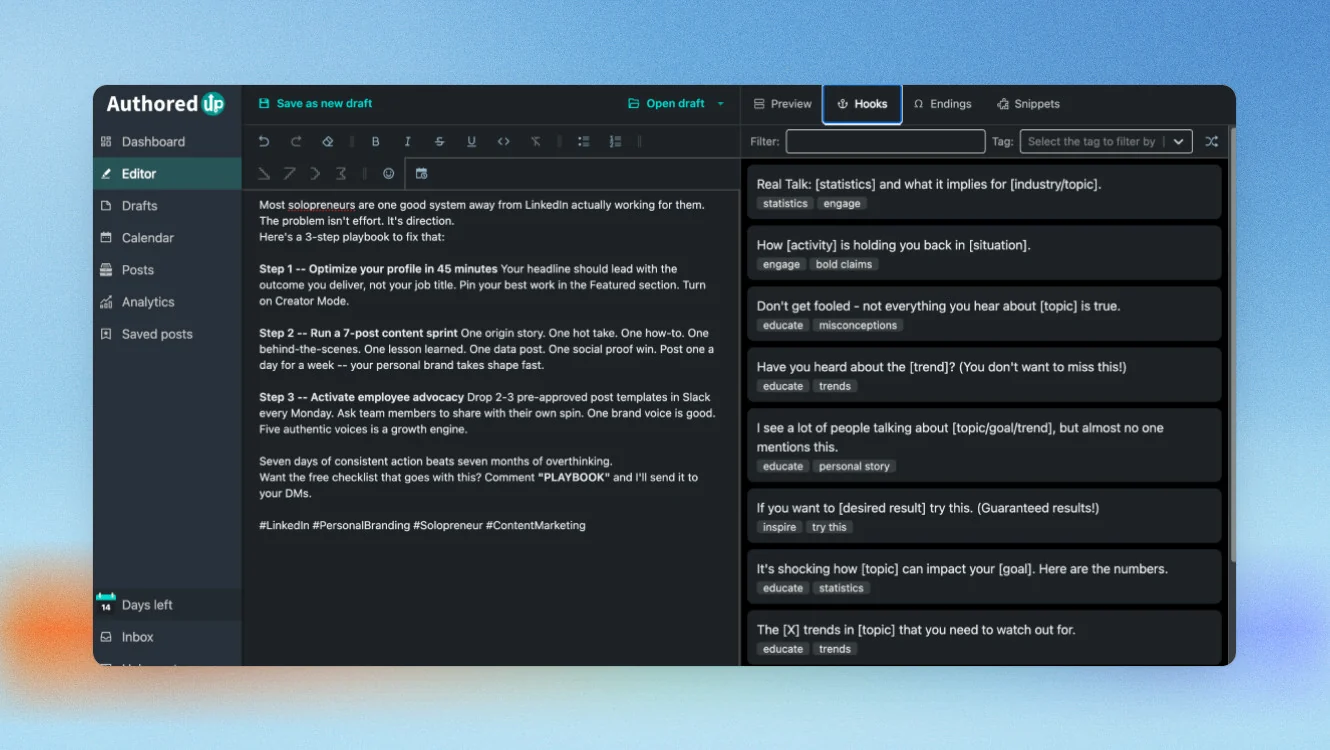
If your primary concern is preserving as much post history as possible, AuthoredUp is the most direct answer on this list. Unlike every other tool here, it can retrieve posts published before installation. A former Shield user who connects their LinkedIn profile today can access post performance going further back than LinkedIn's native 365-day limit — because AuthoredUp reads data already rendered in the browser as you browse LinkedIn naturally.
Safety architecture: AuthoredUp uses a Chrome extension that operates through on-screen reading only. It reads data already loaded in the browser as you browse LinkedIn normally. The extension declares no cookie permissions in its Chrome Web Store manifest — independently verifiable by any user via Chrome's extension permission inspector or a third-party checker. AuthoredUp cannot access LinkedIn in your absence and cannot automate any action. Posts schedule through LinkedIn's native scheduler, not an external API. This is precisely the structural reason AuthoredUp survives where Shield did not. EU-hosted on German infrastructure, GDPR compliant.
Key features
- Historical backfill: Retrieves post history from before installation — the only tool on this list with this capability
- Analytics suite: Total, median, and average impressions, engagement, and reactions; trend graphs; content type breakdown; period comparison across custom date ranges; follower growth timeline with spikes tied to specific posts; best-times-to-post heatmaps; saves, sends, and profile views beyond standard engagement; AI-assisted reuse suggestions; team analytics; CSV export
- Rich-text editor: 200+ hooks and 150+ post endings built from analysis of over three million LinkedIn posts
Pricing
If paid monthly
- Individual: $19.95/mo
- Business: $14.95/mo per profile (3 profile minimum)
- Growth Plan: Custom
If paid yearly
- Individual: $16.63/mo
- Business: $12.56/mo per profile (3 profile minimum)
- Enterprise: Custom
Free trial is available.
Analytics depth vs. Shield
AuthoredUp's historical backfill is unique on this list. What it can't recover is the per-post audience demographic breakdown Shield stored server-side — that data is permanently gone. Its on-screen reading architecture means the numbers match native LinkedIn, which is itself an advantage over tools that pull from the API and occasionally show divergent counts.
Good fit for
- Former Shield users whose priority is recovering as much post history as possible
- Consultants and marketers focused on analytics depth without a need for AI content generation
- Anyone frustrated by data discrepancies between third-party tools and native LinkedIn numbers — AuthoredUp's on-screen reading means its figures match what LinkedIn shows you directly
Not a good fit for
- Anyone who needs AI content generation — AuthoredUp provides hook and ending templates, but the post content is written by you
- Teams that need multi-step approval workflows, client workspaces, or multi-platform publishing
#3 MagicPost: Best for analytics and content creation
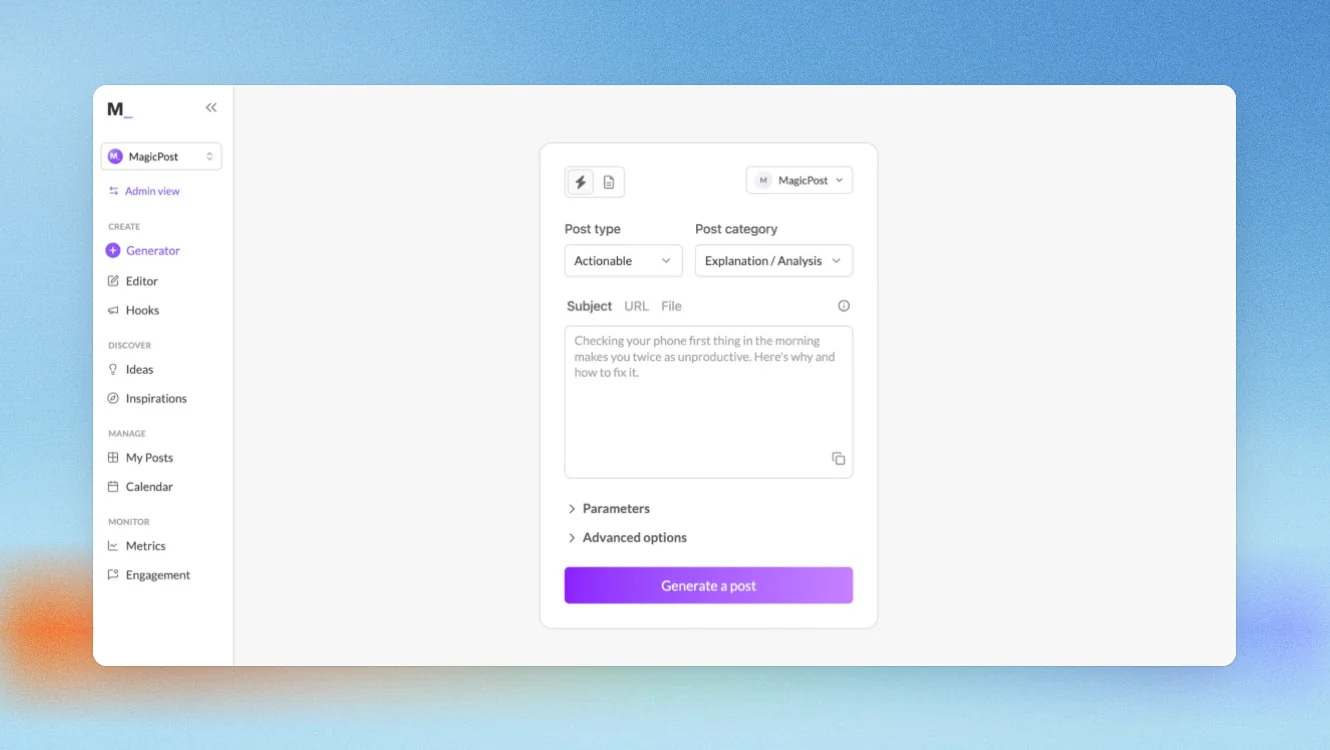
MagicPost is the closest like-for-like Shield replacement on this list — and the strongest option for former users who also want AI content creation built in. It's a LinkedIn-verified partner on the official OAuth API.
Key features
- Analytics suite: Impressions, followers gained, likes, comments, and engagements with custom time ranges; audience breakdown by countries, job functions, industries, and cities; benchmarking against LinkedIn market averages; post library ranked by views and engagement with one-click repost; most-used post formats and best days and times to post from your own data
- Reporting: Fully customizable — select time range, main metric, and branding; download in one click; white-label client reports with logo and company name
- Creator analytics add-on ($69/mo): View performance stats of any LinkedIn creator's public profile — useful for competitive research or ghostwriters analyzing a new client's content history
- Content creation: AI post generator across 4 post types; Hook Generator with A/B testing; Inspiration Library of 2M+ posts filterable by engagement and topic; Post Ideas Generator (6 ideas per request); Engagement Feed for curated strategic commenting (manual, never automated); scheduling with first-comment scheduling; team calendar
One gap to name explicitly: profile visits per post and post saves are not available. This is a LinkedIn API limitation, not a MagicPost product gap. Shield could access these metrics because it used session-based cookie access. Any tool building safely on the official API cannot retrieve them.
Pricing
If paid monthly
- Analytics: $35/month
- Creator: $69/month
- Teams: custom
If paid yearly
- Analytics: $21/month
- Creator: $39/month
- Teams: custom
Free Trial is available in all plans.
Analytics depth vs. Shield
MagicPost replaces Shield's core analytical view: follower growth, audience demographics, benchmarking, post performance ranking, period comparison, and customizable exports. It doesn't backfill historical data from before installation and can't recover the per-post audience demographic depth Shield stored server-side. The official API compliance means it avoids the exact risk that shut Shield down.
Good fit for
- Former Shield users who want analytics and AI content creation in one platform, without switching between tools
- Agencies producing client content and white-label performance reports
- Ghostwriters who need to analyze a new client's historical content mix before starting work
Not a good fit for
- Users who only need analytics and have a separate content workflow they want to keep
- Anyone who requires profile visits or post saves per post — these are structurally unavailable on any compliant tool
#4 Supergrow: Best for team analytics and employee advocacy
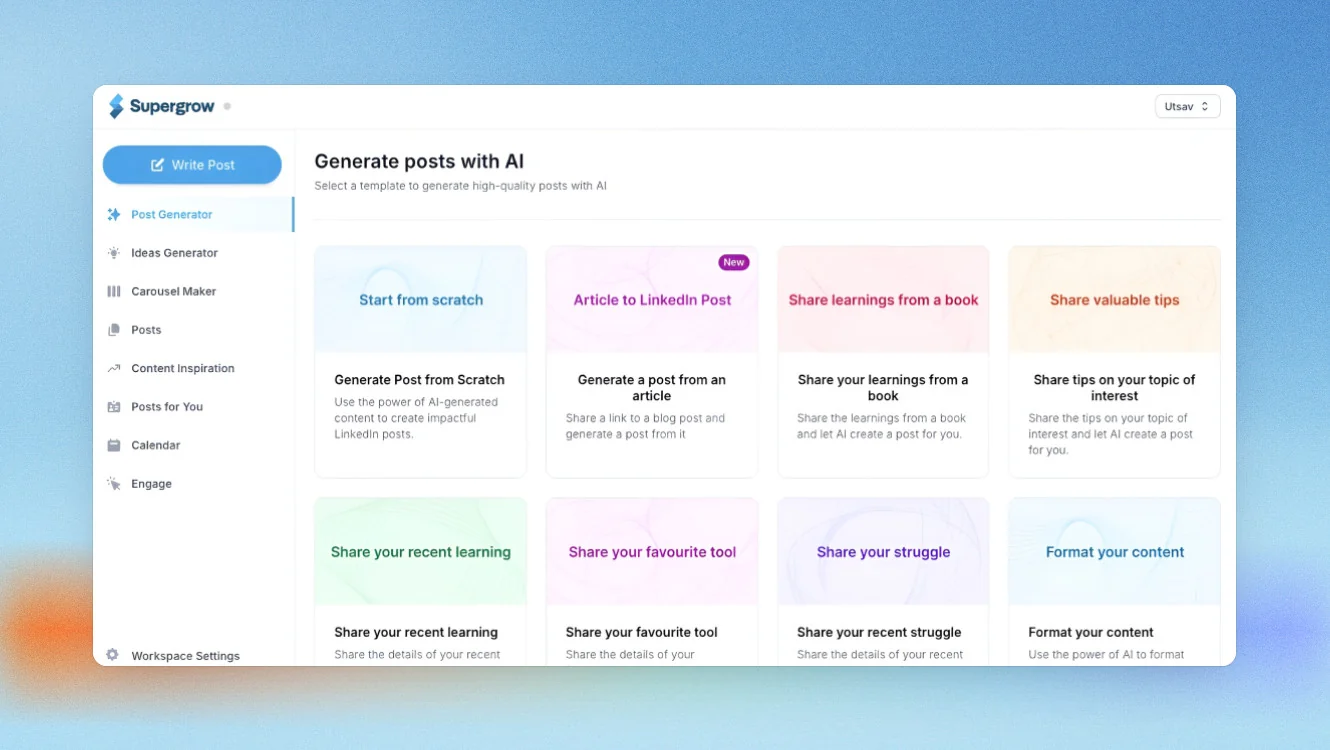
Supergrow is known for a strong focus on eliminating writing barrier with its PostCast feature, but analytics is also present.
One thing to name upfront: on the Starter plan ($19/mo), analytics are locked completely — no visibility at all. Individual analytics require the Pro plan ($39/mo). Team analytics require the Teams plan ($139/mo for four seats).
Key features
- Individual analytics (Pro plan): Per-post AI scorecard with specific explanations and underperformer rewrite suggestions; impressions, engagement rate, follower growth, profile views, connection velocity, and click-throughs; Weekly Briefing delivered every Sunday with impressions week-over-week, best-performing post with full breakdown, and 2–3 content ideas for the week ahead
- Team analytics (Teams plan): Combined impressions and engagement across all members; per-member drill-down with posting consistency tracking; Monday morning digest to Slack or email without requiring recipients to log in; one-click branded PDF export; shareable live report links that update automatically
- Challenges and leaderboards: Admin-defined posting competitions — Posting Frequency, Reaction Race, Streak Club, Topic-based — with live leaderboard updates included in the Teams plan
Pricing
If paid monthly
- Starter: $19/mo
- Pro: $39/mo
- Teams: $139/mo (up to four executives)
- Enterprise: Custom
If paid yearly
- Starter: $16/mo
- Pro: $31/mo
- Teams: $133/mo (up to four executives)
- Enterprise: Custom
Free trail is available.
Analytics depth vs. Shield
Supergrow tells you what performed and what to do next — Shield told you who saw it and what they cared about. Different intelligence layers for different questions. It doesn't offer EMV, a searchable content library, or the per-post demographic breakdown Shield stored. At the team level, its reporting structure — shared dashboards, branded PDF exports, and a Slack-connected digest — replicates what Shield's multi-profile view provided for team managers.
Good fit for
- Marketing teams running employee advocacy programs that need participation tracking and shared reporting
- Sales teams tracking LinkedIn activity across multiple members with a Slack-connected digest
- Managers replacing Shield's multi-profile dashboard at the team level
Not a good fit for
- Solo LinkedIn creators — the analytics you need require a minimum $39/mo Pro plan
- Teams who need EMV, a keyword-searchable post history, or per-post audience demographic breakdowns
#5 Hootsuite: Best for teams managing multiple social channels
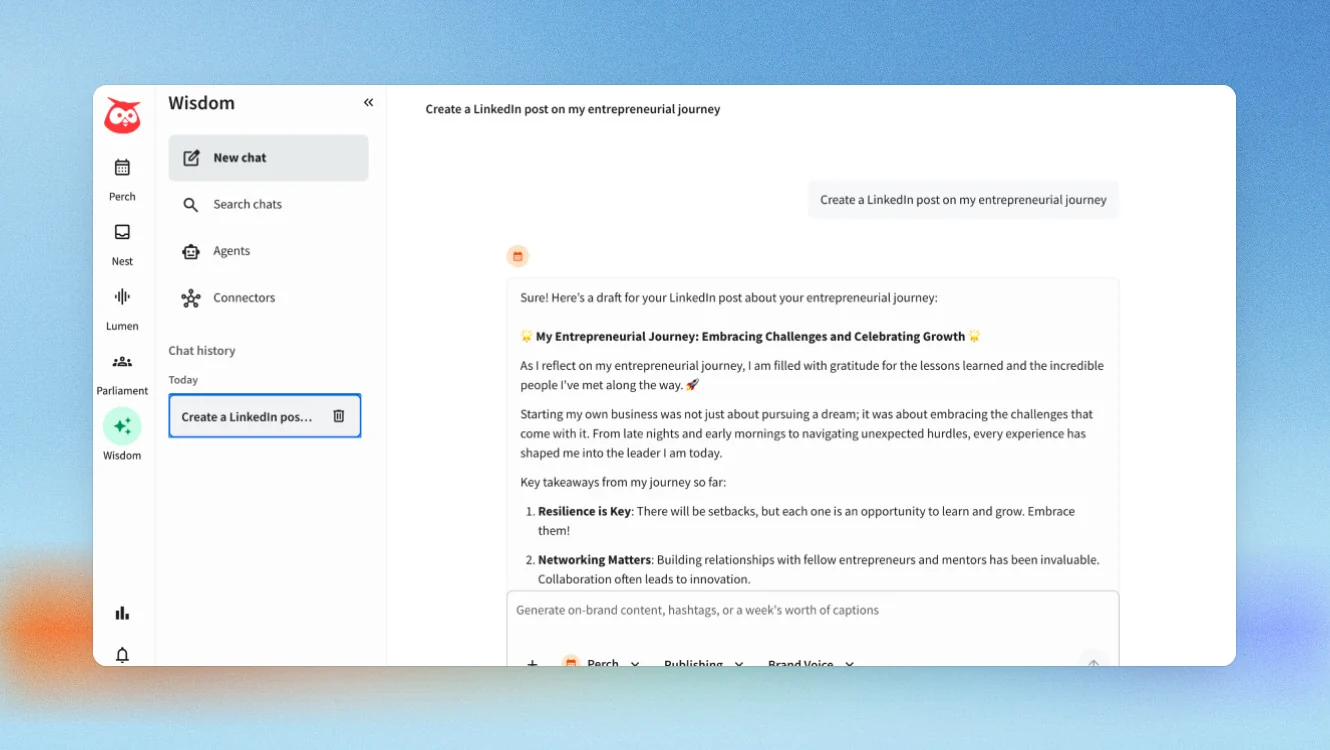
Hootsuite belongs on this list for one specific former Shield user: the team that now needs analytics across LinkedIn plus other social channels and doesn't want to manage separate tools per platform. It's a category-different product from everything else here — a multi-platform social management suite, not a LinkedIn specialist.
LinkedIn analytics layer: LinkedIn Page metrics covering follower breakdowns by industry, seniority, and location; page impressions, reach, and engagement rate; per-post table with reactions, comments, shares, reach, and engagement rate; custom report builder; competitor and industry benchmarking; paid and organic performance side by side; period-over-period comparison; scheduled automated exports. Personal profile analytics are plan-restricted — lower tiers see Page data only.
What Hootsuite adds that no LinkedIn specific tools provide: Social listening via Talkwalker AI across 30+ networks and 150M+ websites; competitor benchmarking across channels; a unified inbox for all connected networks; LinkedIn advertising management alongside organic content; Employee Advocacy via Hootsuite Amplify; 100+ integrations including Salesforce, HubSpot, and Canva.
Pricing
Billed annually:
- Standard: $99/mo per user
- Professional: $199/mo per user
- Advanced: $399/mo per user
- Enterprise: custom
Free trial is available.
Analytics depth vs. Shield
There are no historical backfill, potential metric discrepancies vs. native LinkedIn, no EMV. Where it stands out is everything beyond LinkedIn: social listening, cross-channel reporting, and unified social management.
Good fit for
- Marketing teams managing LinkedIn alongside Instagram, Facebook, X, or TikTok who need one reporting layer
- Organizations that need social listening, brand monitoring, and cross-channel competitor tracking
Not a good fit for
- Solo LinkedIn creators — Hootsuite is built for teams managing multi-platform presence
- Anyone whose primary need is LinkedIn post-level analytics depth
#6 LinkedIn Native Analytics: The free baseline
If you post once or twice a week and don’t need team reporting, LinkedIn’s native analytics may be all you need.
Over the last couple of years, LinkedIn has added many of the features that once required third-party LinkedIn analytics tools.
Key features
- Impressions, reactions, comments, reposts, clicks, and follower growth
- Audience demographics for qualifying posts
- Profile views, search appearances, and XLSX export
- Free with every LinkedIn account
Pricing
Free.
Good fit for
- Individual LinkedIn creators
- Anyone who only needs basic analytics
- Users not ready to pay for another analytics tool
Not a good fit for
- Agencies or teams
- Anyone needing historical data, branded reports, or advanced analytics
Analytics depth vs. Shield
LinkedIn’s native analytics cover everyday reporting well, but they stop at 365 days and don’t include EMV, engagement rate calculations, multi-profile reporting, or searchable post history.
If that’s enough for your LinkedIn content strategy, you may not need another tool. If not, one of the Shield Analytics alternatives above will give you a lot more flexibility.
How to choose the right Shield Analytics alternative
| If this is you… | Choose… |
|---|---|
| You want the closest replacement for Shield’s analytics and historical data | AuthoredUp |
| You want strong LinkedIn analytics plus AI-powered content creation | MagicPost or Scripe |
| You manage a team and need shared reporting across multiple profiles | Supergrow or Scripe |
| You already manage LinkedIn alongside other social channels | Hootsuite |
| You only need basic LinkedIn analytics and post occasionally | LinkedIn Native Analytics |
| You want one platform to create, publish, and measure LinkedIn content | Scripe |
Why people choose Scripe
I often describe Scripe as a personal content coach that’s available 24/7. It helps you understand what’s working, create better content, and stay consistent without jumping between multiple tools.
Start with analytics
Before you create your next post, you need to know what’s already working.
With Scripe, you can track:
- EMV, engagement rates, follower growth, and post performance
- A searchable content library with CSV export
- 3D Activity Visualization and company page analytics
- Click tracking to connect LinkedIn content with business results
Then make creating content easier
Instead of switching between documents, AI tools, and schedulers, everything happens in one place.
- AI chat with Guided, Ideation, Interview, and Source modes
- Weekly AI-generated post ideas
- Content Interview Mode in six languages
- Official LinkedIn scheduling through the API
You can also learn more about the thinking behind our approach in the Scripe Method.
Build a system that gets smarter over time
This is the part most people don’t expect.
Your knowledge base learns from PDFs, websites, Notion pages, YouTube videos, and your notes. Your tone of voice learns from your past writing. And when inspiration strikes, you can send a WhatsApp voice note that becomes a draft in seconds.
The more you use Scripe, the more personal it becomes.
FAQs

Co-Founder & CTO
Christoph Meise is Co-Founder and CTO at Scripe, where he leads engineering and product development with a focus on building intuitive, high-performing user experiences. With over a decade of engineering experience at multiple companies he combines deep technical expertise with a strong instinct for how technology should actually feel to use. His academic foundation, a Master of Science in Business Informatics from Freie Universität Berlin and a Bachelor of Applied Science in Computer Science from Baden-Wuerttemberg Cooperative State University (DHBW), grounds his engineering approach. He previously co-founded and architected an online platform connecting entrepreneurs with investors, sharpening his focus on building systems that serve real user needs end to end. At Scripe, Christoph has led the product through multiple rebuilds, including a shift to become an official LinkedIn API partner and the launch of a self-learning content agent, work centered on making powerful technology feel effortless for the people using it. Christoph shares his perspective on LinkedIn growth, product development, and building with AI to a following of over 11,000 on LinkedIn.
LinkedIn