MagicPost remains one of the most popular LinkedIn content creation tools on the market, and for good reason: it helps users create content quickly, learn from previous posts, and maintain a consistent LinkedIn presence without staring at a blank page every morning.
The challenge is that many users eventually outgrow what it was designed to do. For many people focus isn't simply generating more posts, but rather turning expertise into content that consistently drives visibility, authority, and inbound opportunities. That's where many users begin exploring alternatives to MagicPost.
The AI can mimic your writing style, but over time, content ideas begin to feel familiar, workflows become fragmented and teams start adding additional tools to fill operational gaps.
The stakes are higher than simply maintaining a posting schedule. Momentum ITSMA's 2025 Value of Thought Leadership research found that 66% of buyers are unwilling to engage with providers that produce poor-quality thought leadership content. The future of LinkedIn content is not who can produce the most posts. It's who can systematically turn their knowledge, experience, customer stories, frameworks, and unique perspectives into content at scale.
The rest of this article explores the best MagicPost alternatives available today, and which tool is best suited to the specific gap that's driving your search.
Why People Consider Switching from MagicPost
MagicPost is an AI-powered LinkedIn post generator designed to help users create content in their own voice, but several structural limitations become more noticeable as content programs mature.
Content Depth Eventually Reaches a Ceiling
MagicPost learns from your existing LinkedIn post history and writing samples, which helps it generate content that genuinely sounds like you. However, voice and knowledge are not the same thing. Your writing style determines how something is said, but it is your expertise that determines what is being said.
This becomes a challenge when you're posting three to five times per week for months at a time. While MagicPost can learn patterns from your own posts, it doesn't maintain a structured knowledge base containing your frameworks, case studies, customer stories, research, product documentation, or intellectual property.
As a result, users often find that content generation becomes increasingly repetitive. The AI can create solid posts, but it has a limited pool of source material to draw from.
Carousels Require Additional Tools
LinkedIn carousels (sometimes known as document posts) have become one of the most effective formats for delivering educational content, frameworks, and step-by-step insights. The problem is that MagicPost focuses primarily on post generation rather than visual content creation.
If you want to create a carousel, you'll typically need to move your workflow into Canva or another external design platform before returning to LinkedIn for publishing. That extra friction might not matter for occasional content creators. However, agencies, founders, and sales teams publishing consistently often find themselves managing multiple tools just to execute a single content strategy.
This creates unnecessary complexity:
- One tool for generating ideas.
- Another tool for building carousels.
- Another tool for scheduling posts.
- Potentially another tool for analytics and approvals.
As LinkedIn content operations become more sophisticated, many users begin looking for platforms that consolidate more of that workflow into a single environment.
How I chose this list
The selection logic here is gap-specific, not a general quality ranking. Each tool earned its place because it closes one or more of MagicPost's named limitations.
- Official LinkedIn API connection. This is a binary risk factor. Tools using cookie-based authentication or Chrome extension overlays have been targeted by LinkedIn's enforcement. Every tool below is identified by connection type.
- Which MagicPost gaps each tool closes. Some prioritize knowledge depth, others carousel creation, voice capture, or agency workflows. I selected each tool for the specific gap it solves, not for general feature volume.
- AI quality and personalization. A persistent voice profile trained on past posts, not a fresh blank prompt every session. I evaluated knowledge base support and content ingestion from documents, case studies, and URLs.
- Knowledge Base. Does the tool go beyond past post learning? Content ideation, hook generation, insights from users knowledge.
Quick Alternatives Comparison Table
Before diving into each platform in more detail, here's a high-level comparison of the best options. The tools below were selected based on how effectively they address MagicPost's most common limitations, including content depth, carousel creation, voice-first workflows, and team collaboration.
| Tool | Best For | Starting Price | Knowledge Base | LinkedIn Compliance | Standout Feature |
|---|---|---|---|---|---|
| Scripe | LinkedIn content system | $79/mo | Yes | Yes | AI searches your knowledge base before drafting content |
| Supergrow | Interview-based content creation | $19/mo | No | Yes | AI-guided PostCast interviews that generate multiple drafts |
| Oiti | Deepest voice fidelity | $49/mo | Yes | Yes | Long-term memory that learns from every edit and preference |
| Postbeam | Turning engagement into pipeline | $49/mo | No | Yes | Converts LinkedIn engagement into warm lead lists |
| Contea | Ghostwriting agencies | $35/mo | Limited | Yes | Structured client collaboration and approval workflows |
| ContentIde | Budget-conscious creators | $24.99 one-time | No | Yes | Lifetime pricing with carousel creation included |
While every tool on this list solves a specific LinkedIn content challenge, they are not all designed for the same type of user: some focus on voice fidelity, others on agency workflows, and yet others on lead generation.
#1 Scripe: Best for LinkedIn Content System
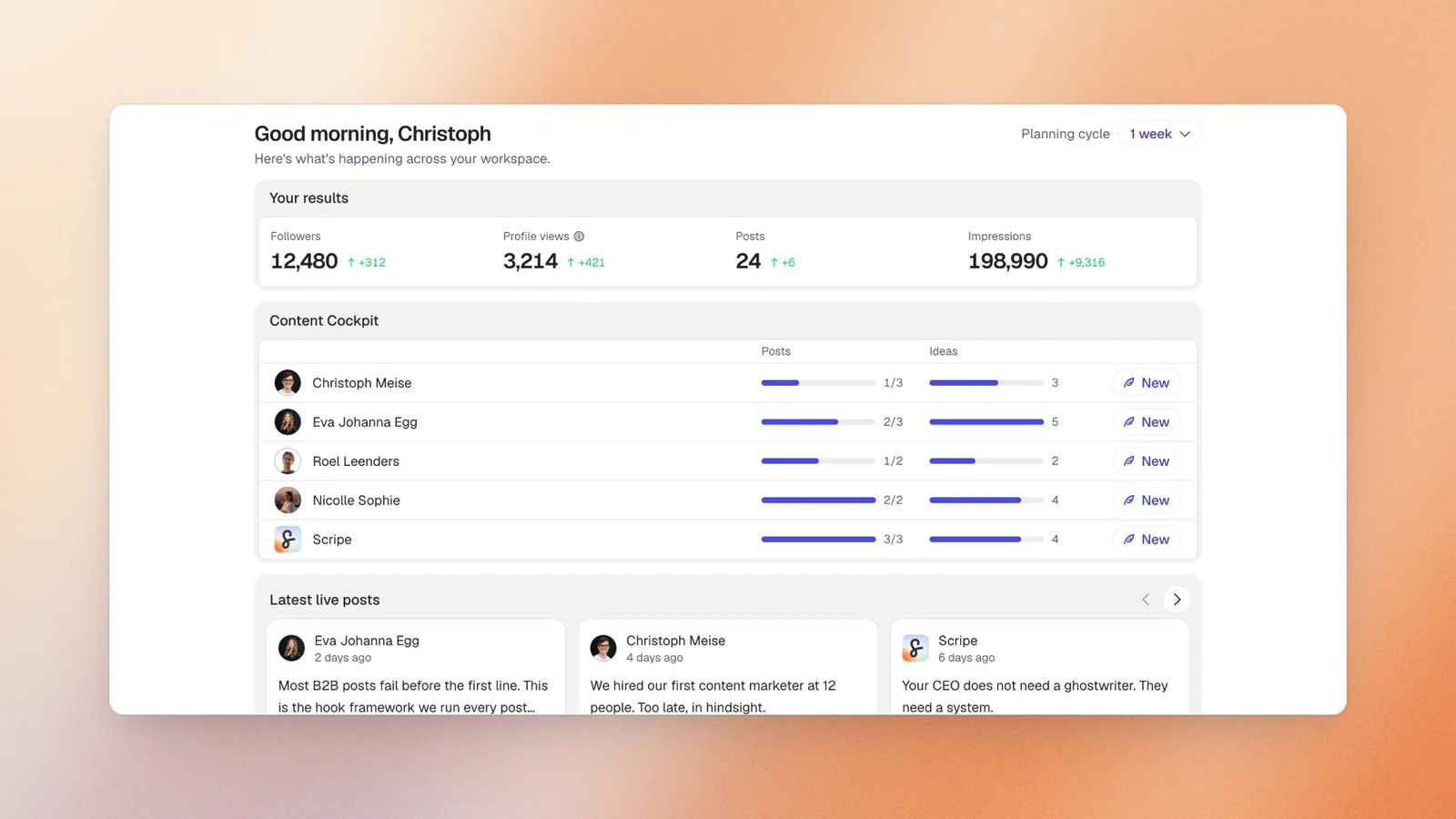
Scripe is an AI-powered LinkedIn content platform designed for professionals who have outgrown basic content generation tools.
We built Scripe around a different question: “How do you help people think better?”. The real bottleneck on LinkedIn isn't writing, it's turning years of expertise into consistent content.
Unlike other tools, Scripe is built to learn what you know through a structured knowledge base, voice capture workflows, and advanced AI personalization. This makes Scripe particularly well-suited to founders, consultants, executives, sales leaders, and agencies that rely on LinkedIn as a growth channel rather than simply a publishing platform.
Where many MagicPost competitors solve a single workflow gap, Scripe addresses multiple limitations within a single platform. Users can capture ideas through voice notes, store proprietary knowledge, generate posts grounded in real expertise, create carousel content, schedule posts, collaborate with teams, and track performance without constantly switching between different tools.
Scripe’s Key Features
- Knowledge Base - upload case studies, frameworks, customer stories, product information, and internal documents into Scripe's knowledge base. The AI actively references this information when generating content, helping posts reflect expertise rather than generic internet knowledge.
- Voice-to-Content Workflows - capture ideas while walking between meetings, commuting, or traveling. Voice notes can be transformed into structured LinkedIn content without requiring users to sit down and write from scratch.
- Carousel Creation - create LinkedIn carousels directly within the platform instead of moving content into separate design tools. This reduces workflow friction and keeps content production centralized.
- AI Personalization Engine - Scripe learns from previous posts, editing patterns, and stored knowledge to generate content that reflects both writing style and subject-matter expertise.
- Content Planning and Scheduling - manage content calendars, schedule posts, and maintain consistent publishing habits from a single dashboard.
- Team Collaboration - approval workflows, shared workspaces, and multi-account management help agencies and teams manage LinkedIn content at scale.
- Mobile App - unlike many LinkedIn content tools, Scripe's full feature set is available through its mobile app, making it easier to capture ideas and manage content wherever inspiration strikes.
Pricing
If paid monthly
- Solo: $79/mo
- Advanced: $114/mo (unlocks unlimited users)
- Business: $170/mo
If paid yearly
- Solo: $63/mo
- Advanced: $90/mo (unlocks unlimited users)
- Business: $136/mo
All plans include a 7-day free trial.
Good Fit For
- Founders and executives posting three to five times per week who want content drafts ready for review rather than writing from scratch
- LinkedIn content agencies managing multiple clients and requiring separate voice profiles, approval workflows, and centralized billing
- Sales leaders using LinkedIn to generate inbound opportunities and looking for clearer insight into content performance
Not a Good Fit For
- Solo creators looking only for basic scheduling functionality
- Large enterprise teams requiring deep CRM or enterprise software integrations
LinkedIn Compliance
Scripe uses LinkedIn's official Community Management API for all publishing.
AI Personalization Quality
Scripe combines voice data, editing behavior, stored knowledge, content history, and user preferences into a persistent content profile.
The result is content that reflects the user's actual expertise, experiences, and perspective. This is particularly valuable for professionals building authority-driven personal brands, where original insights often matter more than polished writing.
“We’re at almost 3 million impressions over the last 365 days. That’s 1 million more than before we started using Scripe.”
Start a 7-day free trial at Scripe
Log in for Free#2 Supergrow: Best for Interview-Based Content Creation and Employee Advocacy
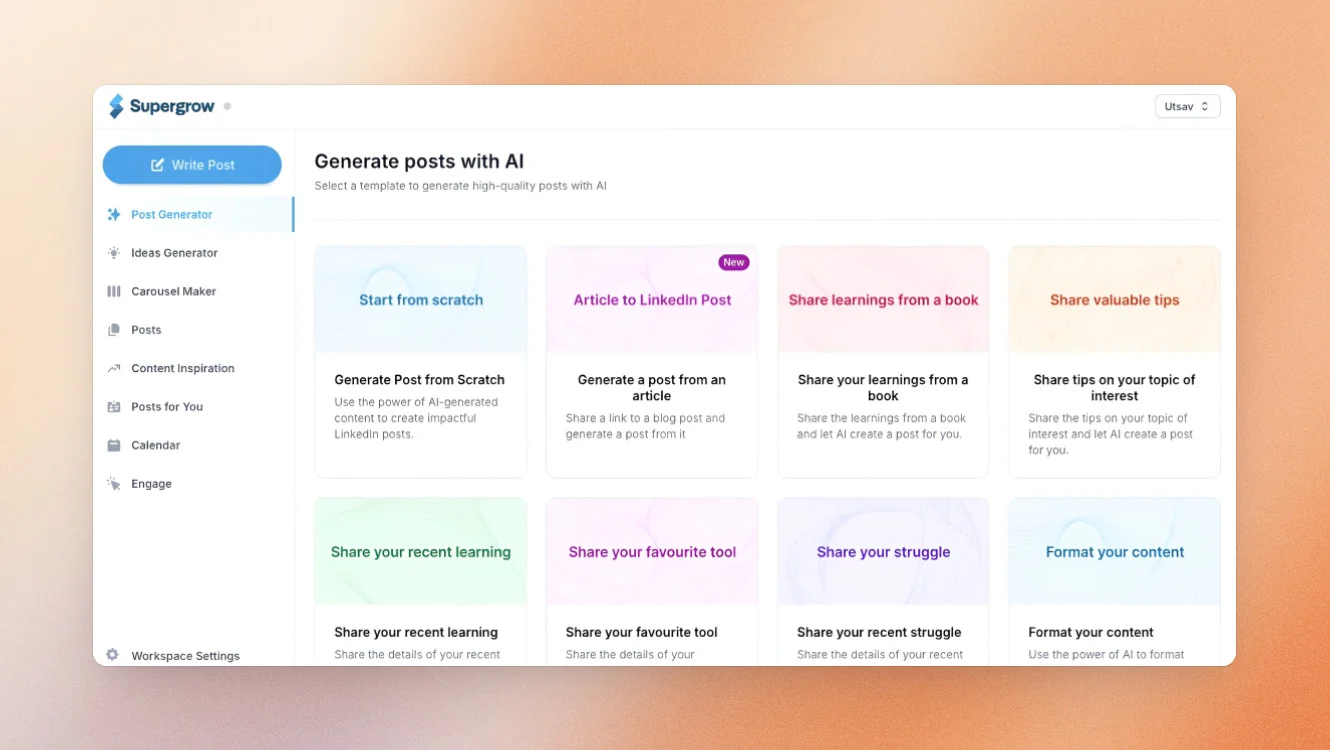
Supergrow is a LinkedIn content platform designed for professionals who prefer speaking their ideas rather than writing them.
Supergrow's flagship feature is PostCast – a 10–15 minute AI-guided conversation with a virtual interviewer rather than a text form. One session generates 3–5 LinkedIn post drafts in the user's Content DNA voice. This is the right entry point for executives and busy professionals who think better out loud than at a keyboard.
For employee advocacy programs, the Challenges and Leaderboard feature on the Teams plan stands out: admin-defined posting competitions with live rankings, and customers report posting frequency doubling within 30 days of launch.
But Supergrow has no persistent knowledge base. It can ingest a YouTube URL or PDF for a single post, but there's no stored document layer the AI searches across sessions. PostCast is also capped at 2 sessions/month on Starter, which is tight for anyone posting 4–5x/week.
Supergrow’s Key Features
- PostCast AI Interviews: Hold a 10–15 minute conversation with Supergrow's AI interviewer, Alex, and receive multiple LinkedIn post drafts based on the discussion.
- Content DNA: Learns from previous content to create posts that reflect your established writing style and tone.
- Carousel Maker: Included on Pro plans, allowing users to create LinkedIn carousels without relying on external design tools.
- Infographic Generator: Converts content ideas into visual assets designed for LinkedIn engagement.
- Employee Advocacy Features: Teams can run posting challenges, track participation, and encourage consistent employee-generated content through leaderboards and rewards.
Pricing
If paid monthly
- Starter: $19/mo
- Pro: $39/mo
- Teams: $139/mo (up to four executives)
- Enterprise: Custom
If paid yearly
- Starter: $16/mo
- Pro: $31/mo
- Teams: $133/mo (up to four executives)
- Enterprise: Custom
7-day free trial available on all plans.
Good Fit For
- Founders, consultants, and executives who communicate ideas more naturally through conversation than typing.
- Organizations running employee advocacy programs that want to encourage consistent LinkedIn participation.
Not a Good Fit For
- Users looking for a persistent knowledge base that stores documents, frameworks, and company knowledge.
- Agencies managing multiple clients with complex approval workflows.
- Professionals who need unlimited interview sessions on lower-tier plans.
LinkedIn Compliance
Supergrow uses LinkedIn's official API for publishing and scheduling, helping users maintain compliance with LinkedIn's platform requirements.
AI Personalization Quality
Supergrow's personalization is built primarily around its Content DNA system and PostCast interviews. The platform does a strong job of capturing a user's communication style through conversation, but it does not maintain a persistent knowledge repository across sessions. As a result, personalization is voice-led rather than knowledge-led.
#3 Oiti: Best for Deepest Voice Fidelity
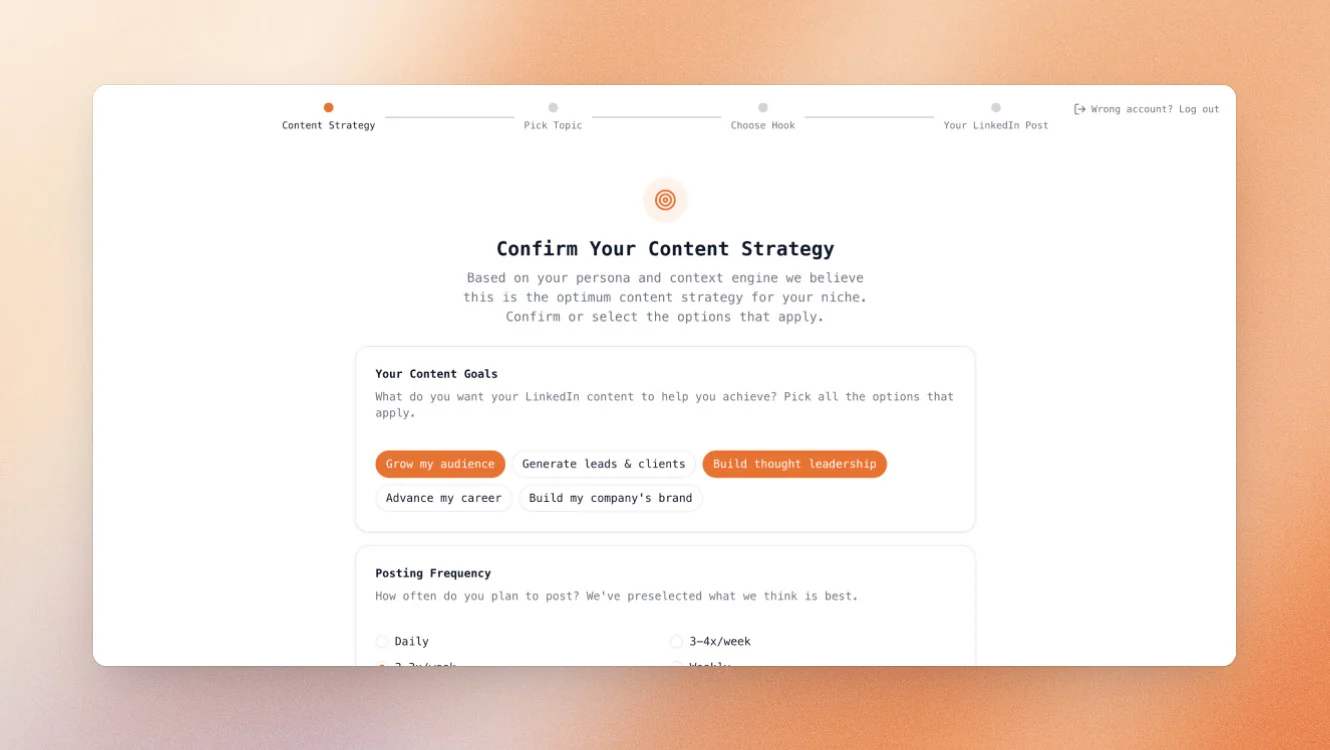
Oiti is an AI writing platform built around the idea that personalization should improve with every interaction. Rather than treating each content session as a fresh start, Oiti stores user preferences, editing decisions, and writing instructions over time, creating what it calls an AI Clone. For users who care deeply about voice consistency, it's one of the most sophisticated personalization systems available.
Oiti also includes a persistent knowledge base (1GB on Creator, unlimited on Pro plans) with research agents that search both the knowledge base and the live web before drafting. Its content thesis is built explicitly around LinkedIn's 360Brew ranking model, defaulting to long-form posts (300+ words) paired with infographics. The Pro plan supports up to 3 AI Clones, making it viable for a ghostwriter managing a small number of clients.
What it doesn't do: no analytics, no engagement tools, no multi-user team collaboration or approval workflows, and no carousel builder. Oiti generates single-image infographics, not multi-slide carousels.
Oiti’s Key Features
- AI Clone Technology: Learns from edits, feedback, and writing preferences to improve content generation over time.
- Persistent Memory: Stores instructions and writing rules permanently, helping maintain consistency across content.
- Knowledge Base: Upload documents, research, and proprietary content that the AI can reference while drafting.
- Research Agents: Search both stored knowledge and the live web before generating content.
- Infographic Creation: Generates single-image visual assets to accompany LinkedIn posts.
Pricing
If paid monthly
- Creator: $49/month
- Pro: $79/month
If paid yearly
- Creator: $245/yr
- Pro: $395/yr
7-day free trial available.
Good Fit For
- Founders and creators who want the highest possible level of voice consistency
- Ghostwriters managing a small number of personal brand clients
Not a Good Fit For
- Users who need LinkedIn analytics and performance reporting
- Teams requiring approval workflows or collaborative content management
- Creators looking for a dedicated carousel builder
LinkedIn Compliance
Oiti uses Official LinkedIn APIs.
AI Personalization Quality
Oiti’s long-term memory system is arguably one of the stronger personalization engines in this comparison. The AI doesn't simply learn how a user writes; it continuously refines its understanding based on every edit and instruction provided.
#4 Postbeam: Best for Turning LinkedIn Engagement Into Pipeline
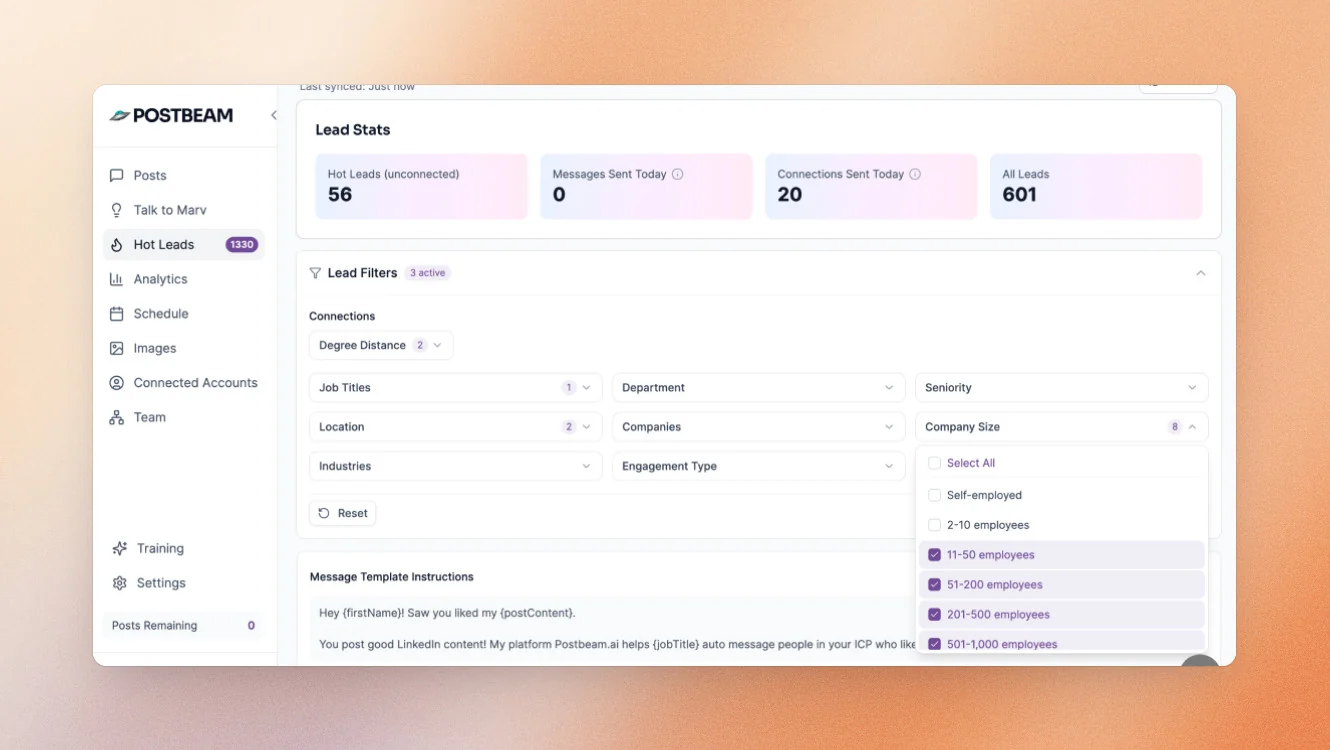
Postbeam is a LinkedIn-focused platform designed for revenue teams that want a clearer connection between content performance and sales outcomes. While most MagicPost alternatives focus on content creation, Postbeam's primary differentiator is its ability to identify potential buyers who engage with LinkedIn content and surface them as warm prospects.
This is built for SDRs, founders, and GTM teams who want a direct line between post engagement and pipeline — not creators focused on audience growth. Postbeam's AI, Marv, trains on past posts and company website content rather than a persistent knowledge base.
Postbeam’s Key Features
- Warm Lead Identification: Automatically captures likes, comments, and profile visits, then identifies prospects that match your ideal customer profile.
- AI-Powered Outreach Suggestions: Generates personalized outreach messages based on the specific content a prospect engaged with.
- CRM Integrations: Export qualified leads directly into HubSpot, Salesforce, or CSV workflows.
- Marv AI Assistant: Learns from previous content and company information to support content creation and engagement strategies.
- Team Visibility: Consolidates engagement data across multiple team members to identify collective influence and buying signals.
Pricing
If paid monthly
- Solo: $99/mo
- Team: $99/mo per user (two-user minimum)
- Done for you: $499/mo per user
If paid monthly
- Solo: $470/year
- Team: $374/year per user (two-user minimum)
- Done for you: $499/mo per user
A 7-day free trial is available on both plans.
Good Fit For
- SDRs, founders, and sales teams using LinkedIn as a lead generation channel.
- Businesses that want measurable pipeline impact from LinkedIn content and employee advocacy.
Not a Good Fit For
- Users looking for a knowledge base to support deeper content creation.
- Creators who rely heavily on LinkedIn carousels and visual content formats.
- Agencies managing multiple client brands and approval workflows.
LinkedIn Compliance
Postbeam uses LinkedIn's official API for publishing and engagement tracking, helping users maintain compliance while managing content and prospecting activities.
AI Personalization Quality
Postbeam's AI is focused primarily on lead generation rather than advanced content personalization. Marv can learn from previous posts and company information, but the platform lacks the deeper knowledge management and long-term content memory available in some other MagicPost competitors. Its strength lies in turning engagement into action rather than producing highly personalized content.
#5 Contea: Best for Ghostwriting Agencies
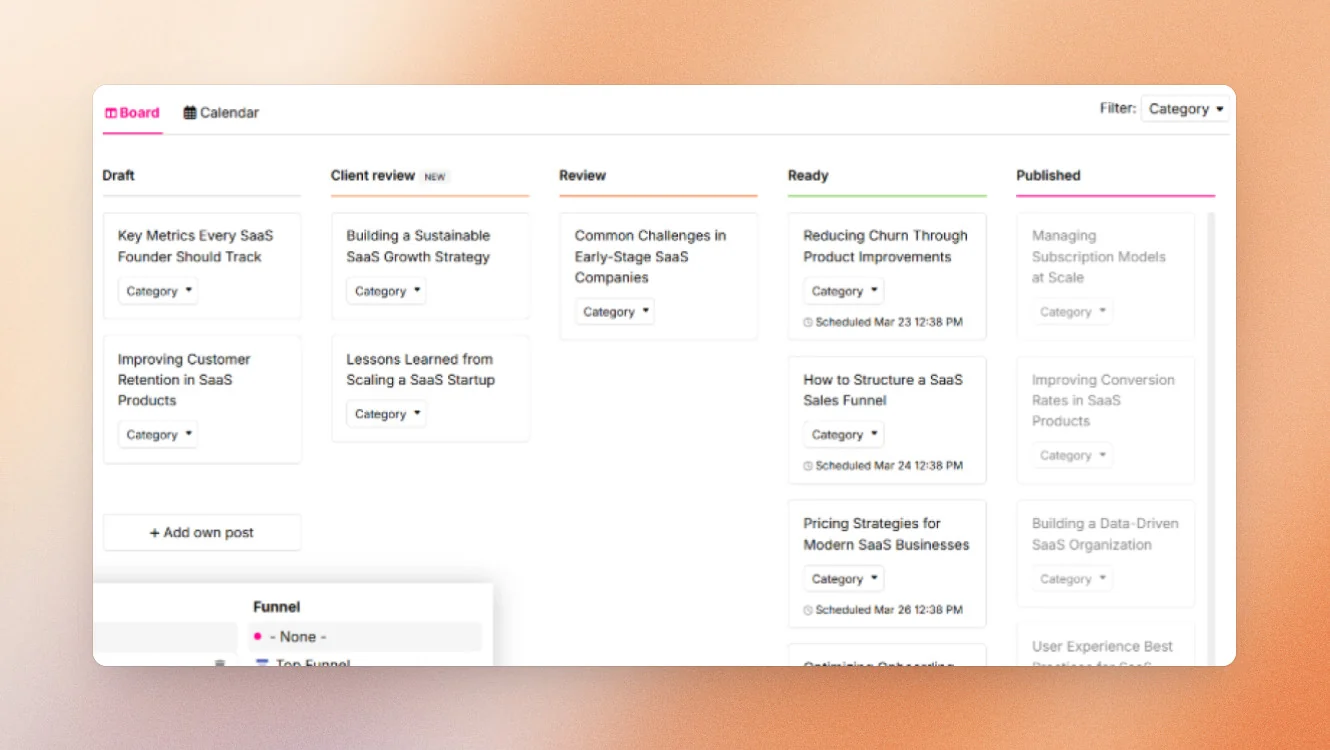
Contea is a LinkedIn content platform built specifically for ghostwriters and boutique content agencies. Created by two practicing LinkedIn ghostwriters, the platform focuses on solving the operational challenges that emerge when managing multiple clients, feedback cycles, and content approvals. Rather than prioritizing AI content generation alone, Contea streamlines the collaboration process between agencies and clients.
Async client input lets clients submit thoughts, answer structured questions, or leave voice memos from their phone — no content call required. A structured client feedback workflow replaces the scattered WhatsApp and email approval chain most ghostwriters operate in by default.
Contea’s Key Features
- Asynchronous Client Input: Clients can submit ideas, voice notes, and responses to structured prompts without scheduling content calls.
- Approval Workflows: Replace fragmented feedback processes across email, WhatsApp, and documents with a centralized review system.
- Client Content Management: Keep drafts, feedback, revisions, and publishing schedules organized in one place.
- Voice Memo Capture: Makes it easier for busy clients to contribute content ideas on the go.
- Agency-Focused Dashboard: Designed to help agencies manage multiple content relationships simultaneously.
Pricing
Custom pricing; verify with the vendor for details.
Good Fit For
- LinkedIn ghostwriters managing multiple executive or founder clients.
- Boutique content agencies looking to streamline client collaboration and approvals.
Not a Good Fit For
- Solo creators who only need AI-assisted content generation.
- Teams looking for advanced LinkedIn analytics and performance reporting.
- Users who want a deep knowledge base or extensive content research capabilities.
LinkedIn Compliance
Contea uses the official LinkedIn API for its automated publishing features.
AI Personalization Quality
Contea's personalization is driven largely by structured client input and ongoing collaboration rather than advanced AI memory systems. The platform helps agencies capture client perspectives effectively, but its primary value comes from workflow management rather than industry-leading AI personalization.
#6 ContentIde: Best Budget-Friendly MagicPost Alternative
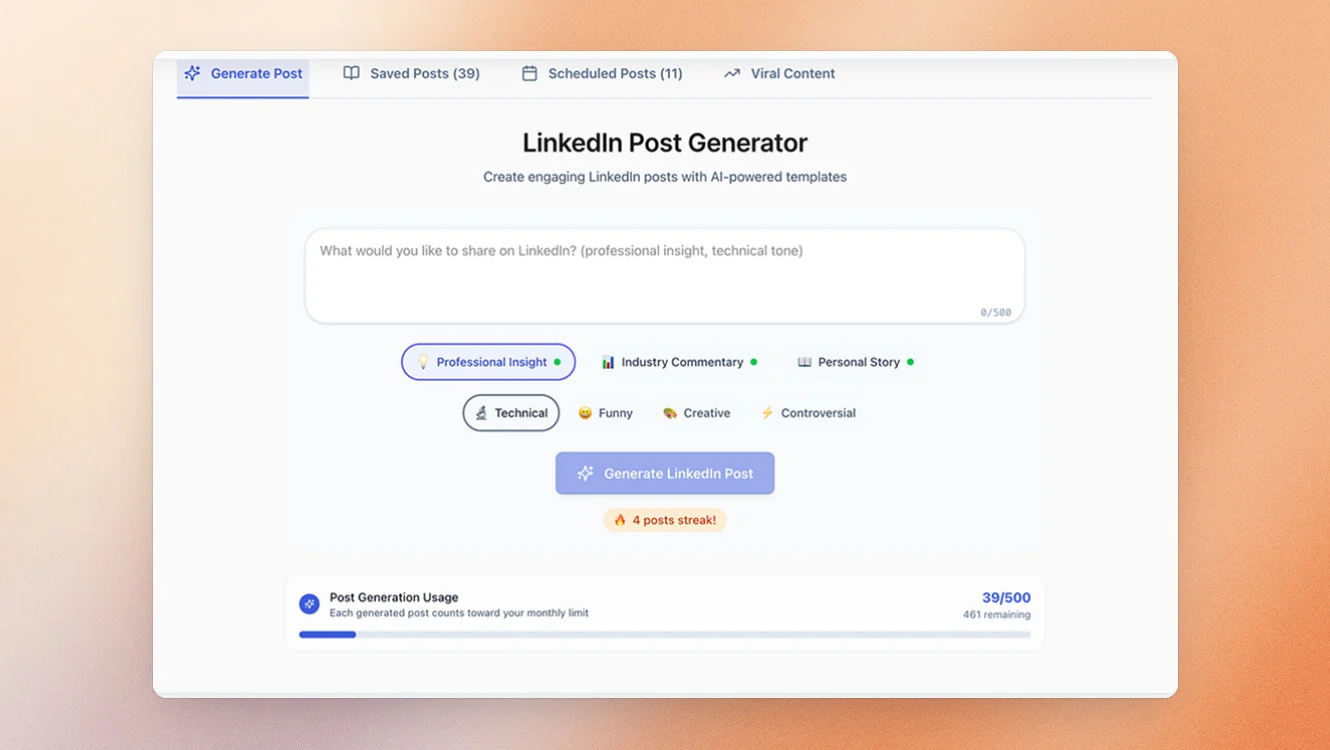
ContentIde is a LinkedIn content creation platform aimed at creators who want AI assistance without committing to an ongoing monthly subscription. Its biggest differentiator is its pricing model: unlike every other tool on this list, ContentIde offers lifetime access for a one-time payment. For users testing a LinkedIn content strategy or building a posting habit, it provides a low-risk entry point into AI-assisted content creation.
ContentIde’s Key Features
- Structured Content Generation: Choose from content categories such as Professional Insight, Industry Commentary, Personal Story, and Marketing & Promotion.
- Carousel Creation: Generate LinkedIn carousel content without requiring additional design software.
- Article Generation: Supports long-form content alongside standard LinkedIn posts.
- LinkedIn Scheduling: Publish and schedule content through an official LinkedIn connection.
- Free Plan Available: Generate up to five posts per month without providing payment information.
Pricing
- Limited free plan available (up to 5 posts per month)
- Lifetime access plan: $24.99 one-time payment
Good Fit For
- Budget-conscious creators testing LinkedIn content creation for the first time.
- Freelancers and consultants who want a low-cost AI content tool without recurring fees.
Not a Good Fit For
- Users who need analytics and performance reporting.
- Teams or agencies requiring collaboration and approval workflows.
- Professionals looking for advanced personalization, knowledge management, or voice-first content capture.
LinkedIn Compliance
ContentIde uses LinkedIn OAuth authentication for scheduling and publishing, providing an official connection to LinkedIn.
AI Personalization Quality
ContentIde provides structured AI content generation with configurable tones, formats, and content types. However, personalization is relatively lightweight compared to higher-end platforms. There is no persistent knowledge base, long-term memory system, or voice-learning capability, making it better suited to users seeking affordability rather than deep personalization.
How to Choose the Best MagicPost Alternative For You
The best MagicPost alternative depends on the specific limitation that's prompting you to switch. While all of the tools in this comparison support LinkedIn content creation, they solve very different problems.
If your primary challenge is content depth, look for a platform that can store and reference your expertise. If your challenge is workflow efficiency, prioritize tools that consolidate multiple parts of the content process into a single platform.
Use the guide below to identify the best fit based on your goals.
| If you need... | Consider... | Why |
|---|---|---|
| A complete LinkedIn content system | Scripe | Combines knowledge management, content creation, carousel building, scheduling, analytics, and team workflows. |
| Voice-first content creation | Supergrow | PostCast interviews help transform conversations into LinkedIn posts. |
| The strongest AI voice personalization | Oiti | Persistent memory and AI Clone technology learn from every edit and preference. |
| More pipeline from LinkedIn content | Postbeam | Converts engagement into warm leads and outreach opportunities. |
| Agency-focused collaboration | Contea | Built specifically for client approvals, feedback, and ghostwriting workflows. |
| The lowest possible cost | ContentIde | Lifetime pricing and a free plan reduce the barrier to entry. |
How to Migrate From MagicPost
Migrating from MagicPost is usually far simpler than most users expect. The biggest challenge isn't moving data, it's ensuring your content workflow remains uninterrupted during the transition.
Before switching tools, work through the following checklist:
- Export any available scheduled posts, content drafts, or analytics data before cancelling your subscription.
- Document your current posting cadence, including how often you publish and which content formats perform best.
- Make a note of your highest-performing topics, hooks, and content themes so they can be replicated in your new platform.
- Set up your replacement tool before your MagicPost subscription expires to avoid gaps in posting consistency.
- Reconnect LinkedIn accounts, team members, approval workflows, and content calendars before going live.
Most importantly, avoid cancelling too early. A brief overlap between platforms is often preferable to losing momentum because your publishing workflow is temporarily disrupted.
Why People Choose Scripe
Scripe is an AI-powered LinkedIn content platform designed to help professionals turn expertise into consistent, high-quality content.
Scripe Learns What You Know, Not Just How You Write
Scripe’s knowledge base allows users to upload customer stories, frameworks, sales methodologies, product information, internal documents, and other proprietary content. The AI actively references this information when generating content, creating posts that reflect genuine expertise rather than generic internet knowledge.
Scripe Captures Ideas Before They're Lost
Some of the best content ideas never make it into a LinkedIn post because they occur away from a keyboard. Whether it's a client conversation, a sales call, a conference insight, or a passing thought during a commute, Scripe's voice workflows help users capture ideas in the moment and convert them into content later.
Scripe Replaces Multiple Tools
It combines content creation, knowledge management, carousel generation, publishing, analytics, and collaboration features in a single platform, users can manage far more of the LinkedIn content lifecycle from one place.
Scripe Supports Individuals and Teams
Founders can use it to build a consistent personal brand. Sales teams can use it to support social selling initiatives. Agencies can manage multiple clients, voice profiles, approvals, and publishing schedules from a shared environment.
FAQs

Co-Founder & CTO
Christoph Meise is Co-Founder and CTO at Scripe, where he leads engineering and product development with a focus on building intuitive, high-performing user experiences. With over a decade of engineering experience at multiple companies he combines deep technical expertise with a strong instinct for how technology should actually feel to use. His academic foundation, a Master of Science in Business Informatics from Freie Universität Berlin and a Bachelor of Applied Science in Computer Science from Baden-Wuerttemberg Cooperative State University (DHBW), grounds his engineering approach. He previously co-founded and architected an online platform connecting entrepreneurs with investors, sharpening his focus on building systems that serve real user needs end to end. At Scripe, Christoph has led the product through multiple rebuilds, including a shift to become an official LinkedIn API partner and the launch of a self-learning content agent, work centered on making powerful technology feel effortless for the people using it. Christoph shares his perspective on LinkedIn growth, product development, and building with AI to a following of over 11,000 on LinkedIn.
LinkedIn